Flashing LG and Pioneer drives for UHD, incl. Pioneer firmware 12/2022+ (trev.bot)

Forum for discussions about UHD-capable dives
richardwu
Posts: 1
Joined: Sun Sep 20, 2026 7:19 am

Re: Flashing LG and Pioneer drives for UHD, incl. Pioneer firmware 12/2022+ (trev.bot)

Post by richardwu »

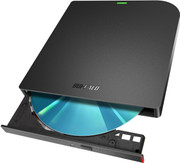
Thanks to Trevor's support on converting my BUFFALO BRXL-PUV6U3-BK/N or BRXL-PUS6U3-BK/N(Bundle playback software version) to be LibreDrive capable for ripping 4K UHD disc! :D

The BUFFALO BRXL-PUV6U3-BK/N[Use LG BU40N drive as core] was purchased from Amazon JP in last month and it is still widely avaliable for purchase:
https://amzn.asia/d/00CWe9Cb
Image

It save my life from purchasing the crazy expensive EOS Pioneer 4K UHD drive while helping me to converting my 4K UHD movies to my NAS for long term retention and easier for watching.

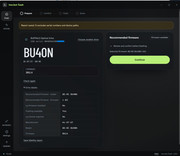
Here are the screenshot for the converting the BUFFALO BRXL-PUV6U3-BK/N:

BU40N as core https://ibb.co/G4LSnZRx
Image

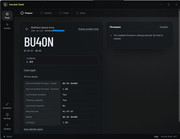
Crossflash successfully https://ibb.co/cKfY06Xs
Image

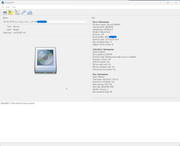
Now can detect the 4K UHD movie in MakeMKV
Image

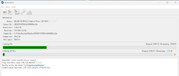
And can rip the disc
Image
Last edited by richardwu on Sun Oct 18, 2026 8:51 am, edited 2 times in total.
NoMoreSorry
Posts: 2
Joined: Mon Jun 15, 2026 5:57 pm

Re: Flashing Pioneer drives with firmware 12/2022+

Post by NoMoreSorry »

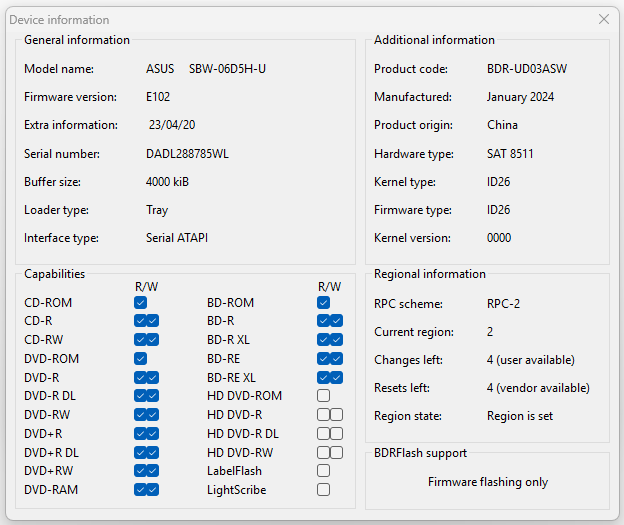
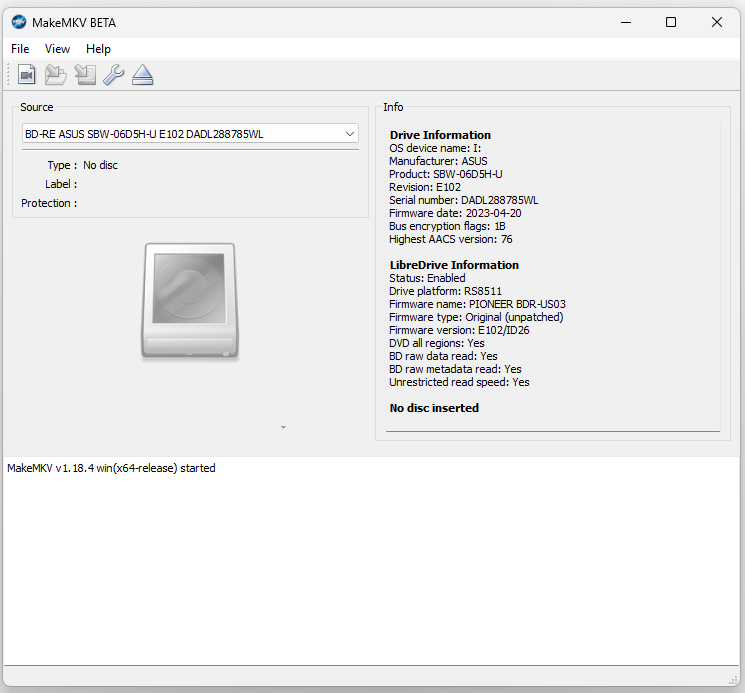
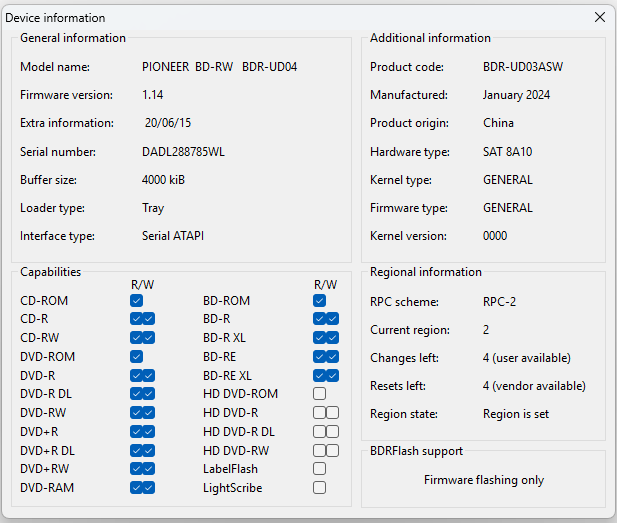
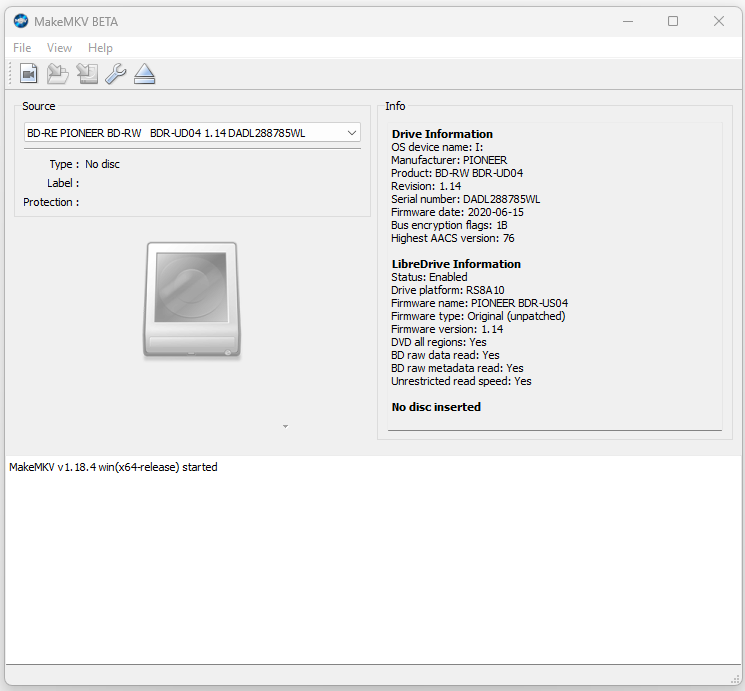
skyrider wrote: Mon Sep 28, 2026 9:31 pm Thanks to Trevor's persistence and hard work, the first ever crossflash of a BDR-UD03 drive with 12/22+ firmware to BDR-UD04 1.14 has been successfully completed.
Starring: ASUS SBW-06D5H-U E102.

Before:

Image Image

After:

Image Image
Just found about about this app and it's so cool the community was able to come around and do this! Especially on previously unflashable drives. I also do have the same exact model and firmware (SBW-06D5H-U), but sadly trev.bot does not detect any supported firmware yet. Hopefully soon! I can't wait to flash the drive.
trevbot
Posts: 25
Joined: Sat Sep 26, 2026 9:21 am

trev.bot flash 1.0.17 update

Post by trevbot »

trev.bot flash 1.0.17 is available for Windows, macOS and Linux.

This update adds support for more Pioneer and LG firmware versions, improves drive settings, and makes Pioneer firmware reads faster on supported adapters.

Check your drive in the app to see the options available for its exact model and firmware.

Changing settings such as PureRead on applicable Pioneer drives doesn't require a license. The version 1 intro rate is still active with Pioneer flashing at $19.99 for all of your devices (this isn't a per drive license) and LG flashing is $0.00.

Downloads Β· Full changelog
I build trev.bot. LG & Pioneer drive flashing for Windows, macOS and Linux.
gwhitcombe71
Posts: 82
Joined: Fri Oct 23, 2026 2:41 am

Re: Flashing LG and Pioneer drives for UHD, incl. Pioneer firmware 12/2022+ (trev.bot)

Post by gwhitcombe71 »

NoMoreSorry, fair enough, but i reckon it might be a bit longer than "soon" for the ASUS ones... trev seems to add stuff in batches (1.0.17 only just added a few more), so id just rerun Check after each update rather than wait for an announcement. definately a bit frustrating when you've got the exact drive sat there though πŸ™‚
trevbot
Posts: 25
Joined: Sat Sep 26, 2026 9:21 am

Re: Flashing LG and Pioneer drives for UHD, incl. Pioneer firmware 12/2022+ (trev.bot)

Post by trevbot »

Hey everyone,

I just added German, French, Japanese, and Polish to the trev.bot site β€” covering the homepage, pricing, supported drive list, model pages, and the new Pioneer PureRead guide:

German: https://trev.bot/de/
French: https://trev.bot/fr/
Japanese: https://trev.bot/ja/
Polish: https://trev.bot/pl/

(There's also a language switcher in the footer.)

trev.bot flash 1.0.45 also includes preview translations for those same four languages. The app still starts in English by default so nobody gets stuck with an unreviewed translation, but you can try them under Settings β†’ Language and it'll remember your pick.

If you speak any of these and spot awkward wording, confusing labels, or text getting cut off, please let me know here β€” even just the language and which screen it's on helps a lot so I can clean them up before turning on auto-detect.

Thanks,
Trevor
I build trev.bot. LG & Pioneer drive flashing for Windows, macOS and Linux.
trevbot
Posts: 25
Joined: Sat Sep 26, 2026 9:21 am

Re: Flashing LG and Pioneer drives for UHD, incl. Pioneer firmware 12/2022+ (trev.bot)

Post by trevbot »

@richardwu @Woodstock @dcoke22 @Blackened2687 β€” could one of you please move this updated overview into the top of the first post (keeping richardwu's original "How this thread started" section and Before/After screenshots underneath)? Thanks!

---

trev.bot flash β€” UHD firmware flasher & Pioneer drive settings for LG and Pioneer Blu-ray drives (Windows, macOS, Linux)

trev.bot flash is a desktop app by Trevor (trevbot here on the forum) that prepares supported LG and Pioneer Blu-ray drives for 4K UHD discs β€” including Pioneer drives on 12/22+ firmware and external/rebadged drives (such as ASUS and Buffalo) built on LG or Pioneer hardware. It reads the real drive model and firmware (even inside an external enclosure), downloads the matching firmware, and walks you through the flash with no command line or file hunting.

What it does
- Windows, macOS (Apple Silicon & Intel), and Linux (.deb / .rpm), with automatic in-app updates.
- Supports LG and Pioneer Blu-ray drives, including Pioneer 12/22+ firmware. Live supported model list: https://trev.bot/drives
- Free drive check: tells you whether a flash is available for your exact drive and firmware before you spend anything.
- Free Pioneer drive settings (no flash license required): view and change PureRead (Master / Perfect) and Quiet Drive modes, and view Peak Power Reducer status, with readback verification. Guide: https://trev.bot/pureread
- Website available in English, German (https://trev.bot/de/), French (https://trev.bot/fr/), Japanese (https://trev.bot/ja/), and Polish (https://trev.bot/pl/), with preview app translations under Settings β†’ Language (v1.0.45+).

How it works
1. Download the app: https://trev.bot/download
2. Connect the drive with no disc inside and run the free check.
3. If a flash is available, the app downloads and verifies the firmware and tells you if a reconnect is needed.
4. Confirm the drive and the risk, then press and hold to flash.
5. When it says Flash complete, test the drive with your discs.

Pricing & licensing
- Checking a drive, Analyze drive, and Pioneer PureRead / Quiet Drive settings are free with no activation code.
- Flashing uses a one-time personal license (two tiers: LG only, or LG + Pioneer) covering your own supported drives on up to 3 computers. It does not expire, and earlier single-flash purchases were upgraded automatically. Current pricing: https://trev.bot/pricing

Risk & unsupported drives
- Firmware flashing always carries some risk. The app checks drive identity and firmware integrity before writing, but no check can rule out a failure. Use an empty drive, keep power and USB connected, and leave the app open until it finishes.
- Drive not supported yet? Run the free Analyze drive option in the app. With your approval, it reads the drive and uploads the results to Trevor to help expand support (it never flashes anything).
- Need help? Send logs / save a support report in the app and email help@trev.bot.

Links
- Download: https://trev.bot/download
- Supported drives: https://trev.bot/drives
- Pricing: https://trev.bot/pricing
- Pioneer PureRead & Quiet Mode: https://trev.bot/pureread
- Every screen of the app: https://trev.bot/how-it-works
- Changelog / RSS: https://trev.bot/changelog
- German: https://trev.bot/de/
- French: https://trev.bot/fr/
- Japanese: https://trev.bot/ja/
- Polish: https://trev.bot/pl/
I build trev.bot. LG & Pioneer drive flashing for Windows, macOS and Linux.