Any idea what could be causing these errors? These are new to my system. I did update to omni drive not that long ago (maybe a month ago), but i started to get this over the weekend.
logs:
https://pastebin.com/KNm3Qgk4
Discs not loading
-
tomty89
- Posts: 231
- Joined: Sun Dec 13, 2020 8:48 am
Re: Discs not loading
You have four(?) drives here though, and apparently only the slim ones (BU40N) are flashed with OmniDrive firmware. Are you having problems with all of them or what? (If you don't know / aren't sure, have you tried connect and test only one of them at a time?) Also, when would you start having problem / seeing errors? Upon startup or MakeMKV? Upon insertion of a disc? Or upon the very beginning of a rip attempt? And what do you see on the UI when errors start to show up? (Please do NOT post screenshot as attachment. They won't show up.)I did update to omni drive not that long ago (maybe a month ago)
-
andcbii
- Posts: 56
- Joined: Tue Dec 30, 2014 6:36 pm
Re: Discs not loading
Open mkv, put a disc in (any of the drives) and MakeMKV see the disc and tries to start to open it, but it just gets stuck on loading. The lights on the disctray stop right away. I never get to the point where i can click to have MakeMKV load the tracks.
it says like this for 45 minutes:
https://drive.google.com/file/d/1zujMJm ... sp=sharing
https://drive.google.com/file/d/1Ic27PG ... sp=sharing
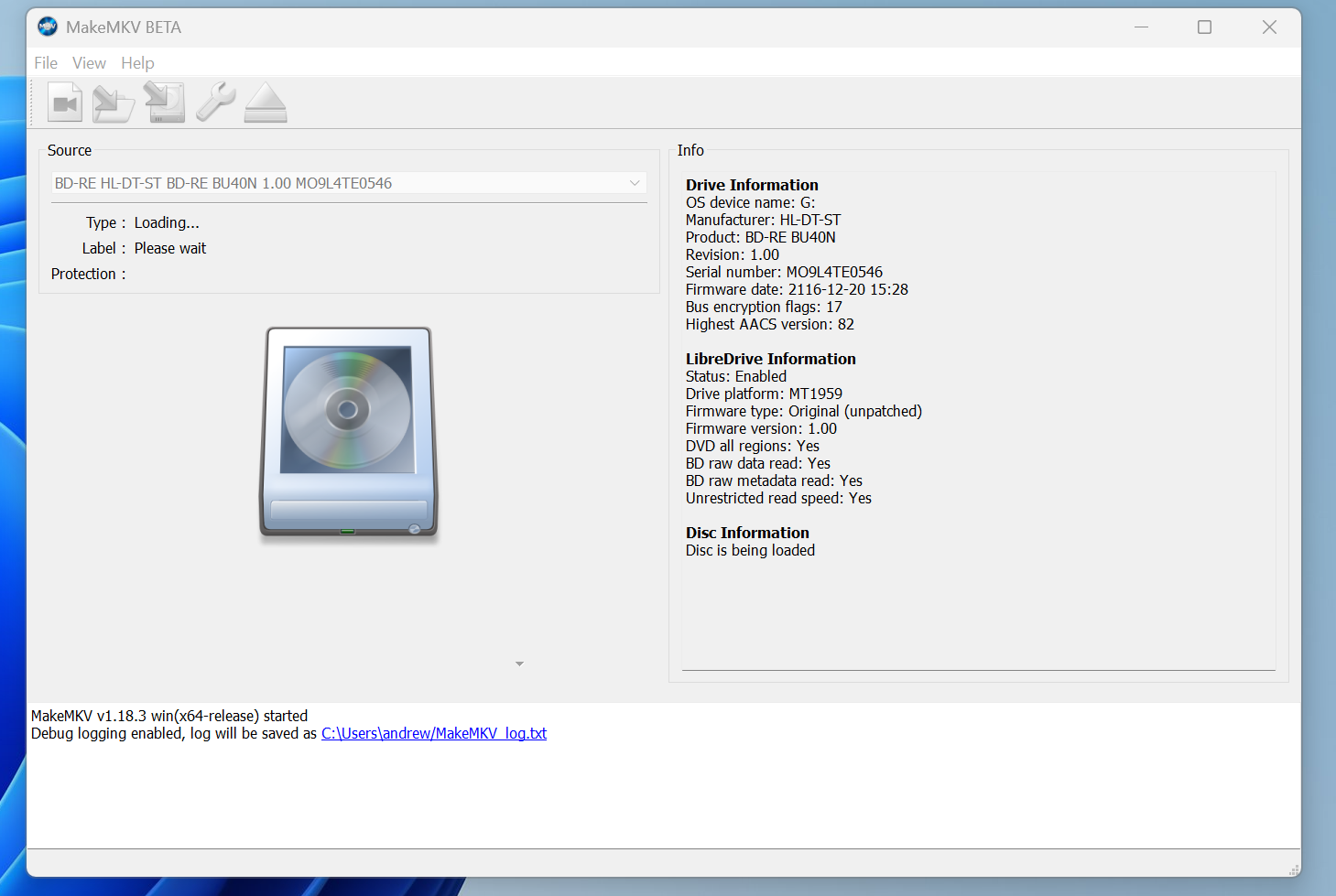
it says like this for 45 minutes:
https://drive.google.com/file/d/1zujMJm ... sp=sharing
https://drive.google.com/file/d/1Ic27PG ... sp=sharing
-
Billycar11
- Posts: 6339
- Joined: Sun Aug 24, 2014 5:49 am
Re: Discs not loading
Sounds like a power issue
Connect the drive to higher power USB ports
Or get a powered USB hub or asmcoms powered cable solution
Aslos never open makemkv first always let your os see the disc then open makemkv on your fist disc
After that you don't need to relaunch makemkv for every additional disc
Connect the drive to higher power USB ports
Or get a powered USB hub or asmcoms powered cable solution
Aslos never open makemkv first always let your os see the disc then open makemkv on your fist disc
After that you don't need to relaunch makemkv for every additional disc
Buy a drive from the guide and video maker: viewtopic.php?t=17831
UHD Drive Guide: viewtopic.php?t=19634
Auto flash kit $40 Email Billycar5924@gmail.com No attachments
UHD Drive Guide: viewtopic.php?t=19634
Auto flash kit $40 Email Billycar5924@gmail.com No attachments
-
tomty89
- Posts: 231
- Joined: Sun Dec 13, 2020 8:48 am
Re: Discs not loading
Even the desktop ones (WH16NS40)? Has any of them ever worked? Has the disc ever worked in any drive?
-
andcbii
- Posts: 56
- Joined: Tue Dec 30, 2014 6:36 pm
Re: Discs not loading
I'm not sure why I was seeing this... I've got a little tower I built with the 4 disc drives. There's some SATA to usb converter in there, but I don't remember which one. After a few restarts, pulling the power on the tower, and totally power cycling my pc the issue seems to have gone away...
-
Bandito
- Posts: 30
- Joined: Thu Jul 18, 2024 6:35 pm
Re: Discs not loading
How did you bring this picture here to live?
I tryed so many things to bring a picture visible...
The Upload didn't work for me.