I forgot to mention one very important info: Apple require the video track fourcc ID to be “dvh1” for Dolby Vision. So you need to change it manually using a Hex editor. (More info: the sample I recommended to you is “dvhe”, which cannot be played by QuickTime/Apple TV app)
Furthermore, Infuse only supports profile 5. If you want to test profile 8.x, you need to copy the the m4v file to the “Files” app, and preview with it. (And you must use iPadOS 14.1 or 14.2 beta 4, or later versions, in order to support profile 8.x)
How do I change from dvhe to dvh1? Using a hex editor? How would I make the appropriate changes from dvhe to dvh1. It's showing up as HDR on infuse. If you could show me how to change the value. That would be appreciated.
Format                                   : MPEG-4
Format profile                           : Base Media / Version 2
Codec ID                                 : mp42 (mp42/dby1/isom)
File size                                : 58.9 GiB
Duration                                 : 1 h 48 min
Overall bit rate                         : 78.0 Mb/s
Encoded date                             : UTC 2020-10-30 15:47:07
Tagged date                              : UTC 2020-10-30 15:47:07

Video
ID                                       : 1
Format                                   : HEVC
Format/Info                              : High Efficiency Video Coding
Format profile                           : Main 10@L5.1@High
HDR format                               : Dolby Vision, Version 1.0, dvhe.05.06, BL+RPU / SMPTE ST 2094 App 4, Version 1, HDR10+ Profile B compatible
Codec ID                                 : dvhe
Codec ID/Info                            : High Efficiency Video Coding with Dolby Vision
Duration                                 : 1 h 48 min
Bit rate                                 : 77.4 Mb/s
Width                                    : 3 840 pixels
Height                                   : 2 160 pixels
Display aspect ratio                     : 16:9
Frame rate mode                          : Constant
Frame rate                               : 23.976 (24000/1001) FPS
Color space                              : YUV
Chroma subsampling                       : 4:2:0 (Type 2)
Bit depth                                : 10 bits
Bits/(Pixel*Frame)                       : 0.389
Stream size                              : 58.4 GiB (99%)
Default                                  : No
Encoded date                             : UTC 2020-10-30 15:47:07
Tagged date                              : UTC 2020-10-30 15:47:07
Color range                              : Limited
Color primaries                          : BT.2020
Transfer characteristics                 : PQ
Matrix coefficients                      : BT.2020 non-constant
Mastering display color primaries        : Display P3
Mastering display luminance              : min: 0.0050 cd/m2, max: 4000 cd/m2
Maximum Content Light Level              : 1000 cd/m2
Maximum Frame-Average Light Level        : 606 cd/m2
Codec configuration box                  : hvcC+dvcC

Audio
ID                                       : 2
Format                                   : AC-3
Format/Info                              : Audio Coding 3
Commercial name                          : Dolby Digital
Codec ID                                 : ac-3
Duration                                 : 1 h 48 min
Bit rate mode                            : Constant
Bit rate                                 : 640 kb/s
Channel(s)                               : 6 channels
Channel layout                           : L R C LFE Ls Rs
Sampling rate                            : 48.0 kHz
Frame rate                               : 31.250 FPS (1536 SPF)
Compression mode                         : Lossy
Stream size                              : 495 MiB (1%)
Language                                 : English
Service kind                             : Complete Main
Default                                  : No
Encoded date                             : UTC 2020-10-30 15:47:07
Tagged date                              : UTC 2020-10-30 15:47:07
Err... rip Casino Royale to mkv with latest Makemkv = Dolby Vision on Shield 2019 pro via latest Plex - it’s that easy.
I was about to say the same thing, but I think you quoted the wrong person lol.
@kws53, just rip with makemkv 1.15.3 and call it a day.
kws53 wrote: Fri Oct 30, 2020 9:51 pm
I have the following TEST data points to offer for 3 scenarios:
Plex Windows Server->Shield 2019 Pro Plex Client->LG CX77
Plex Windows Server->LG WebOS Plex Client->LG CX77 (eARC)
Plex Windows Server->Sony x700 DLNA Client->LG CX77
Server = Version 1.20.3.3483
LG WebOS Plex Client Version = 5.3.1 (Client)
Shield Pro OS = Version 8.2.0
Shield Pro Plex Client = Version 7.23.0.13018
Sony x700 DLNA Client = latest US version as today
These Yusesope trial muxes were run:
DTDL_FEL.mp4
DTDL_FEL_1.mp4
DTDL_FEL_2.mp4
DTDL_FEL_3.mp4
DTDL_FEL_4.mp4
DTDL_FEL_to_MEL.mp4
STDL_FEL.mp4
STDL_FEL_to_MEL.mp4
FEL_to_Profile81.mp4
FEL.mkv
FEL_to_MEL.mkv
FEL_to_Profile81.mkv
For what it is worth, I also tried:
A full DTDL .ts (TSMuxer) mux of 1917 (FEL)
Video 1 = SMPTE ST 2094 App 4, Version 1, HDR10+ Profile B compatible
Video 2 = Dolby Vision, Version 1.0, dvhe.07.05, EL+RPU, Blu-ray compatible / SMPTE ST 2086, HDR10 compatible
A full DTDL .ts (TSMuxer) mux of Shazam (MEL)
Video 1 = SMPTE ST 2094 App 4, Version 1, HDR10+ Profile B compatible
Video 2 = Dolby Vision, Version 1.0, dvhe.07.05, EL+RPU, Blu-ray compatible / SMPTE ST 2086, HDR10 compatible
A full STDL .ts (Alpha) mux of Shazam (MEL)
Video = Dolby Vision, Version 1.0, dvhe.07.05, EL+RPU, Blu-ray compatible / SMPTE ST 2086, HDR10 compatible
A full DTDL .MP4 (Original MP4 method) mux of Casino Royale (MEL)
Video 1 = SMPTE ST 2086, HDR10 compatible
Video 2 = Dolby Vision, Version 1.0, dvhe.07.06, EL+RPU / SMPTE ST 2086, HDR10 compatible
A full STDL .ts (Alpha) mux of First Man (FEL)
Video = Dolby Vision, Version 1.0, dvhe.04.06, BL+EL+RPU, Blu-ray compatible / SMPTE ST 2086, HDR10 compatible
1917.ts: 1=HDR, 2=HDR, 3=DV (buffering issues after 3-5 minutes)
Shazam.ts (STDL): 1=HDR, 2=HDR, 3=DNP (had multiple video issues with my Sony x700/Denon x4700/LG CX77 combination - scrambled pixellated overlay which required a power down of all equipment to reset)
Shazam.ts (DTDL): 1=HDR, 2=HDR, 3=DNP
Casino Royale.mp4: 1=HDR, 2=HDR, 3=DV (audio not recognized)
kws53 wrote: Fri Oct 30, 2020 9:51 pm
I have the following TEST data points to offer for 3 scenarios:
Plex Windows Server->Shield 2019 Pro Plex Client->LG CX77
Plex Windows Server->LG WebOS Plex Client->LG CX77 (eARC)
Plex Windows Server->Sony x700 DLNA Client->LG CX77
Server = Version 1.20.3.3483
LG WebOS Plex Client Version = 5.3.1 (Client)
Shield Pro OS = Version 8.2.0
Shield Pro Plex Client = Version 7.23.0.13018
Sony x700 DLNA Client = latest US version as today
These Yusesope trial muxes were run:
DTDL_FEL.mp4
DTDL_FEL_1.mp4
DTDL_FEL_2.mp4
DTDL_FEL_3.mp4
DTDL_FEL_4.mp4
DTDL_FEL_to_MEL.mp4
STDL_FEL.mp4
STDL_FEL_to_MEL.mp4
FEL_to_Profile81.mp4
FEL.mkv
FEL_to_MEL.mkv
FEL_to_Profile81.mkv
For what it is worth, I also tried:
A full DTDL .ts (TSMuxer) mux of 1917 (FEL)
Video 1 = SMPTE ST 2094 App 4, Version 1, HDR10+ Profile B compatible
Video 2 = Dolby Vision, Version 1.0, dvhe.07.05, EL+RPU, Blu-ray compatible / SMPTE ST 2086, HDR10 compatible
A full DTDL .ts (TSMuxer) mux of Shazam (MEL)
Video 1 = SMPTE ST 2094 App 4, Version 1, HDR10+ Profile B compatible
Video 2 = Dolby Vision, Version 1.0, dvhe.07.05, EL+RPU, Blu-ray compatible / SMPTE ST 2086, HDR10 compatible
A full STDL .ts (Alpha) mux of Shazam (MEL)
Video = Dolby Vision, Version 1.0, dvhe.07.05, EL+RPU, Blu-ray compatible / SMPTE ST 2086, HDR10 compatible
A full DTDL .MP4 (Original MP4 method) mux of Casino Royale (MEL)
Video 1 = SMPTE ST 2086, HDR10 compatible
Video 2 = Dolby Vision, Version 1.0, dvhe.07.06, EL+RPU / SMPTE ST 2086, HDR10 compatible
A full STDL .ts (Alpha) mux of First Man (FEL)
Video = Dolby Vision, Version 1.0, dvhe.04.06, BL+EL+RPU, Blu-ray compatible / SMPTE ST 2086, HDR10 compatible
1917.ts: 1=HDR, 2=HDR, 3=DV (buffering issues after 3-5 minutes)
Shazam.ts (STDL): 1=HDR, 2=HDR, 3=DNP (had multiple video issues with my Sony x700/Denon x4700/LG CX77 combination - scrambled pixellated overlay which required a power down of all equipment to reset)
Shazam.ts (DTDL): 1=HDR, 2=HDR, 3=DNP
Casino Royale.mp4: 1=HDR, 2=HDR, 3=DV (audio not recognized)
All DTDL MP4 test files triggered DV for x700 - may or may not be buffering issues, files too small
DTDL .ts file triggered DV for x700 - buffering issues
MP4 files from early method triggered DV in x700 but audio limitations prevented use
No file configuration to date triggered DV in Shield
Casino Royale.ts (Alpha method) triggered DV in WebOS but LG eARC audio restrictions prevented sound
FEL_to_Profile81.mp4 triggered DV in WebOS but LG eARC audio restrictions will be issue
Ultimately, I need SOMETHING to trigger DV in the Shield...
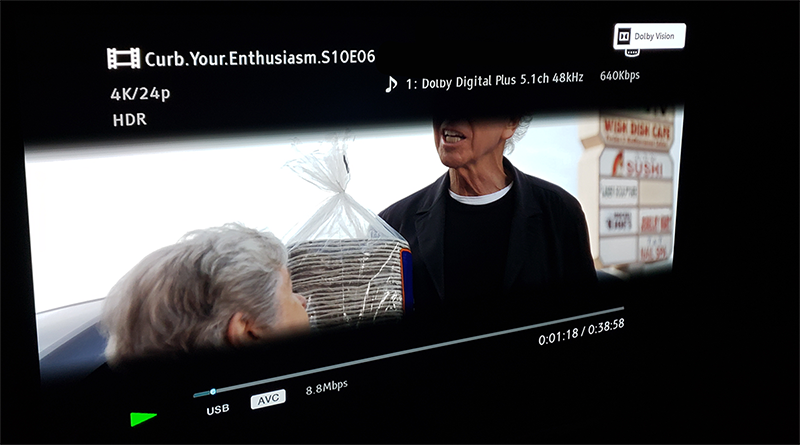
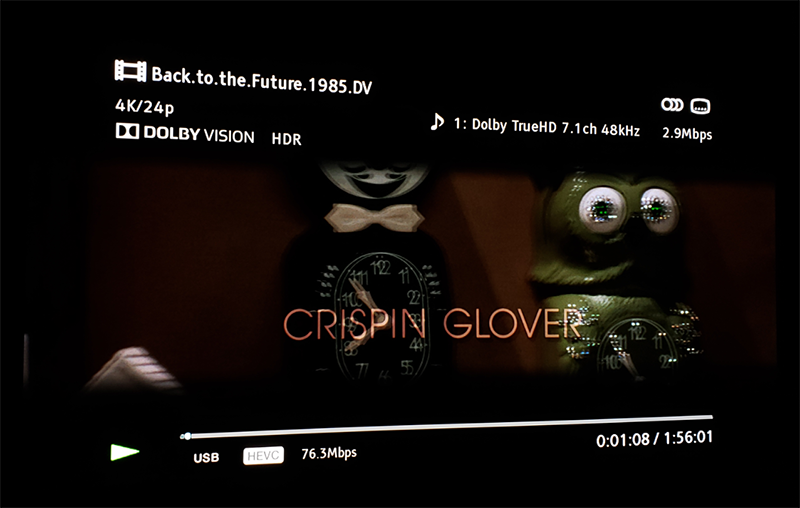
The x700 playing in Dolby vision dual-layer mp4 from both DLNA and USB. Forcing Dolby vision to ON in settings, applies a pseudo dv to all content and isn't real Dolby vision. Turning on DV sends the DV metadata for everything. So just triggering DV isn't enough of a test to know for SURE that it's truly playing DV content. Turning it off will still properly flag dv so long as the actual Metadata exists and your source content is correct.
If you search far back enough. The x700 isn't 1:1 DV playback. It has been confused by many because they see the logo popup.
So just triggering DV isn't enough of a test to know for SURE that it's truly playing DV content. Turning it off will still properly flag dv so long as the actual Metadata exists and your source content is correct.
If you search far back enough. The x700 isn't 1:1 DV playback. It has been confused by many because they see the logo popup.
not true at all. the x700 OSD will show ''Dolby Vision HDR'' for real DV and ''HDR'' only for fake DV.
it sure is a 1:1 DV playback device.
also, turning off DV wont trigger DV anymore for any content. it will even tonemap profile 5 full range DV content to HDR10.
kws53 wrote: Fri Oct 30, 2020 9:51 pm
I have the following TEST data points to offer for 3 scenarios:
mmm... the x700 play ALL the DT DL TS produced by tsmuxer. not sure why you couldnt play Shazaam , Casino Royal, 1917 and first man. I watched all of them without any issue.
Last edited by RESET_9999 on Sat Oct 31, 2020 6:34 pm, edited 2 times in total.
I have been trying a lot of sample files posted here on my new sony bravia x90h tv. It can play basically all MEL files (mp4/ts/mkv) and all profile8.1 files but havent been able to find a way to get any FEL file trigger dolby vision, is it simply not possible to play FEL files on sony tvs without external hardware player?
Also I have one other question, any FEL file converted to MEL vs the same FEL file converted to profile 8.1, what is supposed to look better? (MEL file should look better right as 8.1 has no enhancement layer and only dynamic metadata?)
koolkunz wrote: Sat Oct 31, 2020 8:25 am
I have been trying a lot of sample files posted here on my new sony bravia x90h tv. It can play basically all MEL files (mp4/ts/mkv) and all profile8.1 files but havent been able to find a way to get any FEL file trigger dolby vision, is it simply not possible to play FEL files on sony tvs without external hardware player?
Also I have one other question, any FEL file converted to MEL vs the same FEL file converted to profile 8.1, what is supposed to look better? (MEL file should look better right as 8.1 has no enhancement layer and only dynamic metadata?)
No, Sony doesn’t support full Dolby (FEL).
Also no one is sure what is happening with these FEL players that actually play them, is the enhancement getting discarded?
Testing that should be pretty easy I guess? Just take comparison photographs in a pitch black room on a good tv. Comparing FEL file vs MEL file for the same movie?
koolkunz wrote: Sat Oct 31, 2020 1:42 pm
Testing that should be pretty easy I guess? Just take comparison photographs in a pitch black room on a good tv. Comparing FEL file vs MEL file for the same movie?
Maybe in all these files we are just getting HDR10 with dynamic metadata.
I know for a fact that original Dual Track DV on the Oppo203 is better than any rip played back via an Android player that I have seen.
koolkunz wrote: Sat Oct 31, 2020 1:42 pm
Testing that should be pretty easy I guess? Just take comparison photographs in a pitch black room on a good tv. Comparing FEL file vs MEL file for the same movie?
Maybe in all these files we are just getting HDR10 with dynamic metadata.
I know for a fact that original Dual Track DV on the Oppo203 is better than any rip played back via an Android player that I have seen.
If there is a difference in those files then they cant all just be hdr10 with dynamic metadata..one of them has to be proper DV?
koolkunz wrote: Sat Oct 31, 2020 1:42 pm
Testing that should be pretty easy I guess? Just take comparison photographs in a pitch black room on a good tv. Comparing FEL file vs MEL file for the same movie?
Maybe in all these files we are just getting HDR10 with dynamic metadata.
I know for a fact that original Dual Track DV on the Oppo203 is better than any rip played back via an Android player that I have seen.
What kind of "original dual track DV" ? Ripped DTDL profile7? or from the disc?
koolkunz wrote: Sat Oct 31, 2020 1:42 pm
Testing that should be pretty easy I guess? Just take comparison photographs in a pitch black room on a good tv. Comparing FEL file vs MEL file for the same movie?
Maybe in all these files we are just getting HDR10 with dynamic metadata.
I know for a fact that original Dual Track DV on the Oppo203 is better than any rip played back via an Android player that I have seen.
What kind of "original dual track DV" ? Ripped DTDL profile7? or from the disc?
the oppo can just play the full folder backups without any extra modifications.
DaMacFunkin wrote: Sat Oct 31, 2020 2:26 pm
Maybe in all these files we are just getting HDR10 with dynamic metadata.
I know for a fact that original Dual Track DV on the Oppo203 is better than any rip played back via an Android player that I have seen.
You can think about STDL version as Schrödinger's Dolby Vision - It's equal and unequal to DTDL at the same time
Maybe, I certainly think that there is a way, Sony LLDV works and it is a fudge, I’m quite sure there that the fudges can work, we are definitely closer than we was.
kws53 wrote: Fri Oct 30, 2020 9:51 pm
Ultimately, I need SOMETHING to trigger DV in the Shield...
You need to update Shield Pro Plex Client version to 8.8.0.
Indeed! 8.8.1 triggers DV on all of my GAMMA profile 8 and profile 7 MKV files, the Alpha Muxed files and the original TSMuxer method. I just hope that I'm getting DV and not simply showing as triggered. As a result, I intend to use the GAMMA MKV method going forward.
DaMacFunkin wrote: Sat Oct 31, 2020 2:26 pm
Maybe in all these files we are just getting HDR10 with dynamic metadata.
I know for a fact that original Dual Track DV on the Oppo203 is better than any rip played back via an Android player that I have seen.
You can think about STDL version as Schrödinger's Dolby Vision - It's equal and unequal to DTDL at the same time
Maybe, I certainly think that there is a way, Sony LLDV works and it is a fudge, I’m quite sure there that the fudges can work, we are definitely closer than we was.
Btw the Sony X90H is the first sony tv to support proper TV led dolby vision. (They added this in a recent software update - https://www.youtube.com/watch?v=R2WDVRR4WV0), Does that effect the possibility of playing FEL files directly on the TV without using external player?