Thank you. Unfortunately not working. I tried 2 times. First I ckeck with mediainfo the itelian audio track and enter the number in the program. Then at the end the language was french. Then I tried again anch choose language according to tsmuxer and this time the language was I think polish.
So I did it again with the old system and everything runs ok.
Many thanks anyway.
ragico wrote: Mon Mar 25, 2019 5:00 pm
Thank you. Unfortunately not working. I tried 2 times. First I ckeck with mediainfo the italian audio track and enter the number in the program. Then at the end the language was french. Then I tried again anch choose language according to tsmuxer and this time the language was I think polish.
So I did it again with the old system and everything runs ok.
Many thanks anyway.
haha yea no worries, I didn't think the language would match up right in eac3to. let me mess with a few movies and maybe I can find you a bulletproof way to always know the right track to pick.
sumvision wrote: Sun Mar 17, 2019 9:29 pm
Does anybody know if you can adjust the audio sync? I got the holy grail but it's out of sync
I'm just catching up on some old posts...how the heck did you get Dolby Atmos working?! I saw later that it's lossy, but you didn't explain how you did it. This is what we all want! (well we really want lossless, but this is the next best thing)
olevelo wrote: Mon Mar 25, 2019 10:03 pm
I'm just catching up on some old posts...how the heck did you get Dolby Atmos working?! I saw later that it's lossy, but you didn't explain how you did it. This is what we all want! (well we really want lossless, but this is the next best thing)
he probably used a movie that just happened to have an eac3 7.1+atmos track. there's only a few that exist though. if you happen to find one you can use dolbymp4muxer and add your bl, el, and ec3 files for a working DV mp4 + atmos. to make your own dd+ track you need the $2k dolby encoder suite software.
benhur wrote: Tue Mar 26, 2019 7:07 pm
Hi
The mp4muxer --help say that e-ac3 audio file need to be named .ec3
Is it working ?
Yes mp4muxer can add eac3 files with the ec3 file extension. if your movie already has an eac3 track, just demux it using eac3to.exe with output.ec3 and you'll be good to go. however eac3to can't convert other audio tracks to eac3, it needs to already exist.
@Grencola, do you know the reason why these files don't work on the LG B6? Have tried everything to get them to work with no success! Didn't realise the TV itself would be the limitation ..
Samsheep wrote: Thu Mar 28, 2019 7:20 pm
@Grencola, do you know the reason why these files don't work on the LG B6? Have tried everything to get them to work with no success! Didn't realise the TV itself would be the limitation ..
I had the Lg E6 oled and many (about 70%) of these files worked but just in one colour: Green..Everything was green.
I read somewhere that the reason was that 2016 Lg oled are fitted with an old version of Dolby Vision.
With Lg C8 everything runs perfect.
Samsheep wrote: Thu Mar 28, 2019 7:20 pm
@Grencola, do you know the reason why these files don't work on the LG B6? Have tried everything to get them to work with no success! Didn't realise the TV itself would be the limitation ..
Yea, like ragico said, LG pushed new dv codec support to their TV's but the 2016's oled didn't make the cut for some reason
nydal91 wrote: Sat Mar 30, 2019 12:52 pm
I get a problem with my lg oled that the tv is out off memory after 10 minutes off play with some of the dolby vision files with high bitrate
have you tried using plex instead of usb? there's some extra buffer settings you can tweak to help, but I haven't heard of anyone needing to
Grencola wrote: Tue Mar 19, 2019 2:10 am
So after enough testing, I can now safely say the dv mp4s made from mkvs DO infact work just fine i've ran my program on like 10 of them and they all show dv and look and play amazing, with better contrast in the darker scenes that hdr10 misses. I'll update my app and take mkv out of testing and into full on good to go mode yay!
I've also added elapsed time so you know how long it took when it finishes and bumped it to version 2.0 since I don't think I can add any more features with the knowledge i have lol.
I have used your Version 2.0 All-in-1 program, its wonderful & Brilliant. I would like to request if you can add a line question in the 'cmd' script to ask to extract ENGLISH subtitles to be attached to the output DV MP4 file. If you can, i hope it is not too extensive and complicated for you to implement. Hope to hear the good news from you soon...
deejaytnk wrote: Mon Apr 01, 2019 3:24 am
Grencola,
I have used your Version 2.0 All-in-1 program, its wonderful & Brilliant. I would like to request if you can add a line question in the 'cmd' script to ask to extract ENGLISH subtitles to be attached to the output DV MP4 file. If you can, i hope it is not too extensive and complicated for you to implement. Hope to hear the good news from you soon...
sure, that sounds simple enough. give me a bit of time though, I'm ridiculously busy. also thanks, glad you like it!
Grencola wrote: Tue Mar 19, 2019 2:10 am
So after enough testing, I can now safely say the dv mp4s made from mkvs DO infact work just fine i've ran my program on like 10 of them and they all show dv and look and play amazing, with better contrast in the darker scenes that hdr10 misses. I'll update my app and take mkv out of testing and into full on good to go mode yay!
I've also added elapsed time so you know how long it took when it finishes and bumped it to version 2.0 since I don't think I can add any more features with the knowledge i have lol.
I have used your Version 2.0 All-in-1 program, its wonderful & Brilliant. I would like to request if you can add a line question in the 'cmd' script to ask to extract ENGLISH subtitles to be attached to the output DV MP4 file. If you can, i hope it is not too extensive and complicated for you to implement. Hope to hear the good news from you soon...
The .SUP file isn't officially supported for .mp4 container. You would either have to hardcode them, or convert them to a supported format. MP4 only supports 2 subtitle formats txt(srt) and idx/vobsub. I would personally use eac3to to extract the .SUP file or you can use tsMuxer if you need GUI and not familiar with command line. Then use Subtitle Edit to convert .SUP to .SRT. Once you're done with that you can make a folder with your Dolby Vision and .SRT file make sure both the files are named the same. You're set! I'm sure there's an easier way but this is the way I do it. I'm not sure how others mux the srt and vobsub file the .mp4 container.
Grencola wrote: Tue Mar 19, 2019 2:10 am
So after enough testing, I can now safely say the dv mp4s made from mkvs DO infact work just fine i've ran my program on like 10 of them and they all show dv and look and play amazing, with better contrast in the darker scenes that hdr10 misses. I'll update my app and take mkv out of testing and into full on good to go mode yay!
I've also added elapsed time so you know how long it took when it finishes and bumped it to version 2.0 since I don't think I can add any more features with the knowledge i have lol.
I have used your Version 2.0 All-in-1 program, its wonderful & Brilliant. I would like to request if you can add a line question in the 'cmd' script to ask to extract ENGLISH subtitles to be attached to the output DV MP4 file. If you can, i hope it is not too extensive and complicated for you to implement. Hope to hear the good news from you soon...
The .SUP file isn't officially supported for .mp4 container. You would either have to hardcode them, or convert them to a supported format. MP4 only supports 2 subtitle formats txt(srt) and idx/vobsub. I would personally use eac3to to extract the .SUP file or you can use tsMuxer if you need GUI and not familiar with command line. Then use Subtitle Edit to convert .SUP to .SRT. Once you're done with that you can make a folder with your Dolby Vision and .SRT file make sure both the files are named the same. You're set! I'm sure there's an easier way but this is the way I do it. I'm not sure how others mux the srt and vobsub file the .mp4 container.
Hi-Res,
Do you know if Plex Player is capable of decoding an .SRT file with the same file name as MP4 file that reside on a USB thumb drive loaded onto a LG B7 OLED panel?
If not, where I have to hardcode the subs, what software and steps would I need to do so. Please advise.
Thanks a lot for the correspondence to keep this thread going. The Streaming industry is making the Disc Media industry complicated and segregated, just like the stupid struggle between Dolby and DTS. The DV and HDR+ war doesnt help either. Hope when HDMI 2.0 is released, it will standardized equipment to Dynamic HDR capabilities which will make Dolby Vision less special.

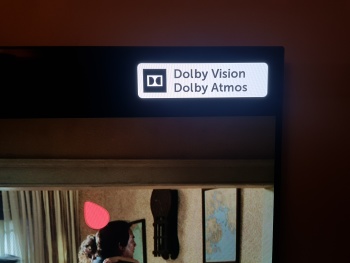

 i've ran my program on like 10 of them and they all show dv and look and play amazing, with better contrast in the darker scenes that hdr10 misses. I'll update my app and take mkv out of testing and into full on good to go mode