BulletToothTony wrote: Sun Oct 25, 2026 4:53 pm
Hi everyone.
Sorry for my bad English, I'm using Google.
I have an HP HLDS BDRE BU50N Rev BW50 drive in my HP laptop.
I have downloaded SDFTool 1.3.6 and the "The all you need firmware pack" with the FW for the LG slim BU40N (i think that is correct).
When I start SDFTool, the following error message appears.
When I click "Continue," no drive is displayed in the selection field.
Screenshot 2026-10-25 174629.png
Screenshot 2026-10-25 174358.png
Attachmetns don't work here. You can upload them elsewhere and attach the links though or just write what happens?
Do you have MakeMKV v1.18.4 installed on your PC? Did you read the requirements in the first post?
Cheers
----------------------------------------------------------------------------------------------------------------------------
** NEW Single Drive Flasher ** available worldwide! https://payhip.com/b/MyeJ9
Email: martymcnuts@outlook.com
Asus BW-16D1HT user here, do i just use write option and that is it? what is this thing about recovery? do i need to do that? just wanted to get the proper steps here.
JediFonger wrote: Tue Nov 03, 2026 4:53 am
Asus BW-16D1HT user here, do i just use write option and that is it? what is this thing about recovery? do i need to do that? just wanted to get the proper steps here.
No recovery. That is mainly used to recover older, incompatible drives that people flashed and stuffed up and for some slim drives that need it for flashing to work.
Ensure your ASUS BW-16D1HT is a legit one and not one of the fakes. It must:
1. Be manufactured from 2016
2. Have the MT1959 drive platform
3. Have a 3.xx firmware version (not 1.xx version)
If your drive does not match all of the above, DO NOT flash it.
Cheers
----------------------------------------------------------------------------------------------------------------------------
** NEW Single Drive Flasher ** available worldwide! https://payhip.com/b/MyeJ9
Email: martymcnuts@outlook.com
Hey all! i am relatively new to this flashing scene i have the following drive
"OS device name: F:
Current profile: BD-ROM
Manufacturer: HL-DT-ST
Product: BD-RE BU40N
Revision: 1.05
Serial number: MO9P7J94417
Firmware date: 2124-04-23 13:47
Bus encryption flags: 17
Highest AACS version: 82
LibreDrive Information
Status: Possible, not yet enabled
Drive platform: MT1959"
how do i flash the firmware for this drive i also got this error upon opening the application
"See the end of this message for details on invoking
just-in-time (JIT) debugging instead of this dialog box.
************** Exception Text **************
System.ComponentModel.Win32Exception (2): An error occurred trying to start process 'C:\Program Files (x86)\MakeMKV\sdftool64.exe' with working directory 'C:\Users\Mikey\Downloads\SDFtool Flasher (v1.3.6)'. The system cannot find the file specified.
at System.Diagnostics.Process.StartWithCreateProcess(ProcessStartInfo startInfo)
at System.Diagnostics.Process.Start()
at SDFtool_Flasher_Updated.Form1.Get_Drive_List()
at SDFtool_Flasher_Updated.Form1.Check_MakeMKV_Installation()
at SDFtool_Flasher_Updated.Form1.Form1_Load(Object sender, EventArgs e)
at System.Windows.Forms.Form.OnLoad(EventArgs e)
at System.Windows.Forms.Form.OnCreateControl()
at System.Windows.Forms.Control.CreateControl(Boolean fIgnoreVisible)
at System.Windows.Forms.Control.CreateControl()
at System.Windows.Forms.Control.WmShowWindow(Message& m)
at System.Windows.Forms.Control.WndProc(Message& m)
at System.Windows.Forms.ScrollableControl.WndProc(Message& m)
at System.Windows.Forms.ContainerControl.WndProc(Message& m)
at System.Windows.Forms.Form.WmShowWindow(Message& m)
at System.Windows.Forms.Form.WndProc(Message& m)
at System.Windows.Forms.Control.ControlNativeWindow.OnMessage(Message& m)
at System.Windows.Forms.Control.ControlNativeWindow.WndProc(Message& m)
at System.Windows.Forms.NativeWindow.Callback(IntPtr hWnd, WM msg, IntPtr wparam, IntPtr lparam)
mikey20031 wrote: Thu Nov 12, 2026 12:22 pm
Hey all! i am relatively new to this flashing scene i have the following drive
"OS device name: F:
Current profile: BD-ROM
Manufacturer: HL-DT-ST
Product: BD-RE BU40N
Revision: 1.05
Serial number: MO9P7J94417
Firmware date: 2124-04-23 13:47
Bus encryption flags: 17
Highest AACS version: 82
LibreDrive Information
Status: Possible, not yet enabled
Drive platform: MT1959"
how do i flash the firmware for this drive i also got this error upon opening the application
"See the end of this message for details on invoking
just-in-time (JIT) debugging instead of this dialog box.
************** Exception Text **************
System.ComponentModel.Win32Exception (2): An error occurred trying to start process 'C:\Program Files (x86)\MakeMKV\sdftool64.exe' with working directory 'C:\Users\Mikey\Downloads\SDFtool Flasher (v1.3.6)'. The system cannot find the file specified.
.
.
.
One of two causes:
1. The latest release of MakeMKV (2.x) does not include sdftool64.exe. Use an older release: https://web.archive.org/web/*/https://w ... m/download*
2. MakeMKV is not installed in the default location (C:\Program Files (x86)\MakeMKV). Make sure MakeMKV is installed in the expected/default location.
Crystara wrote: Fri Nov 13, 2026 11:03 am
Hello quick question I only have access to a Mac what other options do I have to flash my BU40N thank you in advance for any assistance
Ydark wrote: Sat Nov 28, 2026 2:43 pm
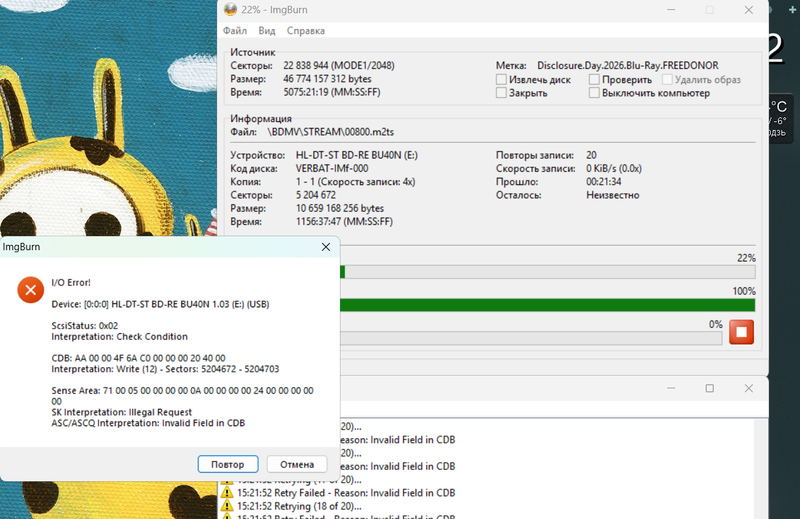
Hi everyone, I could use some help – after a firmware update, it stopped writing to 50 GB discs altogether.
It’s running firmware version 1.03.