For dovi baking (8-6-1), are we required to crop to match the image aspect ratio? Aside from the black bars being left in, does not cropping affect the encoding?
One reason I ask is because I can't crop with an odd top/bottom number (263/263) on my video file, so I'm forced to crop with 264/264. Cropping with an odd number on my video file yields the error: "YUV image can only be cropped by mod 2" (https://forum.videohelp.com/threads/368 ... g-question). Which is fine if cropping is required, but if it isn't then I'd prefer to just not crop.
Dolby Vision now possible through MP4 Mux.
-
RESET_9999
- Posts: 2421
- Joined: Mon Aug 05, 2019 7:12 pm
Re: Dolby Vision now possible through MP4 Mux.
No,ans40 wrote: Wed Dec 13, 2023 5:34 pm For dovi baking (8-6-1), are we required to crop to match the image aspect ratio? Aside from the black bars being left in, does not cropping affect the encoding?
One reason I ask is because I can't crop with an odd top/bottom number (263/263) on my video file, so I'm forced to crop with 264/264. Cropping with an odd number on my video file yields the error: "YUV image can only be cropped by mod 2" (https://forum.videohelp.com/threads/368 ... g-question). Which is fine if cropping is required, but if it isn't then I'd prefer to just not crop.
L5 is left untouched unless you crop or downscale.
-
thirdmoon
- Posts: 35
- Joined: Mon Jul 03, 2023 6:17 am
Re: Dolby Vision now possible through MP4 Mux.
@RESET_9999
How do you make the comparison of SDR vs HDR in a single video?
As soon as I put SDR or HDR together in one video, one them just becomes dull.
How do you make the comparison of SDR vs HDR in a single video?
As soon as I put SDR or HDR together in one video, one them just becomes dull.
-
RESET_9999
- Posts: 2421
- Joined: Mon Aug 05, 2019 7:12 pm
Re: Dolby Vision now possible through MP4 Mux.
you have to tone map SDR to HDR first in 8-6-5
It is much better to compare SDR to HDR in an HDR container IMO because you leave HDR untouched and because SDR100nits doesn't need to be compressed as well, you get the actual difference:
https://slow.pics/c/H0VsYKjB
It is much better to compare SDR to HDR in an HDR container IMO because you leave HDR untouched and because SDR100nits doesn't need to be compressed as well, you get the actual difference:
https://slow.pics/c/H0VsYKjB
-
Unknown
- Posts: 6
- Joined: Sun May 22, 2022 2:22 pm
Re: Dolby Vision now possible through MP4 Mux.
Hi, When I try to convert a .mkv mono layer P7 with 2 atmos track English and French, When I select the option 5 - 3 it keeps me only the English track and ignores the French track I would like to keep, How can I keep the 2 track?
-
noquarter1
- Posts: 3
- Joined: Mon Dec 04, 2023 11:17 pm
Re: Dolby Vision now possible through MP4 Mux.
@Reset_9999
I appreciate all the work you've done on figuring out how to play P7 DV on various players. I noticed in your file that you don't mention the Panasonic UB820, which also has network/usb capabilities. Do you know if it's been tested? If not I'd be happy to test it to see if it works.
I've been successful in getting DV to trigger on my x800m2 playing ripped 4k UHD using your instructions. But when I try to play them, I always get stuttering in the playback. Sometimes it's worse than other times. DVD/480p plays back with no issues. Trying now to figure out where the problem lies, whether in my wifi (I don't think so, devices next to the x800m2 are getting >200 mbps download and my server is hardwired with >800 mbps upload), the server (I'm using an old computer, maybe it can't handle serving the 4k UHD file? But there's no transcoding, so I don't think it's this), or the x800m2 itself. I have a checklist that I'm going through today to try to eliminate possibilities (playing a file via usb, moving the wifi router, etc). Any suggestions are appreciated.
Thanks.
I appreciate all the work you've done on figuring out how to play P7 DV on various players. I noticed in your file that you don't mention the Panasonic UB820, which also has network/usb capabilities. Do you know if it's been tested? If not I'd be happy to test it to see if it works.
I've been successful in getting DV to trigger on my x800m2 playing ripped 4k UHD using your instructions. But when I try to play them, I always get stuttering in the playback. Sometimes it's worse than other times. DVD/480p plays back with no issues. Trying now to figure out where the problem lies, whether in my wifi (I don't think so, devices next to the x800m2 are getting >200 mbps download and my server is hardwired with >800 mbps upload), the server (I'm using an old computer, maybe it can't handle serving the 4k UHD file? But there's no transcoding, so I don't think it's this), or the x800m2 itself. I have a checklist that I'm going through today to try to eliminate possibilities (playing a file via usb, moving the wifi router, etc). Any suggestions are appreciated.
Thanks.
-
RESET_9999
- Posts: 2421
- Joined: Mon Aug 05, 2019 7:12 pm
Re: Dolby Vision now possible through MP4 Mux.
5-3?? you mean just 5 maybe?Unknown wrote: Thu Dec 14, 2023 4:13 pm Hi, When I try to convert a .mkv mono layer P7 with 2 atmos track English and French, When I select the option 5 - 3 it keeps me only the English track and ignores the French track I would like to keep, How can I keep the 2 track?
Which container your output?
this line?
set mux_all_audio=YES
-
RESET_9999
- Posts: 2421
- Joined: Mon Aug 05, 2019 7:12 pm
Re: Dolby Vision now possible through MP4 Mux.
if you can play this file smoothly, your wifi/network is fast enough. Personally, it works like a charm via the 5ghz wifi but my router is in the same room and I don't think I ever noticed a stutter or a dropped frame on my x800m2.noquarter1 wrote: Thu Dec 14, 2023 4:24 pm @Reset_9999
I appreciate all the work you've done on figuring out how to play P7 DV on various players. I noticed in your file that you don't mention the Panasonic UB820, which also has network/usb capabilities. Do you know if it's been tested? If not I'd be happy to test it to see if it works.
I've been successful in getting DV to trigger on my x800m2 playing ripped 4k UHD using your instructions. But when I try to play them, I always get stuttering in the playback. Sometimes it's worse than other times. DVD/480p plays back with no issues. Trying now to figure out where the problem lies, whether in my wifi (I don't think so, devices next to the x800m2 are getting >200 mbps download and my server is hardwired with >800 mbps upload), the server (I'm using an old computer, maybe it can't handle serving the 4k UHD file? But there's no transcoding, so I don't think it's this), or the x800m2 itself. I have a checklist that I'm going through today to try to eliminate possibilities (playing a file via usb, moving the wifi router, etc). Any suggestions are appreciated.
Thanks.
On the shield it's ridiculous. Even with the gigabit port, it drops frames constantly. The shield is really a garbage device.
https://drive.google.com/file/d/1j0mILN ... drive_link
I never tested the Panasonic UB820 but I heard it can't play DV via usb.
-
Unknown
- Posts: 6
- Joined: Sun May 22, 2022 2:22 pm
Re: Dolby Vision now possible through MP4 Mux.
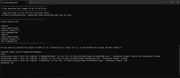
Sorry I got the wrong number, it's 4 -3, Here's an image, set mux_all_audio=YES, is set to YESRESET_9999 wrote: Thu Dec 14, 2023 5:19 pm5-3?? you mean just 5 maybe?Unknown wrote: Thu Dec 14, 2023 4:13 pm Hi, When I try to convert a .mkv mono layer P7 with 2 atmos track English and French, When I select the option 5 - 3 it keeps me only the English track and ignores the French track I would like to keep, How can I keep the 2 track?
Which container your output?
this line?
set mux_all_audio=YES
-
RESET_9999
- Posts: 2421
- Joined: Mon Aug 05, 2019 7:12 pm
Re: Dolby Vision now possible through MP4 Mux.
ha yes, for the TS version, it won't get muxed because there's no code in the script to add a silent core for non-english audio.
So you'll have to do it manually unfortunately:
1- disable muxing: set MUX=NO
2- run your file in 4-3 , the script will encode a silent core for the English THD track and demux the P7 ST layers
3- change the script language to french
set english=NO
set french=YES
4- run the file again in 8-2-2 or 8-2-1, this will encode the silent core for the French track
5- mux BL + EL + THD(silent core) + subs
So you'll have to do it manually unfortunately:
1- disable muxing: set MUX=NO
2- run your file in 4-3 , the script will encode a silent core for the English THD track and demux the P7 ST layers
3- change the script language to french
set english=NO
set french=YES
4- run the file again in 8-2-2 or 8-2-1, this will encode the silent core for the French track
5- mux BL + EL + THD(silent core) + subs
-
Unknown
- Posts: 6
- Joined: Sun May 22, 2022 2:22 pm
Re: Dolby Vision now possible through MP4 Mux.
Works perfectly thank youRESET_9999 wrote: Thu Dec 14, 2023 7:25 pm ha yes, for the TS version, it won't get muxed because there's no code in the script to add a silent core for non-english audio.
So you'll have to do it manually unfortunately:
1- disable muxing: set MUX=NO
2- run your file in 4-3 , the script will encode a silent core for the English THD track and demux the P7 ST layers
3- change the script language to french
set english=NO
set french=YES
4- run the file again in 8-2-2 or 8-2-1, this will encode the silent core for the French track
5- mux BL + EL + THD(silent core) + subs

-
HotFudge
- Posts: 28
- Joined: Tue Nov 28, 2023 8:42 pm
Re: Dolby Vision now possible through MP4 Mux.
Hi Reset
From my understanding the colorist take their L1 Generated DV metadata and make adjustments to the L2 600/1000/2000 nits trims to get the desired look.
Is the L2 100nits auto adjusted or is it also manually generated?
The P5 rpu i have contain L1 DV metadata and L2 100nit trim and either do not match MDL, frames out of sync or even some are just static. Like inception!!
Would it then be better/cleaner to generate a Resolve rpu in all these cases? (Just keeping the L1 metadata ). And grab the bonus HDR10+ metadata at the same time from Resolve
And only keep a WEB DV if the MDl are close and also has L2 600 or 1000 or 2000 nits trims?
Cheers
From my understanding the colorist take their L1 Generated DV metadata and make adjustments to the L2 600/1000/2000 nits trims to get the desired look.
Is the L2 100nits auto adjusted or is it also manually generated?
The P5 rpu i have contain L1 DV metadata and L2 100nit trim and either do not match MDL, frames out of sync or even some are just static. Like inception!!
Would it then be better/cleaner to generate a Resolve rpu in all these cases? (Just keeping the L1 metadata ). And grab the bonus HDR10+ metadata at the same time from Resolve
And only keep a WEB DV if the MDl are close and also has L2 600 or 1000 or 2000 nits trims?
Cheers
-
RESET_9999
- Posts: 2421
- Joined: Mon Aug 05, 2019 7:12 pm
Re: Dolby Vision now possible through MP4 Mux.
All the metadata levels are generated automatically by the Dolby Algo but then indeed, the trims are adjusted manually by the colorist for most of the movies. The 100nits trim is also adjusted manually because it's going to be delivered for the SDR bluray. The colorist can also blend shots together or copy L1/L2 from one shot to another.
I wouldn't be surprised if the movies with only a 100nits L2 trim were not edited manually though.
I personally go even further, I generate new L1 for movies without 600-1000trims that were done with the old cmv2.9 algo because the latest version of the algo with tunning is a lot superior IMO.
you can read about it here: https://professionalsupport.dolby.com/s ... uage=en_US
https://docs.google.com/spreadsheets/d/ ... edit#gid=0
I wouldn't be surprised if the movies with only a 100nits L2 trim were not edited manually though.
or better , use my script 3-1 and use the original scene cuts.Would it then be better/cleaner to generate a Resolve rpu in all these cases? (Just keeping the L1 metadata ).
I personally go even further, I generate new L1 for movies without 600-1000trims that were done with the old cmv2.9 algo because the latest version of the algo with tunning is a lot superior IMO.
you can read about it here: https://professionalsupport.dolby.com/s ... uage=en_US
static MDL metadata is not really important, what matters is the PQ and nits measurement comparisons as I do in my excel sheet.And only keep a WEB DV if the MDl are close and also has L2 600 or 1000 or 2000 nits trims?
https://docs.google.com/spreadsheets/d/ ... edit#gid=0
-
HotFudge
- Posts: 28
- Joined: Tue Nov 28, 2023 8:42 pm
Re: Dolby Vision now possible through MP4 Mux.
How do I use the original scene cuts with your script 3-1Would it then be better/cleaner to generate a Resolve rpu in all these cases? (Just keeping the L1 metadata ).
or better , use my script 3-1 and use the original scene cuts.
looks like Resolve the way to go. Do you discard the L2 100nit when you generate L1 Resolve metadata? or only discard the L2 600-1000 trims?I personally go even further, I generate new L1 for movies without 600-1000trims that were done with the old cmv2.9 algo because the latest version of the algo with tunning is a lot superior IMO.
Cheers
-
RESET_9999
- Posts: 2421
- Joined: Mon Aug 05, 2019 7:12 pm
Re: Dolby Vision now possible through MP4 Mux.
its all automated but read the instructions on the github webpage for more info: MODE.H (3)
The script discard 600-1000nits and keep 100nits by default but you can control which trims is kept or removedlooks like Resolve the way to go. Do you discard the L2 100nit when you generate L1 Resolve metadata? or only discard the L2 600-1000 trims?
::Choose if you want to remove the 100 L2 trim pass. (only valid for 1-1xml and 3-1) (require the dolby metafier) (default=NO)
set remove_100=NO
::Choose if you want to remove the 600 L2 trim pass.(only valid for 1-1xml and 3-1) (require the dolby metafier)(default=YES)
set remove_600=YES
::Choose if you want to remove the 1000 L2 trim pass.(only valid for 1-1xml and 3-1) (require the dolby metafier) (default=YES)
set remove_1000=YES