Thanks @quietvoid
Please can you give a more detailed step by step guide on how to use it?
Sorry for my ignorance, I never heard of adb and dont know what to do.
Thanks.
Dolby Vision now possible through MP4 Mux.
-
ragico
- Posts: 266
- Joined: Fri Feb 15, 2019 1:09 am
-
quietvoid
- Posts: 377
- Joined: Sun Apr 19, 2020 4:15 pm
Re: Dolby Vision now possible through MP4 Mux.
The basics of it are to get the tools from here: https://developer.android.com/studio/re ... form-toolsragico wrote: Sun Oct 10, 2021 2:21 pm Thanks @quietvoid
Please can you give a more detailed step by step guide on how to use it?
Sorry for my ignorance, I never heard of adb and dont know what to do.
Thanks.
You then need to enable the ADB debugging on the device, it's in the developer options.
Then you can connect with adb by command line with adb connect IP:port.
And then you should be able to install the app.
There are many tutorials on the usage of ADB.
-
chros
- Posts: 102
- Joined: Sun Sep 20, 2020 8:36 am
Re: Dolby Vision now possible through MP4 Mux.
Thanks for the new build!quietvoid wrote: Sun Oct 10, 2021 1:52 pm I build my own but it's running Kodi 20 Nexus, and doesn't include all binary addons.
You can find it here: https://mega.nz/file/4BVTTAoI#KBpPwfQZ1 ... cjlh62Bh-s
The code branch is this https://github.com/quietvoid/xbmc/tree/ ... oska_build
(Although Kodi is unusable for me on Firestick4k (ethernet cable, not wifi) for whatever reason: low read rate ... message, and it just stalls for a long time...)
I just upgraded his build with adbLink easily, just installing the new apk again.ragico wrote: Sun Oct 10, 2021 2:21 pm Please can you give a more detailed step by step guide on how to use it?
Sorry for my ignorance, I never heard of adb and dont know what to do.
-
ragico
- Posts: 266
- Joined: Fri Feb 15, 2019 1:09 am
Re: Dolby Vision now possible through MP4 Mux.
@chros
Many thanks it was easy as you said.
Many thanks it was easy as you said.
-
chros
- Posts: 102
- Joined: Sun Sep 20, 2020 8:36 am
Re: Dolby Vision now possible through MP4 Mux.
quietvoid wrote: Sat Oct 09, 2021 3:45 pmAnyways, it made me create a cropped test sample for the important metadata: https://mega.nz/file/8YsRRKJa#_g_vX2voc ... raveYPpiIA
Indeed, really nice, thanks! Now we could see L2 metadata in action!FubbAyH wrote: Sat Oct 09, 2021 6:13 pm That's a great sample @quietvoid. It's very interesting to see examples of all the DV adjustments, because until now I've always been a little bit vague about exactly what the DV metadata can do.
RESET_9999 wrote: Sat Oct 09, 2021 3:54 pminteresting thanks... will try on my x700.
that sample has very small black bars though
quietvoid wrote: Sat Oct 09, 2021 3:45 pm Yeah, I'm not sure if I'll bother switching to the 2018 model though. I only noticed the grey bars with fades to black.
Tried it on Oppo, and yes, grey bars are there.RESET_9999 wrote: Sat Oct 09, 2021 3:54 pmhaha, trust me you will.
Having this exact problem with my x700, I just can't stand the grey black bars(especially the 1600px content). I even prefer my Shield with the red push for p8 cropped content(no red push with p5).
The interesting part is that how grey it is depends on the metadata! E.g. from the previously linked Dolby manual (thanks for thjis for you RESET and Mannix):
"... Blu-ray players ... Due to this implementation on these devices, any positive lift applied to Dolby Vision content during the “trim pass,” will raise the black levels in the letterbox/blanking areas of the image and can become distracting to the end user. Dolby recommends a maximum positive lift value of 0.025 while doing the trims on letterboxed content during the Dolby Vision content creation process."
Thanks, now that's interesting. Maybe we can ask mashdi to provide this value as well in the measurement file.quietvoid wrote: Sat Oct 09, 2021 1:23 pmmin_pq is always set to 0. This is the same behavior as the HDR10+ derived generation.chros wrote: Sat Oct 09, 2021 8:44 amEdit: what happens with the "min_pq" L1 metadata during madmeasure2RPU generation? Will it be always 0? (I don't think that madvr's bin file has any info about it.)
What do you think what would happen if it's not 0 during tonemapping? I mean what's the effect of this value?
Does anyone compared the result this type of metadata RPU (from madvr) vs static metadata RPU (1 for all frames), if so is there any difference?
Reset, Mannix?
-
Manixx2020beyound
- Posts: 127
- Joined: Thu Oct 08, 2020 5:19 pm
Re: Dolby Vision now possible through MP4 Mux.
Min pq is mostly set to 0 on hdr10plus, & produces the same result on hdr10 plus to dv rpu.chros wrote: Mon Oct 11, 2021 9:15 amquietvoid wrote: Sat Oct 09, 2021 3:45 pmAnyways, it made me create a cropped test sample for the important metadata: https://mega.nz/file/8YsRRKJa#_g_vX2voc ... raveYPpiIAIndeed, really nice, thanks! Now we could see L2 metadata in action!FubbAyH wrote: Sat Oct 09, 2021 6:13 pm That's a great sample @quietvoid. It's very interesting to see examples of all the DV adjustments, because until now I've always been a little bit vague about exactly what the DV metadata can do.
RESET_9999 wrote: Sat Oct 09, 2021 3:54 pminteresting thanks... will try on my x700.
that sample has very small black bars thoughquietvoid wrote: Sat Oct 09, 2021 3:45 pm Yeah, I'm not sure if I'll bother switching to the 2018 model though. I only noticed the grey bars with fades to black.Tried it on Oppo, and yes, grey bars are there.RESET_9999 wrote: Sat Oct 09, 2021 3:54 pmhaha, trust me you will.
Having this exact problem with my x700, I just can't stand the grey black bars(especially the 1600px content). I even prefer my Shield with the red push for p8 cropped content(no red push with p5).
The interesting part is that how grey it is depends on the metadata! E.g. from the previously linked Dolby manual (thanks for thjis for you RESET and Mannix):
"... Blu-ray players ... Due to this implementation on these devices, any positive lift applied to Dolby Vision content during the “trim pass,” will raise the black levels in the letterbox/blanking areas of the image and can become distracting to the end user. Dolby recommends a maximum positive lift value of 0.025 while doing the trims on letterboxed content during the Dolby Vision content creation process."
Thanks, now that's interesting. Maybe we can ask mashdi to provide this value as well in the measurement file.quietvoid wrote: Sat Oct 09, 2021 1:23 pmmin_pq is always set to 0. This is the same behavior as the HDR10+ derived generation.chros wrote: Sat Oct 09, 2021 8:44 amEdit: what happens with the "min_pq" L1 metadata during madmeasure2RPU generation? Will it be always 0? (I don't think that madvr's bin file has any info about it.)
What do you think what would happen if it's not 0 during tonemapping? I mean what's the effect of this value?
Does anyone compared the result this type of metadata RPU (from madvr) vs static metadata RPU (1 for all frames), if so is there any difference?
Reset, Mannix?
There should definitely be a difference per frame vs 1 for all frames.
But on true min pq value dv dynamic meta it varies more often
If mad vr handles scenes changes the same way as dv, the dynamic meta produced should be very close I would assume.
Last edited by Manixx2020beyound on Mon Oct 11, 2021 3:28 pm, edited 1 time in total.
-
quietvoid
- Posts: 377
- Joined: Sun Apr 19, 2020 4:15 pm
Re: Dolby Vision now possible through MP4 Mux.
This is not the same problem, the lift affects letterbox bars that are already present in the content.chros wrote: Mon Oct 11, 2021 9:15 am The interesting part is that how grey it is depends on the metadata! E.g. from the previously linked Dolby manual (thanks for thjis for you RESET and Mannix):
"... Blu-ray players ... Due to this implementation on these devices, any positive lift applied to Dolby Vision content during the “trim pass,” will raise the black levels in the letterbox/blanking areas of the image and can become distracting to the end user. Dolby recommends a maximum positive lift value of 0.025 while doing the trims on letterboxed content during the Dolby Vision content creation process."
But in our case there are grey bars when the content does not have letterbox bars at all, because they were cropped out.
-
chros
- Posts: 102
- Joined: Sun Sep 20, 2020 8:36 am
Re: Dolby Vision now possible through MP4 Mux.
Good point if it's cropped already, I talked about the active image area metadata that simulates cropping.quietvoid wrote: Mon Oct 11, 2021 12:53 pm This is not the same problem, the lift affects letterbox bars that are already present in the content.
But in our case there are grey bars when the content does not have letterbox bars at all, because they were cropped out.
-
RESET_9999
- Posts: 2421
- Joined: Mon Aug 05, 2019 7:12 pm
Re: Dolby Vision now possible through MP4 Mux.
chros wrote: Sat Oct 09, 2021 8:44 am just generated a profile 08.06 from an HDR10 sample, plays fine with internal Plex app: 04-2160p_23fps_dovi_p81-l_s02e01_cyan_error.ts
To me, it looks like madVR is including the black bars in the measurement because all the min L1 values are 0 in your DV sample. Could be just a different scene cut though.
If I don't set the correct blanking in resolve, I also get 0 everywhere. If set correctly, then I get my first min 0 at exactly 14sec ( frame 343)
otherwise, the max and avg numbers are pretty close. I did not check for a visual difference, only checked the metadata.
I generated metadata using Davinci Resolve Dolby Vision algorithm(same algo studios use). Here's how the L1 metadata compares to madVR for this Netflix clip.
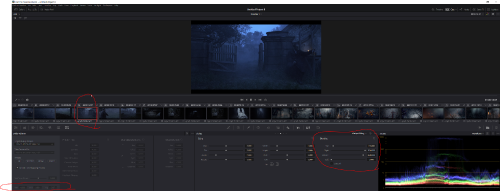

madvr rpu frame 1:
Code: Select all
{
        "Level1": {
          "block_info": {
            "ext_block_length": 5,
            "ext_block_level": 1,
            "remaining": [
              0,
              0,
              0,
              0
            ]
          },
          "min_pq": 0,
          "max_pq": 3157,
          "avg_pq": 1075
        }
      },
      {
        "Level2": {
          "block_info": {
            "ext_block_length": 11,
            "ext_block_level": 2,
            "remaining": [
              0,
              0,
              0
            ]
          },
          "target_max_pq": 3079,
          "trim_slope": 2048,
          "trim_offset": 2048,
          "trim_power": 2048,
          "trim_chroma_weight": 2048,
          "trim_saturation_gain": 2048,
          "ms_weight": 2048
        }
      },
      {
        "Level5": {
          "block_info": {
            "ext_block_length": 7,
            "ext_block_level": 5,
            "remaining": [
              0,
              0,
              0,
              0
            ]
          },
          "active_area_left_offset": 0,
          "active_area_right_offset": 0,
          "active_area_top_offset": 0,
          "active_area_bottom_offset": 0
        }
      },
      {
        "Level6": {
          "block_info": {
            "ext_block_length": 8,
            "ext_block_level": 6,
            "remaining": []
          },
          "max_display_mastering_luminance": 1000,
          "min_display_mastering_luminance": 1,
          "max_content_light_level": 1000,
"max_frame_average_light_level": 58Code: Select all
 {
        "Level1": {
          "block_info": {
            "ext_block_length": 5,
            "ext_block_level": 1,
            "remaining": [
              0,
              0,
              0,
              0
            ]
          },
          "min_pq": 12,
          "max_pq": 3298,
          "avg_pq": 2048
        }
      },
      {
        "Level2": {
          "block_info": {
            "ext_block_length": 11,
            "ext_block_level": 2,
            "remaining": [
              0,
              0,
              0
            ]
          },
          "target_max_pq": 2081,
          "trim_slope": 1533,
          "trim_offset": 2007,
          "trim_power": 1177,
          "trim_chroma_weight": 2048,
          "trim_saturation_gain": 2048,
          "ms_weight": 2048
        }
      },
      {
        "Level2": {
          "block_info": {
            "ext_block_length": 11,
            "ext_block_level": 2,
            "remaining": [
              0,
              0,
              0
            ]
          },
          "target_max_pq": 2851,
          "trim_slope": 2058,
          "trim_offset": 2030,
          "trim_power": 2053,
          "trim_chroma_weight": 2048,
          "trim_saturation_gain": 2048,
          "ms_weight": 2048
        }
      },
      {
        "Level2": {
          "block_info": {
            "ext_block_length": 11,
            "ext_block_level": 2,
            "remaining": [
              0,
              0,
              0
            ]
          },
          "target_max_pq": 3079,
          "trim_slope": 2101,
          "trim_offset": 2035,
          "trim_power": 2219,
          "trim_chroma_weight": 2048,
          "trim_saturation_gain": 2048,
          "ms_weight": 2048
        }
      },
      {
        "Level3": {
          "block_info": {
            "ext_block_length": 2,
            "ext_block_level": 3,
            "remaining": []
          },
          "min_pq_offset": 2077,
          "max_pq_offset": 1432,
          "avg_pq_offset": 2048
        }
      },
      {
        "Level5": {
          "block_info": {
            "ext_block_length": 7,
            "ext_block_level": 5,
            "remaining": [
              0,
              0,
              0,
              0
            ]
          },
          "active_area_left_offset": 0,
          "active_area_right_offset": 0,
          "active_area_top_offset": 120,
          "active_area_bottom_offset": 120
        }
      },
      {
        "Level6": {
          "block_info": {
            "ext_block_length": 8,
            "ext_block_level": 6,
            "remaining": []
          },
          "max_display_mastering_luminance": 1000,
          "min_display_mastering_luminance": 1,
          "max_content_light_level": 1680,
"max_frame_average_light_level": 58-
chros
- Posts: 102
- Joined: Sun Sep 20, 2020 8:36 am
Re: Dolby Vision now possible through MP4 Mux.
That's 0 because madvr doesn't produce any info about min_pq per frame, jast as hdr10+ (as quietvoid and manixx suggested)RESET_9999 wrote: Mon Oct 11, 2021 3:39 pmTo me, it looks like madVR is including the black bars in the measurement because all the min L1 values are 0 in your DV sample. Could be just a different scene cut though.chros wrote: Sat Oct 09, 2021 8:44 am just generated a profile 08.06 from an HDR10 sample, plays fine with internal Plex app: 04-2160p_23fps_dovi_p81-l_s02e01_cyan_error.ts
It's Amazon hdr10+. Thanks for the test, measurement results are pretty close indeed (apart from the first avg value, where it's double), really interesting:RESET_9999 wrote: Mon Oct 11, 2021 3:39 pmI generated metadata using Davinci Resolve Dolby Vision algorithm(same algo studios use). Here's how the L1 metadata compares to madVR for this Netflix clip.
- Resolve L6 maxCLL is set to 1680, but it measure more than 3000 nits? what's the unit of the values on the image, nits or PQ?
- - interestingly that's the measurement summary from madvr: MaxCLL 100%: 1680, 99.9%: 1545, MaxFALL: 58, AvgFALL: 9, AvgFMLL: 524 nits
- Resolve set some L2 trim properties (that obviously dovi_tool doesn't by default), why is that? Did you set it or is it automatic?
- Resolve has 3 blocks of L2 metadata, why is that? (target_max_pq: 2081, 2851, 3079; dovi_tool has just 1: 3079) Which one is used during playback?
Manixx2020beyound wrote: Mon Oct 11, 2021 11:40 amMin pq is mostly set to 0 on hdr10plus ... n true min pq value dv dynamic meta it varies more often
Thanks, my question is what the effect of min_pq value is in reality.RESET_9999 wrote: Mon Oct 11, 2021 3:39 pmIf I don't set the correct blanking in resolve, I also get 0 everywhere. If set correctly, then I get my first min 0 at exactly 14sec ( frame 343)
otherwise, the max and avg numbers are pretty close. I did not check for a visual difference, only checked the metadata.
@quietvoid, can we overwrite an L2 value in RPU easily, if so how? (e.g. min_pq to 12) Or we have to export it into json and manually replace them and then reinjecting it?
-
quietvoid
- Posts: 377
- Joined: Sun Apr 19, 2020 4:15 pm
Re: Dolby Vision now possible through MP4 Mux.
One block for every target display peak brightness, so that creatives can adjust to their liking for the whole range of brightness.chros wrote: Tue Oct 12, 2021 9:43 am - Resolve has 3 blocks of L2 metadata, why is that? (target_max_pq: 2081, 2851, 3079; dovi_tool has just 1: 3079) Which one is used during playback?
In playback, you'd have to figure out what the TV says it can output, this might be the same peak as in the Dolby Vision configuration files used for calibration.
This is why I set multiple blocks to the same values in my L2 test sample.
You're asking for L2 but min_pq is L1 metadata.chros wrote: Tue Oct 12, 2021 9:43 am @quietvoid, can we overwrite an L2 value in RPU easily, if so how? (e.g. min_pq to 12) Or we have to export it into json and manually replace them and then reinjecting it?
Technically it could be added to the editor but I don't really see a good use case for it..
-
Manixx2020beyound
- Posts: 127
- Joined: Thu Oct 08, 2020 5:19 pm
Re: Dolby Vision now possible through MP4 Mux.
Be interesting to find out what mad Vr considers as the active area.
Did anyone try a movie without black bars to see if the min values changed?
Did anyone try a movie without black bars to see if the min values changed?
You do not have the required permissions to view the files attached to this post.
Last edited by Manixx2020beyound on Tue Oct 12, 2021 1:35 pm, edited 1 time in total.
-
Manixx2020beyound
- Posts: 127
- Joined: Thu Oct 08, 2020 5:19 pm
Re: Dolby Vision now possible through MP4 Mux.
I don’t think anyone needs l2/l8 trims if the creators intent is already within the sourcequietvoid wrote: Tue Oct 12, 2021 11:44 amOne block for every target display peak brightness, so that creatives can adjust to their liking for the whole range of brightness.chros wrote: Tue Oct 12, 2021 9:43 am - Resolve has 3 blocks of L2 metadata, why is that? (target_max_pq: 2081, 2851, 3079; dovi_tool has just 1: 3079) Which one is used during playback?
In playback, you'd have to figure out what the TV says it can output, this might be the same peak as in the Dolby Vision configuration files used for calibration.
This is why I set multiple blocks to the same values in my L2 test sample.
You're asking for L2 but min_pq is L1 metadata.chros wrote: Tue Oct 12, 2021 9:43 am @quietvoid, can we overwrite an L2 value in RPU easily, if so how? (e.g. min_pq to 12) Or we have to export it into json and manually replace them and then reinjecting it?
Technically it could be added to the editor but I don't really see a good use case for it..
U can select to bypass trim pass for l2 which won’t produce any l2 meta in resolve.
Plus isn’t l2 for mapping trims to 709
L8 trims maps to 1000/600nits dv which we have no acess to without a license which is blacked out in resolve
-
RESET_9999
- Posts: 2421
- Joined: Mon Aug 05, 2019 7:12 pm
Re: Dolby Vision now possible through MP4 Mux.
I don't really know but Dolby clearly says that min 0 for all the scenes is incorrect.chros wrote: Tue Oct 12, 2021 9:43 am Thanks, my question is what the effect of min_pq value is in reality.
When I get home, I'll do the analysis with the HDR10plus algorithm and see if I get a different min pq for that clip.

1- the L6 metadata is edited manually, I just took the numbers from your post: viewtopic.php?p=113519#p113519chros wrote: Tue Oct 12, 2021 9:43 am It's Amazon hdr10+. Thanks for the test, measurement results are pretty close indeed (apart from the first avg value, where it's double), really interesting:
1- Resolve L6 maxCLL is set to 1680, but it measure more than 3000 nits? what's the unit of the values on the image, nits or PQ?
- - interestingly that's the measurement summary from madvr: MaxCLL 100%: 1680, 99.9%: 1545, MaxFALL: 58, AvgFALL: 9, AvgFMLL: 524 nits
2- Resolve set some L2 trim properties (that obviously dovi_tool doesn't by default), why is that? Did you set it or is it automatic?
3- Resolve has 3 blocks of L2 metadata, why is that? (target_max_pq: 2081, 2851, 3079; dovi_tool has just 1: 3079) Which one is used during playback?
Thanks, my question is what the effect of min_pq value is in reality.
2- this is the resolve default trim passes adjustments for each target display. You need a license to modify them in resolve but everything else is available and free to use.
3- As Quietvoid said.

For the foreseeable future, the current consumer display landscape encompasses a wide variety of
differently performing televisions and projectors that are guaranteed to improve year over year. This
means that mastering for today’s displays may render content less vibrant than content that emerges
five years from now. This can be especially vexing for narrative content that will have a long lifespan
on streaming services as new generations of viewers discover them. While one way of solving this
would be to re-grade your program many times at a variety of nit levels to create deliverables suitable
to a range of display capabilities, that’s an enormous amount of work.
Dolby Vision offers a shortcut by using sophisticated algorithms to derive automatically analyzed
metadata that intelligently guides how an image graded at one nit level (say 4000 nits) can be
adjusted to be perceptually similar to viewers watching a 1000 nit display. Highlights and saturation
that are too bright for a particular display will be adjusted to provide as close to the same experience
without clipping or flattening image detail.
Furthermore, this automatic analysis can be manually trimmed by a colorist to account for the artistic
intentions of the authors of a program, in cases where the automatic analysis doesn’t do exactly what’s
wanted. This combination of auto-analysis and manual trimming is key to how Dolby Vision streamlines
the process of mastering programs to accommodate backward compatibility with SDR displays, as well
as the varying peak luminance capabilities of different makes and models of HDR consumer displays,
both now and in the future. You’re only required to make a 100 nit trim pass to guide the HDR
program’s conversion all the way down to SDR, and the Dolby Vision system can use that information
to guide how intermediate presentations (such as at 700 or 1200 nits) should be adjusted. You can
even do multiple trim passes at specific nit levels, such as a 100 nit pass and a 1000 nit pass, to give
the Dolby Vision system more information to accurately guide intermediate presentations on different
displays. Additionally, you don’t have to trim every clip. If the analysis is good, you can skip those clips
and only trim clips that need it. The overall system has been created to make it as efficient as possible
for colorists to ensure that the widest variety of viewers see the image as it’s meant to be seen.
This, in a nutshell, is the advantage of the Dolby Vision system. You can grade a program on a more
future-proofed 4000 nit display, and use auto-analysis plus one or two manual trim passes to make the
program backward compatible with SDR televisions, and capable of intelligently scaling the HDR
highlights to provide the best representation of the mastered image for whatever peak luminance and
color volume a particular television is capable of. All of this is guided by decisions made by the colorist
during the grade.
At the time of this writing, all seven major Hollywood studios are mastering in Dolby Vision for cinema.
Studios that have pledged support to master content in Dolby Vision for home distribution include
Universal, Warner Brothers, Sony Pictures, and MGM. Content providers that have agreed to distribute
streaming Dolby Vision content include Netflix, Vudu, and Amazon. If you want to watch Dolby Vision
content on television at home, consumer television manufacturers LG, TCL, Vizio, HiSense, Sony,
Toshiba, and Bang & Olfusen have all shipped models with Dolby Vision supports
-
quietvoid
- Posts: 377
- Joined: Sun Apr 19, 2020 4:15 pm
Re: Dolby Vision now possible through MP4 Mux.
Current behavior is hardcoded to min_pq=0 for both HDR10+ and madVR generate.Manixx2020beyound wrote: Tue Oct 12, 2021 12:33 pm Be interesting to find out what mad Vr considers as the active area.
Did anyone try a movie without black bars to see if the min values changed?
madVR only provides the luminance histogram, which includes the letterbox bars. So it's complicated to figure out the actual minimum of the active area.
At best the min would be the same as source_min_pq for all the shots, instead of 0.RESET_9999 wrote: Tue Oct 12, 2021 12:54 pm I don't really know but Dolby clearly says that min 0 for all the scenes is incorrect.
When I get home, I'll do the analysis with the HDR10plus algorithm and see if I get a different min pq for that clip.
I don't think this is the case of most content, though. I've seen 0 used.
It's just to have accurate L1, but I don't think the value 0 is wrong itself.