LG BU40N enclosure

Forum for discussions about UHD-capable dives
Post Reply
rsaotome
Posts: 14
Joined: Wed Apr 26, 2017 7:30 am

LG BU40N enclosure

Post by rsaotome »

I just purchased 2x LG BU40N drives, I need a good quality enclosure, preferably one that doesn't have the cable permanently attached.

I don't know if there's been problems flashing drives in slimline external enclosures, but if so, any that won't give me problems would be nice. :D

TIA!
Rabster
Posts: 9
Joined: Sun Jan 04, 2026 9:20 pm

Re: LG BU40N enclosure

Post by Rabster »

I'm waiting on an enclosure coming from Delock. Once it's arrived hopefully I the next couple of days I can see what it's like. It's model number 42603
boguslecina
Posts: 22
Joined: Tue Dec 17, 2024 12:21 am

Re: LG BU40N enclosure

Post by boguslecina »

I bought something like this and it's ok, it was possible to patch my BU40N.

Code: Select all

aliexpress.com/item/1005001339163974.html
rsaotome
Posts: 14
Joined: Wed Apr 26, 2017 7:30 am

Re: LG BU40N enclosure

Post by rsaotome »

I wonder why so many of these external cases have the cable permanently attached, been burned by cases like these in the past, the cable fails & the case becomes e-waste.
blind-s33r
Posts: 27
Joined: Thu Jul 25, 2019 1:29 am

Re: LG BU40N enclosure

Post by blind-s33r »

I know that the XRTFORE 4k reader looks like its permanently attached but internally its actually a plug too. Don't know for other cheap readers and enclosures but they look like they are all basically the same.
rsaotome wrote:
Sat Jan 17, 2026 11:10 am
I wonder why so many of these external cases have the cable permanently attached, been burned by cases like these in the past, the cable fails & the case becomes e-waste.
boguslecina
Posts: 22
Joined: Tue Dec 17, 2024 12:21 am

Re: LG BU40N enclosure

Post by boguslecina »

Mine has a cable that plugs into the port inside, it is not soldered.
rsaotome
Posts: 14
Joined: Wed Apr 26, 2017 7:30 am

Re: LG BU40N enclosure

Post by rsaotome »

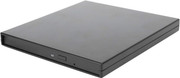
I bought 2x Silverstone TS14's, to go with the BU40N's, it's been a difficult case to work with, but I finally managed to get the drives installed, they both show up in windows, but the eject button on both drives, does nothing, but in windows, I can eject both no problem.

I patched one of the drive with the 1.03 firmware, I don't think that made any difference, at least it rips UHD's now, so that's good.

Just out of curiosity, I plugged the enclosure straight into a USB charger, using the supplied cable, it powered on, I can feel little subtle movements inside, but the eject button still doesn't work.

Is this the fault of the case, the drive, both?

Any help would be appreciated.
MartyMcNuts
Posts: 4588
Joined: Wed Nov 22, 2017 11:45 pm

Re: LG BU40N enclosure

Post by MartyMcNuts »

rsaotome wrote:
Fri Jan 23, 2026 8:46 am
I bought 2x Silverstone TS14's, to go with the BU40N's, it's been a difficult case to work with, but I finally managed to get the drives installed, they both show up in windows, but the eject button on both drives, does nothing, but in windows, I can eject both no problem.

I patched one of the drive with the 1.03 firmware, I don't think that made any difference, at least it rips UHD's now, so that's good.

Just out of curiosity, I plugged the enclosure straight into a USB charger, using the supplied cable, it powered on, I can feel little subtle movements inside, but the eject button still doesn't work.

Is this the fault of the case, the drive, both?

Any help would be appreciated.
I found that sometimes if the screws in the back are done up too tight, the drive tray sticks a little and won’t eject. Try loosening one or both just a fraction and see if that helps.
Cheers :D
----------------------------------------------------------------------------------------------------------------------------
For UHD enabled drives (AU/NZ/SG + Others) & DIY Single Drive Flasher (WW): https://uhdenableddrives.com
rsaotome
Posts: 14
Joined: Wed Apr 26, 2017 7:30 am

Re: LG BU40N enclosure

Post by rsaotome »

The 2 long screws that go in the back, don't seem to be long enough, so I removed the 2 tiny screws on the side, slide the back plate out, just connected the drive as is, no screws, plugged it into a USB charger, same thing, a light briefly blinked, signifying it had power, so I hit the eject button, nothing, unplugged, plugged it into my computer, same thing.

The drive doesn't make any sounds when I try to eject it with button, I used a safety pin to force an eject, but this is starting to sound like 2 drives with defective buttons.

I'm reaching out to the seller on eBay (US Seller, not China), for the BU40N's, to see what they think.
Post Reply