Page 42 of 123
Re: SDFtool Flasher
Posted: Wed Nov 30, 2022 8:25 pm
by BillD
I am trying to update my WH16NS60 with the SDFTool V1.3.4 on a Windows 10 laptop. My problem is that although the computer sees the drive the software tool in the drive dropdown remains empty.
Total rookie, using a windows laptop is new to me. Any ideas?
thanks
Bill DePalma
Re: SDFtool Flasher
Posted: Wed Nov 30, 2022 9:51 pm
by MartyMcNuts
BillD wrote: Wed Nov 30, 2022 8:25 pm
I am trying to update my WH16NS60 with the SDFTool V1.3.4 on a Windows 10 laptop. My problem is that although the computer sees the drive the software tool in the drive dropdown remains empty.
Total rookie, using a windows laptop is new to me. Any ideas?
thanks
Bill DePalma
Make sure MakeMKV is installed in the defalut location.
Re: SDFtool Flasher
Posted: Wed Nov 30, 2022 11:32 pm
by BillD
thanks, I realized that was the issue. Everything is working. Thanks so much for your work on this. A wonderful holiday gift!
Re: SDFtool Flasher
Posted: Sun Dec 04, 2022 9:32 pm
by 0ldCoot
Hi Marty
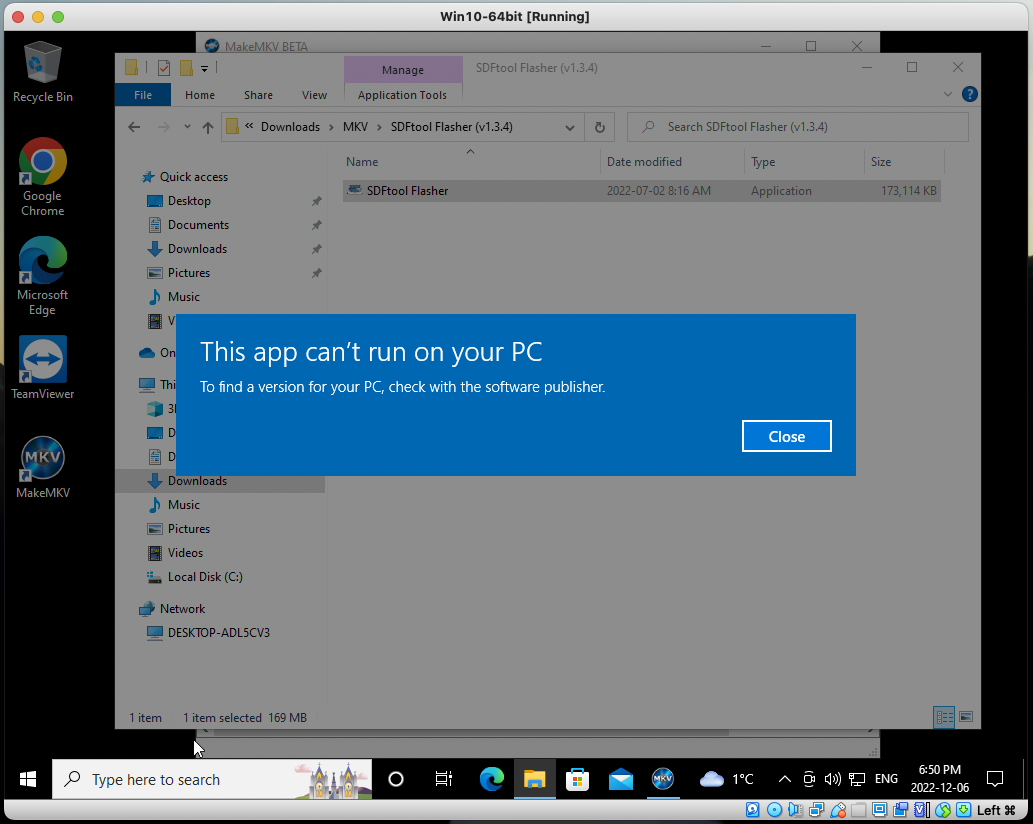
I'm running Win10-64 through an Oracle VirtualBox VM. Did the updates and installed the latest version of MKV and your SDFtool Flasher app. Extracted it and ran as Administrator but it still says "This app can't run on your PC" and to contact the Software developer. I'm a total newb on this. Thanks for any help.
Re: SDFtool Flasher
Posted: Mon Dec 05, 2022 3:50 am
by MartyMcNuts
0ldCoot wrote: Sun Dec 04, 2022 9:32 pm
Hi Marty
I'm running Win10-64 through an Oracle VirtualBox VM. Did the updates and installed the latest version of MKV and your SDFtool Flasher app. Extracted it and ran as Administrator but it still says "This app can't run on your PC" and to contact the Software developer. I'm a total newb on this. Thanks for any help.
I don't think it will work on a VM.
Re: SDFtool Flasher
Posted: Mon Dec 05, 2022 3:58 am
by d00zah
0ldCoot wrote: Sun Dec 04, 2022 9:32 pm
Hi Marty
I'm running Win10-64 through an Oracle VirtualBox VM. Did the updates and installed the latest version of MKV and your SDFtool Flasher app. Extracted it and ran as Administrator but it still says "This app can't run on your PC" and to contact the Software developer. I'm a total newb on this. Thanks for any help.
edit: Tried this myself...
Before starting VM, user needs to add physical drive to VM...
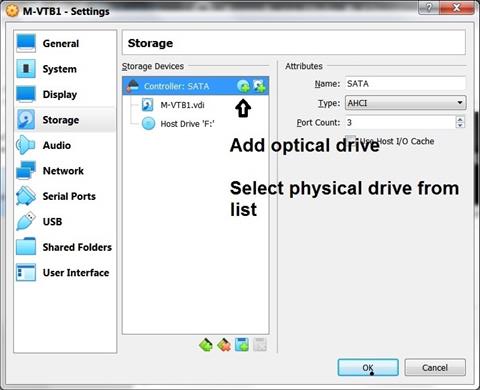
- VBoxCfg.1 (Small).jpg (43.21 KiB) Viewed 18524 times
... and enable 'Passthrough'.
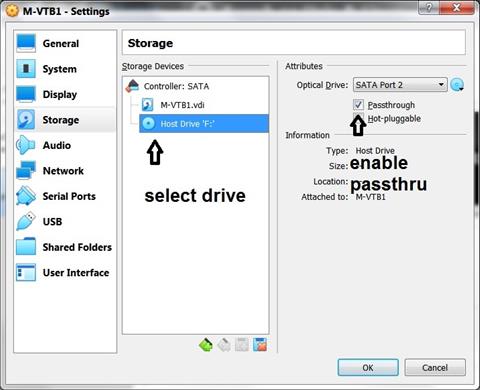
- VBoxCfg.2 (Small).jpg (43.75 KiB) Viewed 18524 times
'MakeMKV' correctly detects/reports the drive, but 'SDFTool Flasher' will report an error on launch in VM... IF MakeMKV is NOT up-to-date. Once updated...
Code: Select all
Drive Information
OS device name: D:
Manufacturer: VBOX
Product: CD-ROM
Revision: 1.0
Serial number:
Firmware date: 2117-04-25 17:56
Bus encryption flags: 17

LibreDrive Information
Status: Enabled
Drive platform: MT1959
Firmware type: Original (unpatched)
Firmware version: 1.00
DVD all regions: Yes
BD raw data read: Yes
BD raw metadata read: Yes
Unrestricted read speed: Yes
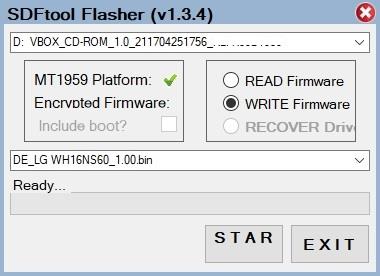
- VBox.2 (Small).jpg (19.7 KiB) Viewed 18524 times
The only thing I didn't try was the actual flash operation (mine's done & working), but this'll get you to the point where you can try... IF you dare!

Re: SDFtool Flasher
Posted: Wed Dec 07, 2022 12:16 am
by 0ldCoot
d00zah wrote: Mon Dec 05, 2022 3:58 am
0ldCoot wrote: Sun Dec 04, 2022 9:32 pm
Hi Marty
I'm running Win10-64 through an Oracle VirtualBox VM. Did the updates and installed the latest version of MKV and your SDFtool Flasher app. Extracted it and ran as Administrator but it still says "This app can't run on your PC" and to contact the Software developer. I'm a total newb on this. Thanks for any help.
edit: Tried this myself...
Before starting VM, user needs to add physical drive to VM...
VBoxCfg.1 (Small).jpg
... and enable 'Passthrough'.
VBoxCfg.2 (Small).jpg
'MakeMKV' correctly detects/reports the drive, but 'SDFTool Flasher' will report an error on launch in VM... IF MakeMKV is NOT up-to-date. Once updated...
Code: Select all
Drive Information
OS device name: D:
Manufacturer: VBOX
Product: CD-ROM
Revision: 1.0
Serial number:
Firmware date: 2117-04-25 17:56
Bus encryption flags: 17

LibreDrive Information
Status: Enabled
Drive platform: MT1959
Firmware type: Original (unpatched)
Firmware version: 1.00
DVD all regions: Yes
BD raw data read: Yes
BD raw metadata read: Yes
Unrestricted read speed: Yes
VBox.2 (Small).jpg
The only thing I didn't try was the actual flash operation (mine's done & working), but this'll get you to the point where you can try... IF you dare!
[/quote]
Re: SDFtool Flasher
Posted: Wed Dec 07, 2022 3:57 am
by 0ldCoot
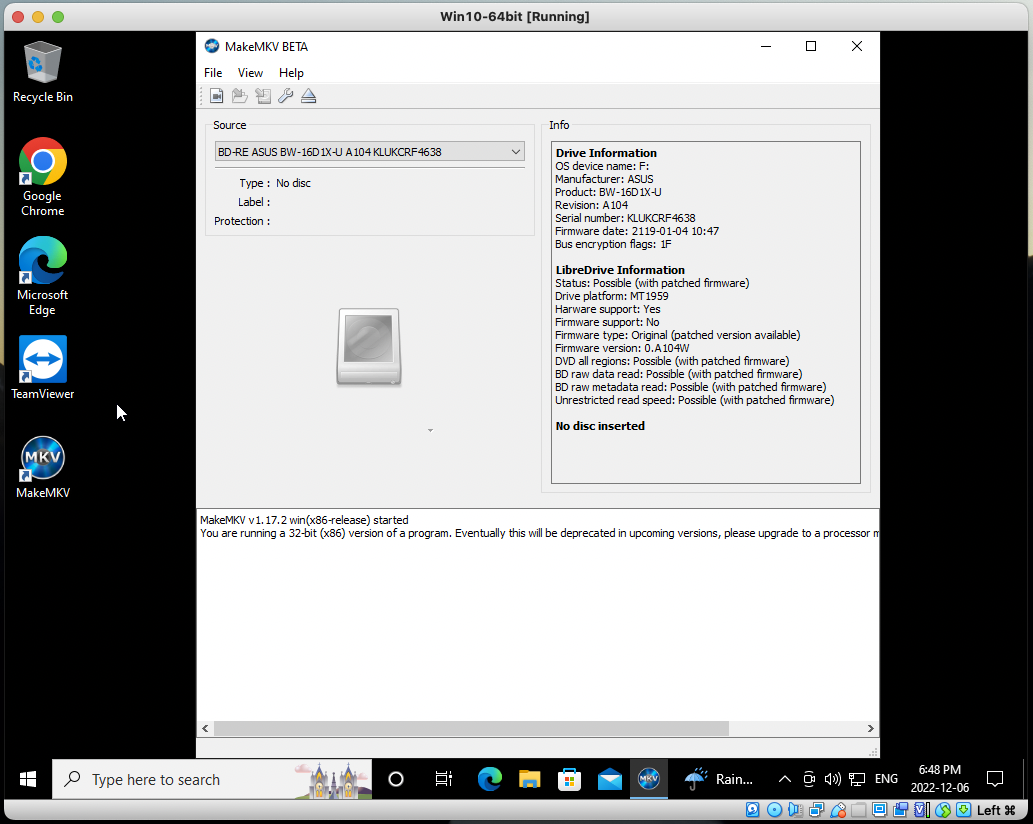
Soooo....Still no joy. Made changes as suggested but still have the same issue. Even checked the Windows Event logs to see if anything jumps out. Checked the security and unknown apps is turned off. MKV is version the latest and it sees the drive. Maybe something in the attachments will jump out to the experts but way over my head.
Thanks for any help
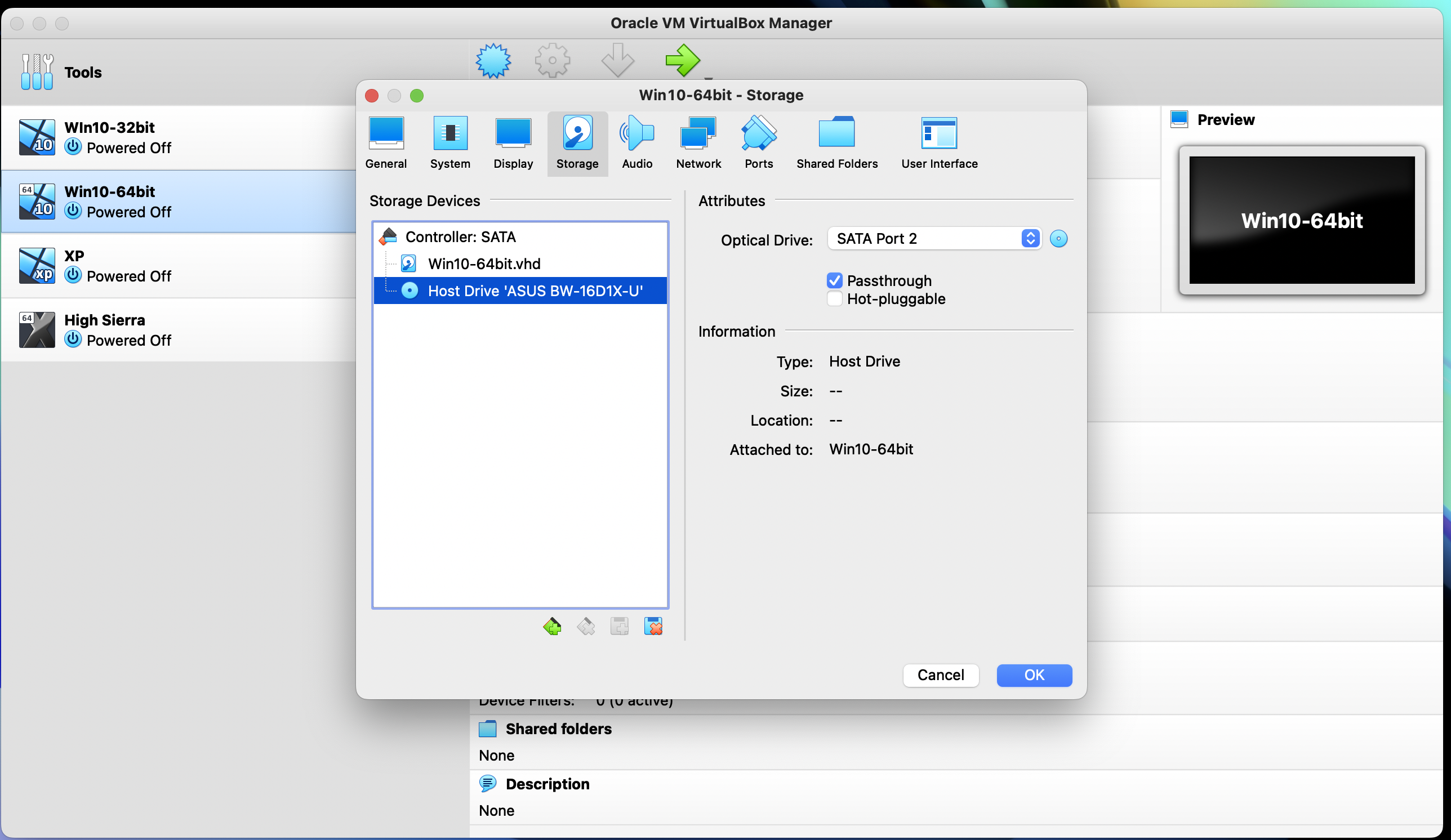
- Screen Shot 2022-12-06 at 6.14.22 PM.png (1.46 MiB) Viewed 18449 times
- Screen Shot 2022-12-06 at 6.48.49 PM.png (331.18 KiB) Viewed 18449 times
- Screen Shot 2022-12-06 at 6.50.58 PM.png (327.5 KiB) Viewed 18449 times
Re: SDFtool Flasher
Posted: Wed Dec 07, 2022 2:03 pm
by d00zah
The only thing that jumps out is the MakeMKV msg "You are running a 32-bit (x86) version...".
Is Win10 32-bit? Is there even such a thing?
'SDFtool Flasher' requirements definitely state "Windows 10 64 bit version".
Re: SDFtool Flasher
Posted: Wed Dec 07, 2022 5:01 pm
by 0ldCoot
Noticed that too but thought it was referring to the MKV app. Checked the VM OS and even though Virtual box said it was 64 bit it wasn't. Created new VM machine with Win10-64 and it all works. Trying to rip a 4k now. Thanks for the help.
Re: SDFtool Flasher
Posted: Wed Dec 07, 2022 5:04 pm
by d00zah
No worries. Glad to see the VM option is viable.
Re: SDFtool Flasher
Posted: Wed Dec 21, 2022 5:04 am
by ShootTheCore
I have a newly-purchased Buffalo BRUHD-PU3-BK external Blu-Ray drive that I'm trying to flash new firmware on so I can rip UHD's. MakeMKV is installed in the default location, but when I select the drive in SDFtool Flasher, I get a "Input String was not in a correct format" error. Any suggestions on how I should proceed? I don't want to do something wrong and brick my drive.
Screenshot of the error message and the current drive info from MakeMKV here:
https://drive.google.com/file/d/13pnC6R ... sp=sharing
https://drive.google.com/file/d/13th3EN ... sp=sharing
Thank you!
Re: SDFtool Flasher
Posted: Wed Dec 21, 2022 10:56 pm
by jayper
Added a new LG BU40N to my fleet of drives today, just as a back-up. My current BU40Nis still working flawlessly, but it's been hard at work for years now.
The drive came with 1.04 firmware from the factory and I just successfully flashed to 1.04MK. I've been using 1.03MK on my older drive with no issues for a while now and I was planning to downgrade to 1.03.
Is there any value on staying with 1.04?
Re: SDFtool Flasher
Posted: Thu Dec 22, 2022 12:02 am
by Coopervid
No
Re: SDFtool Flasher
Posted: Thu Dec 22, 2022 12:18 am
by jayper