Thanks
I downloaded your Nexus version but have problems for sideloading in the Firestick. Have you any suggestion?
Dolby Vision now possible through MP4 Mux.
Re: Dolby Vision now possible through MP4 Mux.
Not sure I can help you with that.ragico wrote: Sun Oct 10, 2021 1:57 pm Thanks
I downloaded your Nexus version but have problems for sideloading in the Firestick. Have you any suggestion?
I always install mine through ADB, like this:
Code: Select all
adb install -r kodi-20-Nexus-dovi-armeabi-v7a-release-2021-10-07.apkRe: Dolby Vision now possible through MP4 Mux.
Ok. So I triedjuzer7 wrote: Sun Oct 10, 2021 1:48 pm
I want this file to be able to be played on TV, Shield and Android mobile devices. If there is no DoVi compatibility then it would be good if the file is played as HDR. That's why I think the only format BL+RPU with HDR compatibility is Profile 8?
mp4muxer --overwrite --dv-profile 5
and the file reporst as
HDR format : Dolby Vision, Version 1.0, dvhe.05.06, BL+RPU / SMPTE ST 2086, HDR10 compatible
MP4 works perfectly on LG OLED and Shield 2019 Pro.
If I turn off DoVi in my Shield the file plays as HDR. I though Profile 8 is not HDR compatible? Anyway. This is exactly what I wanted.
Question 1:
What other TVs/sticks will I be albe to play this file on as Dolby Vision? Fire Stick 4K? Sony TV?
Question 2:
Is there any mobile device (Android, iOS) capable of displaying mp4 DoVi Profile 5 as Dolby Vision?
Cheers
Re: Dolby Vision now possible through MP4 Mux.
Thanks @quietvoid
Please can you give a more detailed step by step guide on how to use it?
Sorry for my ignorance, I never heard of adb and dont know what to do.
Thanks.
Please can you give a more detailed step by step guide on how to use it?
Sorry for my ignorance, I never heard of adb and dont know what to do.
Thanks.
Re: Dolby Vision now possible through MP4 Mux.
The basics of it are to get the tools from here: https://developer.android.com/studio/re ... form-toolsragico wrote: Sun Oct 10, 2021 2:21 pm Thanks @quietvoid
Please can you give a more detailed step by step guide on how to use it?
Sorry for my ignorance, I never heard of adb and dont know what to do.
Thanks.
You then need to enable the ADB debugging on the device, it's in the developer options.
Then you can connect with adb by command line with adb connect IP:port.
And then you should be able to install the app.
There are many tutorials on the usage of ADB.
Re: Dolby Vision now possible through MP4 Mux.
Thanks for the new build!quietvoid wrote: Sun Oct 10, 2021 1:52 pm I build my own but it's running Kodi 20 Nexus, and doesn't include all binary addons.
You can find it here: https://mega.nz/file/4BVTTAoI#KBpPwfQZ1 ... cjlh62Bh-s
The code branch is this https://github.com/quietvoid/xbmc/tree/ ... oska_build
(Although Kodi is unusable for me on Firestick4k (ethernet cable, not wifi) for whatever reason: low read rate ... message, and it just stalls for a long time...)
I just upgraded his build with adbLink easily, just installing the new apk again.ragico wrote: Sun Oct 10, 2021 2:21 pm Please can you give a more detailed step by step guide on how to use it?
Sorry for my ignorance, I never heard of adb and dont know what to do.
Re: Dolby Vision now possible through MP4 Mux.
@chros
Many thanks it was easy as you said.
Many thanks it was easy as you said.
Re: Dolby Vision now possible through MP4 Mux.
quietvoid wrote: Sat Oct 09, 2021 3:45 pmAnyways, it made me create a cropped test sample for the important metadata: https://mega.nz/file/8YsRRKJa#_g_vX2voc ... raveYPpiIA
Indeed, really nice, thanks! Now we could see L2 metadata in action!FubbAyH wrote: Sat Oct 09, 2021 6:13 pm That's a great sample @quietvoid. It's very interesting to see examples of all the DV adjustments, because until now I've always been a little bit vague about exactly what the DV metadata can do.
RESET_9999 wrote: Sat Oct 09, 2021 3:54 pminteresting thanks... will try on my x700.
that sample has very small black bars though
quietvoid wrote: Sat Oct 09, 2021 3:45 pm Yeah, I'm not sure if I'll bother switching to the 2018 model though. I only noticed the grey bars with fades to black.
Tried it on Oppo, and yes, grey bars are there.RESET_9999 wrote: Sat Oct 09, 2021 3:54 pmhaha, trust me you will.
Having this exact problem with my x700, I just can't stand the grey black bars(especially the 1600px content). I even prefer my Shield with the red push for p8 cropped content(no red push with p5).
The interesting part is that how grey it is depends on the metadata! E.g. from the previously linked Dolby manual (thanks for thjis for you RESET and Mannix):
"... Blu-ray players ... Due to this implementation on these devices, any positive lift applied to Dolby Vision content during the “trim pass,” will raise the black levels in the letterbox/blanking areas of the image and can become distracting to the end user. Dolby recommends a maximum positive lift value of 0.025 while doing the trims on letterboxed content during the Dolby Vision content creation process."
Thanks, now that's interesting. Maybe we can ask mashdi to provide this value as well in the measurement file.quietvoid wrote: Sat Oct 09, 2021 1:23 pmmin_pq is always set to 0. This is the same behavior as the HDR10+ derived generation.chros wrote: Sat Oct 09, 2021 8:44 amEdit: what happens with the "min_pq" L1 metadata during madmeasure2RPU generation? Will it be always 0? (I don't think that madvr's bin file has any info about it.)
What do you think what would happen if it's not 0 during tonemapping? I mean what's the effect of this value?
Does anyone compared the result this type of metadata RPU (from madvr) vs static metadata RPU (1 for all frames), if so is there any difference?
Reset, Mannix?
-
Manixx2020beyound
- Posts: 127
- Joined: Thu Oct 08, 2020 5:19 pm
Re: Dolby Vision now possible through MP4 Mux.
Min pq is mostly set to 0 on hdr10plus, & produces the same result on hdr10 plus to dv rpu.chros wrote: Mon Oct 11, 2021 9:15 amquietvoid wrote: Sat Oct 09, 2021 3:45 pmAnyways, it made me create a cropped test sample for the important metadata: https://mega.nz/file/8YsRRKJa#_g_vX2voc ... raveYPpiIAIndeed, really nice, thanks! Now we could see L2 metadata in action!FubbAyH wrote: Sat Oct 09, 2021 6:13 pm That's a great sample @quietvoid. It's very interesting to see examples of all the DV adjustments, because until now I've always been a little bit vague about exactly what the DV metadata can do.
RESET_9999 wrote: Sat Oct 09, 2021 3:54 pminteresting thanks... will try on my x700.
that sample has very small black bars thoughquietvoid wrote: Sat Oct 09, 2021 3:45 pm Yeah, I'm not sure if I'll bother switching to the 2018 model though. I only noticed the grey bars with fades to black.Tried it on Oppo, and yes, grey bars are there.RESET_9999 wrote: Sat Oct 09, 2021 3:54 pmhaha, trust me you will.
Having this exact problem with my x700, I just can't stand the grey black bars(especially the 1600px content). I even prefer my Shield with the red push for p8 cropped content(no red push with p5).
The interesting part is that how grey it is depends on the metadata! E.g. from the previously linked Dolby manual (thanks for thjis for you RESET and Mannix):
"... Blu-ray players ... Due to this implementation on these devices, any positive lift applied to Dolby Vision content during the “trim pass,” will raise the black levels in the letterbox/blanking areas of the image and can become distracting to the end user. Dolby recommends a maximum positive lift value of 0.025 while doing the trims on letterboxed content during the Dolby Vision content creation process."
Thanks, now that's interesting. Maybe we can ask mashdi to provide this value as well in the measurement file.quietvoid wrote: Sat Oct 09, 2021 1:23 pmmin_pq is always set to 0. This is the same behavior as the HDR10+ derived generation.chros wrote: Sat Oct 09, 2021 8:44 amEdit: what happens with the "min_pq" L1 metadata during madmeasure2RPU generation? Will it be always 0? (I don't think that madvr's bin file has any info about it.)
What do you think what would happen if it's not 0 during tonemapping? I mean what's the effect of this value?
Does anyone compared the result this type of metadata RPU (from madvr) vs static metadata RPU (1 for all frames), if so is there any difference?
Reset, Mannix?
There should definitely be a difference per frame vs 1 for all frames.
But on true min pq value dv dynamic meta it varies more often
If mad vr handles scenes changes the same way as dv, the dynamic meta produced should be very close I would assume.
Last edited by Manixx2020beyound on Mon Oct 11, 2021 3:28 pm, edited 1 time in total.
Re: Dolby Vision now possible through MP4 Mux.
This is not the same problem, the lift affects letterbox bars that are already present in the content.chros wrote: Mon Oct 11, 2021 9:15 am The interesting part is that how grey it is depends on the metadata! E.g. from the previously linked Dolby manual (thanks for thjis for you RESET and Mannix):
"... Blu-ray players ... Due to this implementation on these devices, any positive lift applied to Dolby Vision content during the “trim pass,” will raise the black levels in the letterbox/blanking areas of the image and can become distracting to the end user. Dolby recommends a maximum positive lift value of 0.025 while doing the trims on letterboxed content during the Dolby Vision content creation process."
But in our case there are grey bars when the content does not have letterbox bars at all, because they were cropped out.
Re: Dolby Vision now possible through MP4 Mux.
Good point if it's cropped already, I talked about the active image area metadata that simulates cropping.quietvoid wrote: Mon Oct 11, 2021 12:53 pm This is not the same problem, the lift affects letterbox bars that are already present in the content.
But in our case there are grey bars when the content does not have letterbox bars at all, because they were cropped out.
-
RESET_9999
- Posts: 2421
- Joined: Mon Aug 05, 2019 7:12 pm
Re: Dolby Vision now possible through MP4 Mux.
chros wrote: Sat Oct 09, 2021 8:44 am just generated a profile 08.06 from an HDR10 sample, plays fine with internal Plex app: 04-2160p_23fps_dovi_p81-l_s02e01_cyan_error.ts
To me, it looks like madVR is including the black bars in the measurement because all the min L1 values are 0 in your DV sample. Could be just a different scene cut though.
If I don't set the correct blanking in resolve, I also get 0 everywhere. If set correctly, then I get my first min 0 at exactly 14sec ( frame 343)
otherwise, the max and avg numbers are pretty close. I did not check for a visual difference, only checked the metadata.
I generated metadata using Davinci Resolve Dolby Vision algorithm(same algo studios use). Here's how the L1 metadata compares to madVR for this Netflix clip.
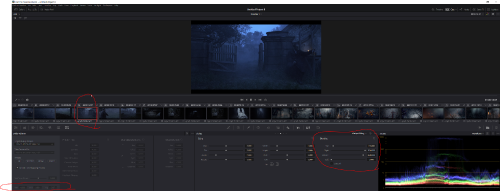

madvr rpu frame 1:
Code: Select all
{
        "Level1": {
          "block_info": {
            "ext_block_length": 5,
            "ext_block_level": 1,
            "remaining": [
              0,
              0,
              0,
              0
            ]
          },
          "min_pq": 0,
          "max_pq": 3157,
          "avg_pq": 1075
        }
      },
      {
        "Level2": {
          "block_info": {
            "ext_block_length": 11,
            "ext_block_level": 2,
            "remaining": [
              0,
              0,
              0
            ]
          },
          "target_max_pq": 3079,
          "trim_slope": 2048,
          "trim_offset": 2048,
          "trim_power": 2048,
          "trim_chroma_weight": 2048,
          "trim_saturation_gain": 2048,
          "ms_weight": 2048
        }
      },
      {
        "Level5": {
          "block_info": {
            "ext_block_length": 7,
            "ext_block_level": 5,
            "remaining": [
              0,
              0,
              0,
              0
            ]
          },
          "active_area_left_offset": 0,
          "active_area_right_offset": 0,
          "active_area_top_offset": 0,
          "active_area_bottom_offset": 0
        }
      },
      {
        "Level6": {
          "block_info": {
            "ext_block_length": 8,
            "ext_block_level": 6,
            "remaining": []
          },
          "max_display_mastering_luminance": 1000,
          "min_display_mastering_luminance": 1,
          "max_content_light_level": 1000,
"max_frame_average_light_level": 58Code: Select all
 {
        "Level1": {
          "block_info": {
            "ext_block_length": 5,
            "ext_block_level": 1,
            "remaining": [
              0,
              0,
              0,
              0
            ]
          },
          "min_pq": 12,
          "max_pq": 3298,
          "avg_pq": 2048
        }
      },
      {
        "Level2": {
          "block_info": {
            "ext_block_length": 11,
            "ext_block_level": 2,
            "remaining": [
              0,
              0,
              0
            ]
          },
          "target_max_pq": 2081,
          "trim_slope": 1533,
          "trim_offset": 2007,
          "trim_power": 1177,
          "trim_chroma_weight": 2048,
          "trim_saturation_gain": 2048,
          "ms_weight": 2048
        }
      },
      {
        "Level2": {
          "block_info": {
            "ext_block_length": 11,
            "ext_block_level": 2,
            "remaining": [
              0,
              0,
              0
            ]
          },
          "target_max_pq": 2851,
          "trim_slope": 2058,
          "trim_offset": 2030,
          "trim_power": 2053,
          "trim_chroma_weight": 2048,
          "trim_saturation_gain": 2048,
          "ms_weight": 2048
        }
      },
      {
        "Level2": {
          "block_info": {
            "ext_block_length": 11,
            "ext_block_level": 2,
            "remaining": [
              0,
              0,
              0
            ]
          },
          "target_max_pq": 3079,
          "trim_slope": 2101,
          "trim_offset": 2035,
          "trim_power": 2219,
          "trim_chroma_weight": 2048,
          "trim_saturation_gain": 2048,
          "ms_weight": 2048
        }
      },
      {
        "Level3": {
          "block_info": {
            "ext_block_length": 2,
            "ext_block_level": 3,
            "remaining": []
          },
          "min_pq_offset": 2077,
          "max_pq_offset": 1432,
          "avg_pq_offset": 2048
        }
      },
      {
        "Level5": {
          "block_info": {
            "ext_block_length": 7,
            "ext_block_level": 5,
            "remaining": [
              0,
              0,
              0,
              0
            ]
          },
          "active_area_left_offset": 0,
          "active_area_right_offset": 0,
          "active_area_top_offset": 120,
          "active_area_bottom_offset": 120
        }
      },
      {
        "Level6": {
          "block_info": {
            "ext_block_length": 8,
            "ext_block_level": 6,
            "remaining": []
          },
          "max_display_mastering_luminance": 1000,
          "min_display_mastering_luminance": 1,
          "max_content_light_level": 1680,
"max_frame_average_light_level": 58Re: Dolby Vision now possible through MP4 Mux.
That's 0 because madvr doesn't produce any info about min_pq per frame, jast as hdr10+ (as quietvoid and manixx suggested)RESET_9999 wrote: Mon Oct 11, 2021 3:39 pmTo me, it looks like madVR is including the black bars in the measurement because all the min L1 values are 0 in your DV sample. Could be just a different scene cut though.chros wrote: Sat Oct 09, 2021 8:44 am just generated a profile 08.06 from an HDR10 sample, plays fine with internal Plex app: 04-2160p_23fps_dovi_p81-l_s02e01_cyan_error.ts
It's Amazon hdr10+. Thanks for the test, measurement results are pretty close indeed (apart from the first avg value, where it's double), really interesting:RESET_9999 wrote: Mon Oct 11, 2021 3:39 pmI generated metadata using Davinci Resolve Dolby Vision algorithm(same algo studios use). Here's how the L1 metadata compares to madVR for this Netflix clip.
- Resolve L6 maxCLL is set to 1680, but it measure more than 3000 nits? what's the unit of the values on the image, nits or PQ?
- - interestingly that's the measurement summary from madvr: MaxCLL 100%: 1680, 99.9%: 1545, MaxFALL: 58, AvgFALL: 9, AvgFMLL: 524 nits
- Resolve set some L2 trim properties (that obviously dovi_tool doesn't by default), why is that? Did you set it or is it automatic?
- Resolve has 3 blocks of L2 metadata, why is that? (target_max_pq: 2081, 2851, 3079; dovi_tool has just 1: 3079) Which one is used during playback?
Manixx2020beyound wrote: Mon Oct 11, 2021 11:40 amMin pq is mostly set to 0 on hdr10plus ... n true min pq value dv dynamic meta it varies more often
Thanks, my question is what the effect of min_pq value is in reality.RESET_9999 wrote: Mon Oct 11, 2021 3:39 pmIf I don't set the correct blanking in resolve, I also get 0 everywhere. If set correctly, then I get my first min 0 at exactly 14sec ( frame 343)
otherwise, the max and avg numbers are pretty close. I did not check for a visual difference, only checked the metadata.
@quietvoid, can we overwrite an L2 value in RPU easily, if so how? (e.g. min_pq to 12) Or we have to export it into json and manually replace them and then reinjecting it?
Re: Dolby Vision now possible through MP4 Mux.
One block for every target display peak brightness, so that creatives can adjust to their liking for the whole range of brightness.chros wrote: Tue Oct 12, 2021 9:43 am - Resolve has 3 blocks of L2 metadata, why is that? (target_max_pq: 2081, 2851, 3079; dovi_tool has just 1: 3079) Which one is used during playback?
In playback, you'd have to figure out what the TV says it can output, this might be the same peak as in the Dolby Vision configuration files used for calibration.
This is why I set multiple blocks to the same values in my L2 test sample.
You're asking for L2 but min_pq is L1 metadata.chros wrote: Tue Oct 12, 2021 9:43 am @quietvoid, can we overwrite an L2 value in RPU easily, if so how? (e.g. min_pq to 12) Or we have to export it into json and manually replace them and then reinjecting it?
Technically it could be added to the editor but I don't really see a good use case for it..
-
Manixx2020beyound
- Posts: 127
- Joined: Thu Oct 08, 2020 5:19 pm
Re: Dolby Vision now possible through MP4 Mux.
- D9036A05-52EB-42CD-83D5-2E3CB37AD41D.png (803.88 KiB) Viewed 25421 times
Did anyone try a movie without black bars to see if the min values changed?
- Attachments
-
- FD7C10F9-5E3D-4F06-87CE-761653249908.jpeg (2.56 MiB) Viewed 25421 times
Last edited by Manixx2020beyound on Tue Oct 12, 2021 1:35 pm, edited 1 time in total.