Dolby Vision now possible through MP4 Mux.

Please post here for issues related to UHD discs
Hi-Res
Posts: 13
Joined: Fri Mar 22, 2019 11:30 pm

Re: Dolby Vision now possible through MP4 Mux.

Post by Hi-Res »

HongyuS wrote:
Fri Oct 23, 2020 3:40 am
badrobot wrote:
Fri Oct 23, 2020 2:52 am
I have tried MBOX demo video files on my iPad Pro, it seems that P5 can be identified as DoVi by infuse 6, but P8.1 can not.
Result:P5 play as DoVi, P8.1 play as HDR, I have uploaded these screenshots.

https://screenshotcomparison.com/comparison/7316
I forgot to mention one very important info: Apple require the video track fourcc ID to be “dvh1” for Dolby Vision. So you need to change it manually using a Hex editor. (More info: the sample I recommended to you is “dvhe”, which cannot be played by QuickTime/Apple TV app)

Furthermore, Infuse only supports profile 5. If you want to test profile 8.x, you need to copy the the m4v file to the “Files” app, and preview with it. (And you must use iPadOS 14.1 or 14.2 beta 4, or later versions, in order to support profile 8.x)
How do I change from dvhe to dvh1? Using a hex editor? How would I make the appropriate changes from dvhe to dvh1. It's showing up as HDR on infuse. If you could show me how to change the value. That would be appreciated.

Mediainfo

Code: Select all

Format                                   : MPEG-4
Format profile                           : Base Media / Version 2
Codec ID                                 : mp42 (mp42/dby1/isom)
File size                                : 58.9 GiB
Duration                                 : 1 h 48 min
Overall bit rate                         : 78.0 Mb/s
Encoded date                             : UTC 2020-10-30 15:47:07
Tagged date                              : UTC 2020-10-30 15:47:07

Video
ID                                       : 1
Format                                   : HEVC
Format/Info                              : High Efficiency Video Coding
Format profile                           : Main 10@L5.1@High
HDR format                               : Dolby Vision, Version 1.0, dvhe.05.06, BL+RPU / SMPTE ST 2094 App 4, Version 1, HDR10+ Profile B compatible
Codec ID                                 : dvhe
Codec ID/Info                            : High Efficiency Video Coding with Dolby Vision
Duration                                 : 1 h 48 min
Bit rate                                 : 77.4 Mb/s
Width                                    : 3 840 pixels
Height                                   : 2 160 pixels
Display aspect ratio                     : 16:9
Frame rate mode                          : Constant
Frame rate                               : 23.976 (24000/1001) FPS
Color space                              : YUV
Chroma subsampling                       : 4:2:0 (Type 2)
Bit depth                                : 10 bits
Bits/(Pixel*Frame)                       : 0.389
Stream size                              : 58.4 GiB (99%)
Default                                  : No
Encoded date                             : UTC 2020-10-30 15:47:07
Tagged date                              : UTC 2020-10-30 15:47:07
Color range                              : Limited
Color primaries                          : BT.2020
Transfer characteristics                 : PQ
Matrix coefficients                      : BT.2020 non-constant
Mastering display color primaries        : Display P3
Mastering display luminance              : min: 0.0050 cd/m2, max: 4000 cd/m2
Maximum Content Light Level              : 1000 cd/m2
Maximum Frame-Average Light Level        : 606 cd/m2
Codec configuration box                  : hvcC+dvcC

Audio
ID                                       : 2
Format                                   : AC-3
Format/Info                              : Audio Coding 3
Commercial name                          : Dolby Digital
Codec ID                                 : ac-3
Duration                                 : 1 h 48 min
Bit rate mode                            : Constant
Bit rate                                 : 640 kb/s
Channel(s)                               : 6 channels
Channel layout                           : L R C LFE Ls Rs
Sampling rate                            : 48.0 kHz
Frame rate                               : 31.250 FPS (1536 SPF)
Compression mode                         : Lossy
Stream size                              : 495 MiB (1%)
Language                                 : English
Service kind                             : Complete Main
Default                                  : No
Encoded date                             : UTC 2020-10-30 15:47:07
Tagged date                              : UTC 2020-10-30 15:47:07
kws53
Posts: 49
Joined: Sun May 04, 2014 9:09 pm

Re: Dolby Vision now possible through MP4 Mux.

Post by kws53 »

I have the following TEST data points to offer for 3 scenarios:
  1. Plex Windows Server->Shield 2019 Pro Plex Client->LG CX77
  2. Plex Windows Server->LG WebOS Plex Client->LG CX77 (eARC)
  3. Plex Windows Server->Sony x700 DLNA Client->LG CX77
Server = Version 1.20.3.3483
LG WebOS Plex Client Version = 5.3.1 (Client)
Shield Pro OS = Version 8.2.0
Shield Pro Plex Client = Version 7.23.0.13018
Sony x700 DLNA Client = latest US version as today

These Yusesope trial muxes were run:
  • DTDL_FEL.mp4
  • DTDL_FEL_1.mp4
  • DTDL_FEL_2.mp4
  • DTDL_FEL_3.mp4
  • DTDL_FEL_4.mp4
  • DTDL_FEL_to_MEL.mp4
  • STDL_FEL.mp4
  • STDL_FEL_to_MEL.mp4
  • FEL_to_Profile81.mp4
  • FEL.mkv
  • FEL_to_MEL.mkv
  • FEL_to_Profile81.mkv
For what it is worth, I also tried:
  1. A full DTDL .ts (TSMuxer) mux of 1917 (FEL)
    • Video 1 = SMPTE ST 2094 App 4, Version 1, HDR10+ Profile B compatible
    • Video 2 = Dolby Vision, Version 1.0, dvhe.07.05, EL+RPU, Blu-ray compatible / SMPTE ST 2086, HDR10 compatible
  2. A full DTDL .ts (TSMuxer) mux of Shazam (MEL)
    • Video 1 = SMPTE ST 2094 App 4, Version 1, HDR10+ Profile B compatible
    • Video 2 = Dolby Vision, Version 1.0, dvhe.07.05, EL+RPU, Blu-ray compatible / SMPTE ST 2086, HDR10 compatible
  3. A full STDL .ts (Alpha) mux of Shazam (MEL)
    • Video = Dolby Vision, Version 1.0, dvhe.07.05, EL+RPU, Blu-ray compatible / SMPTE ST 2086, HDR10 compatible
  4. A full DTDL .MP4 (Original MP4 method) mux of Casino Royale (MEL)
    • Video 1 = SMPTE ST 2086, HDR10 compatible
    • Video 2 = Dolby Vision, Version 1.0, dvhe.07.06, EL+RPU / SMPTE ST 2086, HDR10 compatible
  5. A full STDL .ts (Alpha) mux of First Man (FEL)
    • Video = Dolby Vision, Version 1.0, dvhe.04.06, BL+EL+RPU, Blu-ray compatible / SMPTE ST 2086, HDR10 compatible

Results (1=Shield, 2=WebOs, 3=X700):
  • DTDL_FEL.mp4: 1=HDR, 2= HDR, 3=DV
  • DTDL_FEL_1.mp4: 1=HDR, 2= HDR, 3=DV
  • DTDL_FEL_2.mp4: 1=HDR, 2= HDR, 3=DV
  • DTDL_FEL_3.mp4: 1=HDR, 2= HDR, 3=DV
  • DTDL_FEL_4.mp4: 1=HDR, 2= HDR, 3=DV
  • DTDL_FEL_to_MEL.mp4: 1=HDR, 2= HDR, 3=DV
  • STDL_FEL.mp4: 1=HDR, 2= HDR, 3=DNP
  • STDL_FEL_to_MEL.mp4: 1=HDR, 2= HDR, 3=DNP
  • FEL_to_Profile81.mp4: 1=HDR, 2=DV, 3=HDR
  • FEL.mkv: 1=HDR, 2= HDR, 3=HDR (Audio Error)
  • FEL_to_MEL.mkv: 1=HDR, 2=HDR, 3=HDR (Audio Error)
  • FEL_to_Profile81.mkv: 1=HDR, 2=HDR, 3=HDR (Audio Error)
  • 1917.ts: 1=HDR, 2=HDR, 3=DV (buffering issues after 3-5 minutes)
  • Shazam.ts (STDL): 1=HDR, 2=HDR, 3=DNP (had multiple video issues with my Sony x700/Denon x4700/LG CX77 combination - scrambled pixellated overlay which required a power down of all equipment to reset)
  • Shazam.ts (DTDL): 1=HDR, 2=HDR, 3=DNP
  • Casino Royale.mp4: 1=HDR, 2=HDR, 3=DV (audio not recognized)
  • Casino Royale.ts: 1=HDR, 2=DV (incompatible eARC audio), 3=DNP
  • First Man.ts: 1=HDR, 2=HDR, 3=DNP
In summary:
  • All DTDL MP4 test files triggered DV for x700 - may or may not be buffering issues, files too small
  • DTDL .ts file triggered DV for x700 - buffering issues
  • MP4 files from early method triggered DV in x700 but audio limitations prevented use
  • No file configuration to date triggered DV in Shield
  • Casino Royale.ts (Alpha method) triggered DV in WebOS but LG eARC audio restrictions prevented sound
  • FEL_to_Profile81.mp4 triggered DV in WebOS but LG eARC audio restrictions will be issue
Ultimately, I need SOMETHING to trigger DV in the Shield...
DaMacFunkin
Posts: 312
Joined: Tue Oct 30, 2018 4:17 pm

Re: Dolby Vision now possible through MP4 Mux.

Post by DaMacFunkin »

Hi-Res wrote:
Fri Oct 30, 2020 10:55 am
HongyuS wrote:
Fri Oct 23, 2020 3:40 am
badrobot wrote:
Fri Oct 23, 2020 2:52 am
I have tried MBOX demo video files on my iPad Pro, it seems that P5 can be identified as DoVi by infuse 6, but P8.1 can not.
Result:P5 play as DoVi, P8.1 play as HDR, I have uploaded these screenshots.

https://screenshotcomparison.com/comparison/7316
I forgot to mention one very important info: Apple require the video track fourcc ID to be “dvh1” for Dolby Vision. So you need to change it manually using a Hex editor. (More info: the sample I recommended to you is “dvhe”, which cannot be played by QuickTime/Apple TV app)

Furthermore, Infuse only supports profile 5. If you want to test profile 8.x, you need to copy the the m4v file to the “Files” app, and preview with it. (And you must use iPadOS 14.1 or 14.2 beta 4, or later versions, in order to support profile 8.x)
How do I change from dvhe to dvh1? Using a hex editor? How would I make the appropriate changes from dvhe to dvh1. It's showing up as HDR on infuse. If you could show me how to change the value. That would be appreciated.

Mediainfo

Code: Select all

Format                                   : MPEG-4
Format profile                           : Base Media / Version 2
Codec ID                                 : mp42 (mp42/dby1/isom)
File size                                : 58.9 GiB
Duration                                 : 1 h 48 min
Overall bit rate                         : 78.0 Mb/s
Encoded date                             : UTC 2020-10-30 15:47:07
Tagged date                              : UTC 2020-10-30 15:47:07

Video
ID                                       : 1
Format                                   : HEVC
Format/Info                              : High Efficiency Video Coding
Format profile                           : Main 10@L5.1@High
HDR format                               : Dolby Vision, Version 1.0, dvhe.05.06, BL+RPU / SMPTE ST 2094 App 4, Version 1, HDR10+ Profile B compatible
Codec ID                                 : dvhe
Codec ID/Info                            : High Efficiency Video Coding with Dolby Vision
Duration                                 : 1 h 48 min
Bit rate                                 : 77.4 Mb/s
Width                                    : 3 840 pixels
Height                                   : 2 160 pixels
Display aspect ratio                     : 16:9
Frame rate mode                          : Constant
Frame rate                               : 23.976 (24000/1001) FPS
Color space                              : YUV
Chroma subsampling                       : 4:2:0 (Type 2)
Bit depth                                : 10 bits
Bits/(Pixel*Frame)                       : 0.389
Stream size                              : 58.4 GiB (99%)
Default                                  : No
Encoded date                             : UTC 2020-10-30 15:47:07
Tagged date                              : UTC 2020-10-30 15:47:07
Color range                              : Limited
Color primaries                          : BT.2020
Transfer characteristics                 : PQ
Matrix coefficients                      : BT.2020 non-constant
Mastering display color primaries        : Display P3
Mastering display luminance              : min: 0.0050 cd/m2, max: 4000 cd/m2
Maximum Content Light Level              : 1000 cd/m2
Maximum Frame-Average Light Level        : 606 cd/m2
Codec configuration box                  : hvcC+dvcC

Audio
ID                                       : 2
Format                                   : AC-3
Format/Info                              : Audio Coding 3
Commercial name                          : Dolby Digital
Codec ID                                 : ac-3
Duration                                 : 1 h 48 min
Bit rate mode                            : Constant
Bit rate                                 : 640 kb/s
Channel(s)                               : 6 channels
Channel layout                           : L R C LFE Ls Rs
Sampling rate                            : 48.0 kHz
Frame rate                               : 31.250 FPS (1536 SPF)
Compression mode                         : Lossy
Stream size                              : 495 MiB (1%)
Language                                 : English
Service kind                             : Complete Main
Default                                  : No
Encoded date                             : UTC 2020-10-30 15:47:07
Tagged date                              : UTC 2020-10-30 15:47:07
Err... rip Casino Royale to mkv with latest Makemkv = Dolby Vision on Shield 2019 pro via latest Plex - it’s that easy.
shawnc22
Posts: 637
Joined: Tue Jan 21, 2020 7:40 am

Re: Dolby Vision now possible through MP4 Mux.

Post by shawnc22 »

DaMacFunkin wrote:
Fri Oct 30, 2020 9:58 pm
Hi-Res wrote:
Fri Oct 30, 2020 10:55 am
HongyuS wrote:
Fri Oct 23, 2020 3:40 am


I forgot to mention one very important info: Apple require the video track fourcc ID to be “dvh1” for Dolby Vision. So you need to change it manually using a Hex editor. (More info: the sample I recommended to you is “dvhe”, which cannot be played by QuickTime/Apple TV app)

Furthermore, Infuse only supports profile 5. If you want to test profile 8.x, you need to copy the the m4v file to the “Files” app, and preview with it. (And you must use iPadOS 14.1 or 14.2 beta 4, or later versions, in order to support profile 8.x)
How do I change from dvhe to dvh1? Using a hex editor? How would I make the appropriate changes from dvhe to dvh1. It's showing up as HDR on infuse. If you could show me how to change the value. That would be appreciated.

Mediainfo

Code: Select all

Format                                   : MPEG-4
Format profile                           : Base Media / Version 2
Codec ID                                 : mp42 (mp42/dby1/isom)
File size                                : 58.9 GiB
Duration                                 : 1 h 48 min
Overall bit rate                         : 78.0 Mb/s
Encoded date                             : UTC 2020-10-30 15:47:07
Tagged date                              : UTC 2020-10-30 15:47:07

Video
ID                                       : 1
Format                                   : HEVC
Format/Info                              : High Efficiency Video Coding
Format profile                           : Main 10@L5.1@High
HDR format                               : Dolby Vision, Version 1.0, dvhe.05.06, BL+RPU / SMPTE ST 2094 App 4, Version 1, HDR10+ Profile B compatible
Codec ID                                 : dvhe
Codec ID/Info                            : High Efficiency Video Coding with Dolby Vision
Duration                                 : 1 h 48 min
Bit rate                                 : 77.4 Mb/s
Width                                    : 3 840 pixels
Height                                   : 2 160 pixels
Display aspect ratio                     : 16:9
Frame rate mode                          : Constant
Frame rate                               : 23.976 (24000/1001) FPS
Color space                              : YUV
Chroma subsampling                       : 4:2:0 (Type 2)
Bit depth                                : 10 bits
Bits/(Pixel*Frame)                       : 0.389
Stream size                              : 58.4 GiB (99%)
Default                                  : No
Encoded date                             : UTC 2020-10-30 15:47:07
Tagged date                              : UTC 2020-10-30 15:47:07
Color range                              : Limited
Color primaries                          : BT.2020
Transfer characteristics                 : PQ
Matrix coefficients                      : BT.2020 non-constant
Mastering display color primaries        : Display P3
Mastering display luminance              : min: 0.0050 cd/m2, max: 4000 cd/m2
Maximum Content Light Level              : 1000 cd/m2
Maximum Frame-Average Light Level        : 606 cd/m2
Codec configuration box                  : hvcC+dvcC

Audio
ID                                       : 2
Format                                   : AC-3
Format/Info                              : Audio Coding 3
Commercial name                          : Dolby Digital
Codec ID                                 : ac-3
Duration                                 : 1 h 48 min
Bit rate mode                            : Constant
Bit rate                                 : 640 kb/s
Channel(s)                               : 6 channels
Channel layout                           : L R C LFE Ls Rs
Sampling rate                            : 48.0 kHz
Frame rate                               : 31.250 FPS (1536 SPF)
Compression mode                         : Lossy
Stream size                              : 495 MiB (1%)
Language                                 : English
Service kind                             : Complete Main
Default                                  : No
Encoded date                             : UTC 2020-10-30 15:47:07
Tagged date                              : UTC 2020-10-30 15:47:07
Err... rip Casino Royale to mkv with latest Makemkv = Dolby Vision on Shield 2019 pro via latest Plex - it’s that easy.
I was about to say the same thing, but I think you quoted the wrong person lol.

@kws53, just rip with makemkv 1.15.3 and call it a day.
badrobot
Posts: 21
Joined: Wed Mar 25, 2020 4:14 am

Re: Dolby Vision now possible through MP4 Mux.

Post by badrobot »

kws53 wrote:
Fri Oct 30, 2020 9:51 pm
I have the following TEST data points to offer for 3 scenarios:
  1. Plex Windows Server->Shield 2019 Pro Plex Client->LG CX77
  2. Plex Windows Server->LG WebOS Plex Client->LG CX77 (eARC)
  3. Plex Windows Server->Sony x700 DLNA Client->LG CX77
Server = Version 1.20.3.3483
LG WebOS Plex Client Version = 5.3.1 (Client)
Shield Pro OS = Version 8.2.0
Shield Pro Plex Client = Version 7.23.0.13018
Sony x700 DLNA Client = latest US version as today

These Yusesope trial muxes were run:
  • DTDL_FEL.mp4
  • DTDL_FEL_1.mp4
  • DTDL_FEL_2.mp4
  • DTDL_FEL_3.mp4
  • DTDL_FEL_4.mp4
  • DTDL_FEL_to_MEL.mp4
  • STDL_FEL.mp4
  • STDL_FEL_to_MEL.mp4
  • FEL_to_Profile81.mp4
  • FEL.mkv
  • FEL_to_MEL.mkv
  • FEL_to_Profile81.mkv
For what it is worth, I also tried:
  1. A full DTDL .ts (TSMuxer) mux of 1917 (FEL)
    • Video 1 = SMPTE ST 2094 App 4, Version 1, HDR10+ Profile B compatible
    • Video 2 = Dolby Vision, Version 1.0, dvhe.07.05, EL+RPU, Blu-ray compatible / SMPTE ST 2086, HDR10 compatible
  2. A full DTDL .ts (TSMuxer) mux of Shazam (MEL)
    • Video 1 = SMPTE ST 2094 App 4, Version 1, HDR10+ Profile B compatible
    • Video 2 = Dolby Vision, Version 1.0, dvhe.07.05, EL+RPU, Blu-ray compatible / SMPTE ST 2086, HDR10 compatible
  3. A full STDL .ts (Alpha) mux of Shazam (MEL)
    • Video = Dolby Vision, Version 1.0, dvhe.07.05, EL+RPU, Blu-ray compatible / SMPTE ST 2086, HDR10 compatible
  4. A full DTDL .MP4 (Original MP4 method) mux of Casino Royale (MEL)
    • Video 1 = SMPTE ST 2086, HDR10 compatible
    • Video 2 = Dolby Vision, Version 1.0, dvhe.07.06, EL+RPU / SMPTE ST 2086, HDR10 compatible
  5. A full STDL .ts (Alpha) mux of First Man (FEL)
    • Video = Dolby Vision, Version 1.0, dvhe.04.06, BL+EL+RPU, Blu-ray compatible / SMPTE ST 2086, HDR10 compatible

Results (1=Shield, 2=WebOs, 3=X700):
  • DTDL_FEL.mp4: 1=HDR, 2= HDR, 3=DV
  • DTDL_FEL_1.mp4: 1=HDR, 2= HDR, 3=DV
  • DTDL_FEL_2.mp4: 1=HDR, 2= HDR, 3=DV
  • DTDL_FEL_3.mp4: 1=HDR, 2= HDR, 3=DV
  • DTDL_FEL_4.mp4: 1=HDR, 2= HDR, 3=DV
  • DTDL_FEL_to_MEL.mp4: 1=HDR, 2= HDR, 3=DV
  • STDL_FEL.mp4: 1=HDR, 2= HDR, 3=DNP
  • STDL_FEL_to_MEL.mp4: 1=HDR, 2= HDR, 3=DNP
  • FEL_to_Profile81.mp4: 1=HDR, 2=DV, 3=HDR
  • FEL.mkv: 1=HDR, 2= HDR, 3=HDR (Audio Error)
  • FEL_to_MEL.mkv: 1=HDR, 2=HDR, 3=HDR (Audio Error)
  • FEL_to_Profile81.mkv: 1=HDR, 2=HDR, 3=HDR (Audio Error)
  • 1917.ts: 1=HDR, 2=HDR, 3=DV (buffering issues after 3-5 minutes)
  • Shazam.ts (STDL): 1=HDR, 2=HDR, 3=DNP (had multiple video issues with my Sony x700/Denon x4700/LG CX77 combination - scrambled pixellated overlay which required a power down of all equipment to reset)
  • Shazam.ts (DTDL): 1=HDR, 2=HDR, 3=DNP
  • Casino Royale.mp4: 1=HDR, 2=HDR, 3=DV (audio not recognized)
  • Casino Royale.ts: 1=HDR, 2=DV (incompatible eARC audio), 3=DNP
  • First Man.ts: 1=HDR, 2=HDR, 3=DNP
In summary:
  • All DTDL MP4 test files triggered DV for x700 - may or may not be buffering issues, files too small
  • DTDL .ts file triggered DV for x700 - buffering issues
  • MP4 files from early method triggered DV in x700 but audio limitations prevented use
  • No file configuration to date triggered DV in Shield
  • Casino Royale.ts (Alpha method) triggered DV in WebOS but LG eARC audio restrictions prevented sound
  • FEL_to_Profile81.mp4 triggered DV in WebOS but LG eARC audio restrictions will be issue
Ultimately, I need SOMETHING to trigger DV in the Shield...
You need to update Shield Pro Plex Client version to 8.8.0.
I am not a native English speaker.
Sorry for my bad English.
Hi-Res
Posts: 13
Joined: Fri Mar 22, 2019 11:30 pm

Re: Dolby Vision now possible through MP4 Mux.

Post by Hi-Res »

kws53 wrote:
Fri Oct 30, 2020 9:51 pm
I have the following TEST data points to offer for 3 scenarios:
  1. Plex Windows Server->Shield 2019 Pro Plex Client->LG CX77
  2. Plex Windows Server->LG WebOS Plex Client->LG CX77 (eARC)
  3. Plex Windows Server->Sony x700 DLNA Client->LG CX77
Server = Version 1.20.3.3483
LG WebOS Plex Client Version = 5.3.1 (Client)
Shield Pro OS = Version 8.2.0
Shield Pro Plex Client = Version 7.23.0.13018
Sony x700 DLNA Client = latest US version as today

These Yusesope trial muxes were run:
  • DTDL_FEL.mp4
  • DTDL_FEL_1.mp4
  • DTDL_FEL_2.mp4
  • DTDL_FEL_3.mp4
  • DTDL_FEL_4.mp4
  • DTDL_FEL_to_MEL.mp4
  • STDL_FEL.mp4
  • STDL_FEL_to_MEL.mp4
  • FEL_to_Profile81.mp4
  • FEL.mkv
  • FEL_to_MEL.mkv
  • FEL_to_Profile81.mkv
For what it is worth, I also tried:
  1. A full DTDL .ts (TSMuxer) mux of 1917 (FEL)
    • Video 1 = SMPTE ST 2094 App 4, Version 1, HDR10+ Profile B compatible
    • Video 2 = Dolby Vision, Version 1.0, dvhe.07.05, EL+RPU, Blu-ray compatible / SMPTE ST 2086, HDR10 compatible
  2. A full DTDL .ts (TSMuxer) mux of Shazam (MEL)
    • Video 1 = SMPTE ST 2094 App 4, Version 1, HDR10+ Profile B compatible
    • Video 2 = Dolby Vision, Version 1.0, dvhe.07.05, EL+RPU, Blu-ray compatible / SMPTE ST 2086, HDR10 compatible
  3. A full STDL .ts (Alpha) mux of Shazam (MEL)
    • Video = Dolby Vision, Version 1.0, dvhe.07.05, EL+RPU, Blu-ray compatible / SMPTE ST 2086, HDR10 compatible
  4. A full DTDL .MP4 (Original MP4 method) mux of Casino Royale (MEL)
    • Video 1 = SMPTE ST 2086, HDR10 compatible
    • Video 2 = Dolby Vision, Version 1.0, dvhe.07.06, EL+RPU / SMPTE ST 2086, HDR10 compatible
  5. A full STDL .ts (Alpha) mux of First Man (FEL)
    • Video = Dolby Vision, Version 1.0, dvhe.04.06, BL+EL+RPU, Blu-ray compatible / SMPTE ST 2086, HDR10 compatible

Results (1=Shield, 2=WebOs, 3=X700):
  • DTDL_FEL.mp4: 1=HDR, 2= HDR, 3=DV
  • DTDL_FEL_1.mp4: 1=HDR, 2= HDR, 3=DV
  • DTDL_FEL_2.mp4: 1=HDR, 2= HDR, 3=DV
  • DTDL_FEL_3.mp4: 1=HDR, 2= HDR, 3=DV
  • DTDL_FEL_4.mp4: 1=HDR, 2= HDR, 3=DV
  • DTDL_FEL_to_MEL.mp4: 1=HDR, 2= HDR, 3=DV
  • STDL_FEL.mp4: 1=HDR, 2= HDR, 3=DNP
  • STDL_FEL_to_MEL.mp4: 1=HDR, 2= HDR, 3=DNP
  • FEL_to_Profile81.mp4: 1=HDR, 2=DV, 3=HDR
  • FEL.mkv: 1=HDR, 2= HDR, 3=HDR (Audio Error)
  • FEL_to_MEL.mkv: 1=HDR, 2=HDR, 3=HDR (Audio Error)
  • FEL_to_Profile81.mkv: 1=HDR, 2=HDR, 3=HDR (Audio Error)
  • 1917.ts: 1=HDR, 2=HDR, 3=DV (buffering issues after 3-5 minutes)
  • Shazam.ts (STDL): 1=HDR, 2=HDR, 3=DNP (had multiple video issues with my Sony x700/Denon x4700/LG CX77 combination - scrambled pixellated overlay which required a power down of all equipment to reset)
  • Shazam.ts (DTDL): 1=HDR, 2=HDR, 3=DNP
  • Casino Royale.mp4: 1=HDR, 2=HDR, 3=DV (audio not recognized)
  • Casino Royale.ts: 1=HDR, 2=DV (incompatible eARC audio), 3=DNP
  • First Man.ts: 1=HDR, 2=HDR, 3=DNP
In summary:
  • All DTDL MP4 test files triggered DV for x700 - may or may not be buffering issues, files too small
  • DTDL .ts file triggered DV for x700 - buffering issues
  • MP4 files from early method triggered DV in x700 but audio limitations prevented use
  • No file configuration to date triggered DV in Shield
  • Casino Royale.ts (Alpha method) triggered DV in WebOS but LG eARC audio restrictions prevented sound
  • FEL_to_Profile81.mp4 triggered DV in WebOS but LG eARC audio restrictions will be issue
Ultimately, I need SOMETHING to trigger DV in the Shield...
The x700 playing in Dolby vision dual-layer mp4 from both DLNA and USB. Forcing Dolby vision to ON in settings, applies a pseudo dv to all content and isn't real Dolby vision. Turning on DV sends the DV metadata for everything. So just triggering DV isn't enough of a test to know for SURE that it's truly playing DV content. Turning it off will still properly flag dv so long as the actual Metadata exists and your source content is correct.

If you search far back enough. The x700 isn't 1:1 DV playback. It has been confused by many because they see the logo popup.
RESET_9999
Posts: 2406
Joined: Mon Aug 05, 2019 7:12 pm

Re: Dolby Vision now possible through MP4 Mux.

Post by RESET_9999 »

Hi-Res wrote:
Sat Oct 31, 2020 12:27 am


So just triggering DV isn't enough of a test to know for SURE that it's truly playing DV content. Turning it off will still properly flag dv so long as the actual Metadata exists and your source content is correct.

If you search far back enough. The x700 isn't 1:1 DV playback. It has been confused by many because they see the logo popup.
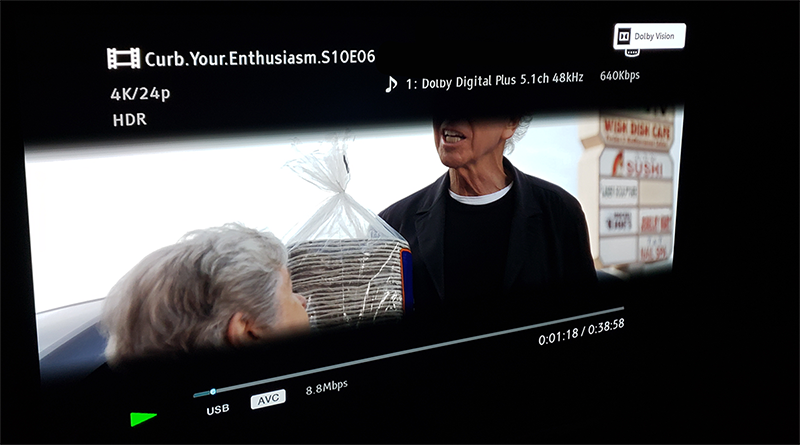
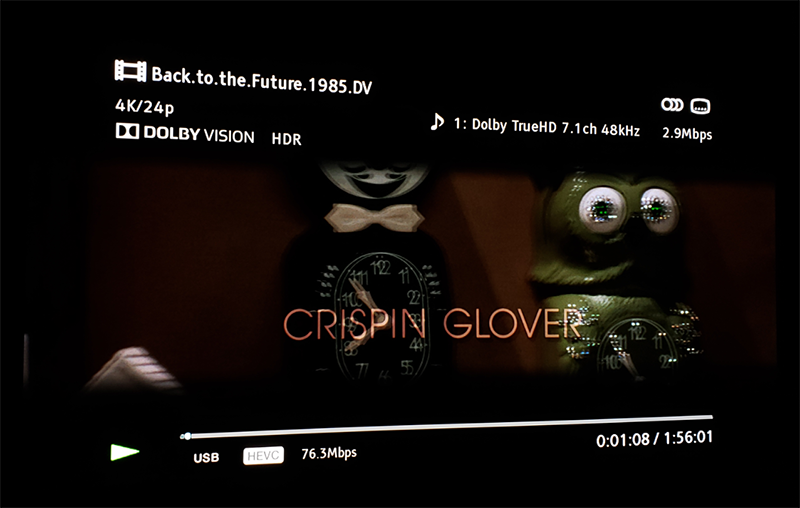
not true at all. the x700 OSD will show ''Dolby Vision HDR'' for real DV and ''HDR'' only for fake DV.
it sure is a 1:1 DV playback device.

also, turning off DV wont trigger DV anymore for any content. it will even tonemap profile 5 full range DV content to HDR10.

Image Image

kws53 wrote:
Fri Oct 30, 2020 9:51 pm
I have the following TEST data points to offer for 3 scenarios:
mmm... the x700 play ALL the DT DL TS produced by tsmuxer. not sure why you couldnt play Shazaam , Casino Royal, 1917 and first man. I watched all of them without any issue.
Last edited by RESET_9999 on Sat Oct 31, 2020 6:34 pm, edited 2 times in total.
Sorry for my English.
G5 / AM6B+ / Denon 7.2.4
DoVi_Scripts
DoVi Playback Devices
koolkunz
Posts: 17
Joined: Mon Oct 26, 2020 4:03 pm

Re: Dolby Vision now possible through MP4 Mux.

Post by koolkunz »

I have been trying a lot of sample files posted here on my new sony bravia x90h tv. It can play basically all MEL files (mp4/ts/mkv) and all profile8.1 files but havent been able to find a way to get any FEL file trigger dolby vision, is it simply not possible to play FEL files on sony tvs without external hardware player?

Also I have one other question, any FEL file converted to MEL vs the same FEL file converted to profile 8.1, what is supposed to look better? (MEL file should look better right as 8.1 has no enhancement layer and only dynamic metadata?)
DaMacFunkin
Posts: 312
Joined: Tue Oct 30, 2018 4:17 pm

Re: Dolby Vision now possible through MP4 Mux.

Post by DaMacFunkin »

koolkunz wrote:
Sat Oct 31, 2020 8:25 am
I have been trying a lot of sample files posted here on my new sony bravia x90h tv. It can play basically all MEL files (mp4/ts/mkv) and all profile8.1 files but havent been able to find a way to get any FEL file trigger dolby vision, is it simply not possible to play FEL files on sony tvs without external hardware player?

Also I have one other question, any FEL file converted to MEL vs the same FEL file converted to profile 8.1, what is supposed to look better? (MEL file should look better right as 8.1 has no enhancement layer and only dynamic metadata?)
No, Sony doesn’t support full Dolby (FEL).
Also no one is sure what is happening with these FEL players that actually play them, is the enhancement getting discarded?
koolkunz
Posts: 17
Joined: Mon Oct 26, 2020 4:03 pm

Re: Dolby Vision now possible through MP4 Mux.

Post by koolkunz »

Testing that should be pretty easy I guess? Just take comparison photographs in a pitch black room on a good tv. Comparing FEL file vs MEL file for the same movie?
DaMacFunkin
Posts: 312
Joined: Tue Oct 30, 2018 4:17 pm

Re: Dolby Vision now possible through MP4 Mux.

Post by DaMacFunkin »

koolkunz wrote:
Sat Oct 31, 2020 1:42 pm
Testing that should be pretty easy I guess? Just take comparison photographs in a pitch black room on a good tv. Comparing FEL file vs MEL file for the same movie?
Maybe in all these files we are just getting HDR10 with dynamic metadata.

I know for a fact that original Dual Track DV on the Oppo203 is better than any rip played back via an Android player that I have seen.
koolkunz
Posts: 17
Joined: Mon Oct 26, 2020 4:03 pm

Re: Dolby Vision now possible through MP4 Mux.

Post by koolkunz »

DaMacFunkin wrote:
Sat Oct 31, 2020 2:26 pm
koolkunz wrote:
Sat Oct 31, 2020 1:42 pm
Testing that should be pretty easy I guess? Just take comparison photographs in a pitch black room on a good tv. Comparing FEL file vs MEL file for the same movie?
Maybe in all these files we are just getting HDR10 with dynamic metadata.

I know for a fact that original Dual Track DV on the Oppo203 is better than any rip played back via an Android player that I have seen.
If there is a difference in those files then they cant all just be hdr10 with dynamic metadata..one of them has to be proper DV?
userr
Posts: 63
Joined: Sat Apr 04, 2020 7:10 pm

Re: Dolby Vision now possible through MP4 Mux.

Post by userr »

DaMacFunkin wrote:
Sat Oct 31, 2020 2:26 pm
koolkunz wrote:
Sat Oct 31, 2020 1:42 pm
Testing that should be pretty easy I guess? Just take comparison photographs in a pitch black room on a good tv. Comparing FEL file vs MEL file for the same movie?
Maybe in all these files we are just getting HDR10 with dynamic metadata.

I know for a fact that original Dual Track DV on the Oppo203 is better than any rip played back via an Android player that I have seen.
What kind of "original dual track DV" ? Ripped DTDL profile7? or from the disc?
shawnc22
Posts: 637
Joined: Tue Jan 21, 2020 7:40 am

Re: Dolby Vision now possible through MP4 Mux.

Post by shawnc22 »

userr wrote:
Sat Oct 31, 2020 4:06 pm
DaMacFunkin wrote:
Sat Oct 31, 2020 2:26 pm
koolkunz wrote:
Sat Oct 31, 2020 1:42 pm
Testing that should be pretty easy I guess? Just take comparison photographs in a pitch black room on a good tv. Comparing FEL file vs MEL file for the same movie?
Maybe in all these files we are just getting HDR10 with dynamic metadata.

I know for a fact that original Dual Track DV on the Oppo203 is better than any rip played back via an Android player that I have seen.
What kind of "original dual track DV" ? Ripped DTDL profile7? or from the disc?
the oppo can just play the full folder backups without any extra modifications.
lexyz
Posts: 120
Joined: Fri May 08, 2020 5:32 am

Re: Dolby Vision now possible through MP4 Mux.

Post by lexyz »

DaMacFunkin wrote:
Sat Oct 31, 2020 2:26 pm
Maybe in all these files we are just getting HDR10 with dynamic metadata.

I know for a fact that original Dual Track DV on the Oppo203 is better than any rip played back via an Android player that I have seen.
You can think about STDL version as Schrödinger's Dolby Vision - It's equal and unequal to DTDL at the same time :lol:
Bravia XF90, Shield TV Pro'19, UBP-X700
Post Reply