Dolby Vision now possible through MP4 Mux.

Please post here for issues related to UHD discs
userr
Posts: 63
Joined: Sat Apr 04, 2020 7:10 pm

Re: Dolby Vision now possible through MP4 Mux.

Post by userr »

RESET_9999 wrote:
Tue Sep 29, 2020 11:42 pm
no problem on the x700 for the single track FEL or MEL profile 4
FEL:
https://screenshotcomparison.com/comparison/6715
https://screenshotcomparison.com/comparison/6727
MEL:
https://screenshotcomparison.com/comparison/6724

I'm not capturing any difference between FEL and MEL on the Shield suggesting it's ''maybe'' treating all the DV files as MEL.
London Has Fallen: https://screenshotcomparison.com/comparison/6723
Spears and Munsil: https://screenshotcomparison.com/comparison/6721
Thanks for excellent tests as usual.

Do we know if Zidoo Z9X can differentiate between MEL and FEL?
userr
Posts: 63
Joined: Sat Apr 04, 2020 7:10 pm

Re: Dolby Vision now possible through MP4 Mux.

Post by userr »

Also, before i order one, can the Zidoo z9x play the following?:

- Profile7 DualLayer .ts .mp4 or .mkv?
- Profile 4/6/7 SingleLayer (made with bl_el_rpu_builder or ripped with latest mkv) .ts mp4 or .mkv?
Tomas
Posts: 46
Joined: Tue Aug 11, 2020 7:47 pm

Re: Dolby Vision now possible through MP4 Mux.

Post by Tomas »

userr wrote:
Wed Sep 30, 2020 11:51 am
RESET_9999 wrote:
Tue Sep 29, 2020 11:42 pm
no problem on the x700 for the single track FEL or MEL profile 4
FEL:
https://screenshotcomparison.com/comparison/6715
https://screenshotcomparison.com/comparison/6727
MEL:
https://screenshotcomparison.com/comparison/6724

I'm not capturing any difference between FEL and MEL on the Shield suggesting it's ''maybe'' treating all the DV files as MEL.
London Has Fallen: https://screenshotcomparison.com/comparison/6723
Spears and Munsil: https://screenshotcomparison.com/comparison/6721
Thanks for excellent tests as usual.

Do we know if Zidoo Z9X can differentiate between MEL and FEL?
While I was releasing everything on Zidoo z9x it played for me. No problem to try.
Tomas
Posts: 46
Joined: Tue Aug 11, 2020 7:47 pm

Re: Dolby Vision now possible through MP4 Mux.

Post by Tomas »

userr wrote:
Wed Sep 30, 2020 12:01 pm
Also, before i order one, can the Zidoo z9x play the following?:

- Profile7 DualLayer .ts .mp4 or .mkv?
- Profile 4/6/7 SingleLayer (made with bl_el_rpu_builder or ripped with latest mkv) .ts mp4 or .mkv?
While I was releasing everything on Zidoo z9x it played for me. No problem to try.
iamTa
Posts: 13
Joined: Sat Sep 19, 2020 10:13 am

Re: Dolby Vision now possible through MP4 Mux.

Post by iamTa »

yusesope wrote:
Wed Sep 30, 2020 8:48 am
In the folder I've put the "SHOW_HELP" file in the hope that someone will open it and start using the command line.
Ahhh good idea :)

I created a batch file to turn an M2TS into the required components (for remuxing into an ISO/MKV with HD audio) and load them up in txMuxerGUI:

Code: Select all

@echo off

SET FFMPEG="D:\FEL2MEL\ffmpeg.exe"
SET PYTHON="D:\FEL2MEL\python-3.7.6.amd64\python.exe"
SET TOOL="D:\FEL2MEL\src\app.py"
SET TMP=D:\FEL2MEL\
SET TSMGUI="D:\FEL2MEL\tsMuxeR\tsMuxerGUI.exe"

SET /P M2TS="Drag and drop M2TS file and press enter "

%FFMPEG% -i "%M2TS%" -map 0:0 -c copy "%TMP%BL.hevc" -map 0:1 -c copy "%TMP%EL.hevc" -map 0:2 && %PYTHON% %TOOL% -mux -fel_to_mel -bl "%TMP%BL.hevc" -el "%TMP%EL.hevc" -of "%TMP%BL_EL_RPU.hevc" && del "%TMP%BL.hevc" "%TMP%EL.hevc" && %PYTHON% %TOOL% -demux -if "%TMP%BL_EL_RPU.hevc" -bl_out "%TMP%BL.hevc" -el_out "%TMP%EL_RPU.hevc" && del "%TMP%BL_EL_RPU.hevc" && %TSMGUI% "%TMP%BL.hevc" "%TMP%EL_RPU.hevc" "%M2TS%"  && del "%TMP%BL.hevc" "%TMP%EL_RPU.hevc"
Unfortunately it wasn't possible to automate the entire tsMuxeR process as each M2TS contains different track IDs for audio, PGS etc.

If anyone would like to use the script just be sure to edit the top five variables to match your file locations and folder structure.

I also edited the second to last line in the app.py python script to remove the press any key prompt:

Code: Select all

if __name__ == '__main__':
	main()
	end = print("Completed!")
DaMacFunkin
Posts: 312
Joined: Tue Oct 30, 2018 4:17 pm

Re: Dolby Vision now possible through MP4 Mux.

Post by DaMacFunkin »

Tomas wrote:
Wed Sep 30, 2020 3:59 pm
userr wrote:
Wed Sep 30, 2020 12:01 pm
Also, before i order one, can the Zidoo z9x play the following?:

- Profile7 DualLayer .ts .mp4 or .mkv?
- Profile 4/6/7 SingleLayer (made with bl_el_rpu_builder or ripped with latest mkv) .ts mp4 or .mkv?
While I was releasing everything on Zidoo z9x it played for me. No problem to try.
It wont play Profile 7 Dual layer in Dolby Vision, only HDR10.
Do you have output set to VS10 or LLDV?
mike admin
Posts: 4107
Joined: Wed Nov 26, 2008 2:26 am
Contact:

Re: Dolby Vision now possible through MP4 Mux.

Post by mike admin »

yusesope wrote:
Sat Sep 26, 2020 11:28 am
60 sec sample comes from the Spears & Munsil UHD-BD. It is a file with DV MEL but MakeMKV does not recognize it as such and generates a DV-free mkv.
This is FEL file, not MEL. The 1.15.3 recognizes it as such :)
RESET_9999
Posts: 2410
Joined: Mon Aug 05, 2019 7:12 pm

Re: Dolby Vision now possible through MP4 Mux.

Post by RESET_9999 »

mike admin wrote:
Wed Sep 30, 2020 6:13 pm
yusesope wrote:
Sat Sep 26, 2020 11:28 am
60 sec sample comes from the Spears & Munsil UHD-BD. It is a file with DV MEL but MakeMKV does not recognize it as such and generates a DV-free mkv.
This is FEL file, not MEL. The 1.15.3 recognizes it as such :)
are you sure? because it does look like a MEL file and BDinfo sees it as MEL.

Disc Size: 4,968,806,400 bytes
Protection: AACS2
Extras: Ultra HD
BDInfo: 0.7.5.6

PLAYLIST REPORT:

Name: 00000.MPLS
Length: 0:07:45.381
Size: 4,967,024,640 bytes
Total Bitrate: 85.38 Mbps

VIDEO:

Codec Bitrate Description
----- ------- -----------
MPEG-H HEVC Video 75391 kbps 2160p / 23.976 fps / 16:9 / Main 10 @ Level 5.1 @ High / 4:2:0 / 10 bits / 10000nits / HDR10 / BT.2020
* MPEG-H HEVC Video 2124 kbps (2.74%) 1080p / 23.976 fps / 16:9 / Main 10 @ Level 5.1 @ High / 4:2:0 / 10 bits / 10000nits / Dolby Vision MEL / BT.2020

AUDIO:

Codec Language Bitrate Description
----- -------- ------- -----------
Dolby TrueHD Audio English 3537 kbps 5.1 / 48 kHz / 3537 kbps / 16-bit (AC3 Core: 5.1 / 48 kHz / 640 kbps)
Sorry for my English.
G5 / AM6B+ / Denon 7.2.4
DoVi_Scripts
DoVi Playback Devices
Tomas
Posts: 46
Joined: Tue Aug 11, 2020 7:47 pm

Re: Dolby Vision now possible through MP4 Mux.

Post by Tomas »

DaMacFunkin wrote:
Wed Sep 30, 2020 5:35 pm
Tomas wrote:
Wed Sep 30, 2020 3:59 pm
userr wrote:
Wed Sep 30, 2020 12:01 pm
Also, before i order one, can the Zidoo z9x play the following?:

- Profile7 DualLayer .ts .mp4 or .mkv?
- Profile 4/6/7 SingleLayer (made with bl_el_rpu_builder or ripped with latest mkv) .ts mp4 or .mkv?
While I was releasing everything on Zidoo z9x it played for me. No problem to try.
It wont play Profile 7 Dual layer in Dolby Vision, only HDR10.
Do you have output set to VS10 or LLDV?
My output is set to AUTO. Dolby Vision MKV MEL plays it nicely. MKV FEE will not play seknes it. FEL in .ts or .mp4 plays it as HDR or HDR 10
yusesope
Posts: 221
Joined: Sun Jul 28, 2019 3:34 am

Re: Dolby Vision now possible through MP4 Mux.

Post by yusesope »

Tomas wrote:
Wed Sep 30, 2020 9:59 am
I extracted M2ts files. Then I inserted the HEVC files into MUX_AND_CONVERT_TO_MEL.bat which went well and I have the file. I open DEMUX.bat, insert the file, the program starts and stops for a while as you can see on the screen.
The steps seem right to me!
Are you sure the original file is a FEL file?
If you use "MUX_AND_CONVERT_TO_MEL.bat" the original file must be FEL and not MEL otherwise a mess happens!

Can you upload a 120 second sample so I can take a look at it?
ghostshadow wrote:
Wed Sep 30, 2020 11:37 am
And I encode the BL_EL_RPU.hevc. So logically the complete reorganization of its internal structure will be done on the BL and EL not?
Or you have to encode the BL.hevc and the EL.hevc separately.
Mon ami, ecoute-moi: il n'y a pas de software au monde capable de modifier les RPU.
Si tu modifies BL (ou Bl et EL), tu dois egalement modifier les RPU.
Il n'y a aucun software capable de faire cela !!!!!!!!!!!!!!!!

Pere, pardonne-leur, car ils ne savent ce qu'ils font...
Amen...
:lol:

This is what I think about it in French (sorry for the non-existent accents but you French use too many :shock: )!
My advice is to do no encoding and to follow the instructions in THIS post (if you don't want to convert a FEL file to MEL follow the same steps but just use "MUX.bat" and "DEMUX.bat")
Hey, this is just my opinion: if you want to experiment, go ahead but I don't think it's worth it (especially if your PC takes 32h to convert a file)!
ghostshadow wrote:
Wed Sep 30, 2020 11:37 am
Then I have another lead to extract the RPU from a dolby vision UHD. I was able to make a dolby vision RPU Trim file, in xml, but I crashed somewhere in the software because apparently it extracted me only the metadata of an image, I had to select an image in the Trim.
Don't waste your time. My next release foresees the creation of a file with the original RPUs and a file with the edited RPUs (in case you choose the FEL -> MEL conversion). These files will be compatible with x265 but their primary goal will be to restore the FEL file when you decide to create a MEL one.

iamTa wrote:
Wed Sep 30, 2020 4:57 pm
I created a batch file...
I have some suggestions

Code: Select all

SET CURRENT_DIR=%~dp0
.......collect all executables in a "bin" folder and use %CURRENT_DIR% to define initial variables.......

SET /P INPUT="Drag and drop a M2TS file or a decrypted Blu-Ray disc folder and press enter "
IF EXIST "%INPUT%\BDMV" (SET BD=bluray:) ELSE (SET BD=)
%FFMPEG% -y -i %BD%%INPUT% ............................................................
yusesope
Posts: 221
Joined: Sun Jul 28, 2019 3:34 am

Re: Dolby Vision now possible through MP4 Mux.

Post by yusesope »

mike admin wrote:
Wed Sep 30, 2020 6:13 pm
This is FEL file, not MEL. The 1.15.3 recognizes it as such :)
RANDOM RPU

Code: Select all

00 00 00 01 7c 01 19 08 09 08 40 61 36 50 ef 00 
3f f8 01 ff c0 0f ff d0 00 00 08 00 00 06 80 00 
00 40 00 00 34 00 00 03 02 00 00 03 01 c9 59 80 
00 0d 7a 89 59 be 7f 3a c7 09 59 91 32 80 00 00 
40 00 00 03 02 00 00 03 00 02 00 00 03 00 07 0d 
88 90 c0 61 82 97 8c 23 81 45 00 00 03 00 69 8f 
96 bf ff c0 00 00 03 00 00 03 00 00 03 00 18 08 
1f 73 80 54 60 30 08 00 5d 21 99 80 c0 28 21 80 
47 fc 80 08 00 80 01 00 01 80 56 47 00 10 01 00 
10 01 00 0f ff 04 04 01 60 5e 12 0c 4e 20 00 64 
4e 20 0d 18 49 3c bb b2 80
PARSED RPU

Code: Select all

NALU HEADER------------------------------
| nal_unit_type: 62
| nuh_layer_id: 0
| nuh_temporal_id: 0

RPU HEADER------------------------------
| rpu_type: 2
| rpu_format: 18
| vdr_rpu_profile: 1
| vdr_rpu_level: 0
| vdr_seq_info_present_flag: 1
| SEQUENCE INFO
|  | chroma_resampling_explicit_filter_flag: 0
|  | coefficient_data_type: 0
|  | coefficient_log2_denom: 23
|  | vdr_rpu_normalized_idc: 1
|  | BL_video_full_range_flag: 0
|  | BL_bit_depth: 10
|  | EL_bit_depth: 10
|  | vdr_bit_depth: 12
|  | spatial_resampling_filter_flag: 0
|  | el_spatial_resampling_filter_flag: 1
|  | disable_residual_flag: 1
| vdr_dm_metadata_present_flag: 1
| use_prev_vdr_rpu_flag: 0
| vdr_rpu_id: 0
| mapping_color_space: 0
| mapping_chroma_format_idc: 0
| num_pivots: [2, 2, 2]
| pred_pivot_value: [[0, 1023], [0, 1023], [0, 1023]]
| num_x_partitions: 1
| num_y_partitions: 1

MAPPING------------------------------
component: 0 , pivot index: 0
| mapping_idc: 0
| mapping_param_pred_flag: 0
| poly_order: 1
| linear_interp_flag: 0
| poly_coef[0]: 0:0
| poly_coef[1]: 1:0
component: 1 , pivot index: 0
| mapping_idc: 0
| mapping_param_pred_flag: 0
| poly_order: 1
| linear_interp_flag: 0
| poly_coef[0]: 0:0
| poly_coef[1]: 1:0
component: 2 , pivot index: 0
| mapping_idc: 0
| mapping_param_pred_flag: 0
| poly_order: 1
| linear_interp_flag: 0
| poly_coef[0]: 0:0
| poly_coef[1]: 1:0

DM METADATA-----------------------------
affected_dm_metadata_id: 0
current_dm_metadata_id: 0
scene_refresh_flag: 0
YCCtoRGB_coefO: 9574
YCCtoRGB_coefl: 0
YCCtoRGB_coef2: 13802
YCCtoRGB_coef3: 9574
YCCtoRGB_coef4: -1540
YCCtoRGB_coef5: -5348
YCCtoRGB_coef6: 9574
YCCtoRGB_coef7: 17610
YCCtoRGB_coef8: 0
YCCtoRGB_offsetO: 16777216
YCCtoRGB_offsetl: 134217728
YCCtoRGB_offset2: 134217728
RGBtoLMS_coef0: 7222
RGBtoLMS_coef1: 8771
RGBtoLMS_coef2: 390
RGBtoLMS_coef3: 2654
RGBtoLMS_coef4: 12430
RGBtoLMS_coef5: 1300
RGBtoLMS_coef6: 0
RGBtoLMS_coef7: 422
RGBtoLMS_coef8: 15962
signal_eotf: 65535
signal_eotf_paramO: 0
signal_eotf_paraml: 0
signal_eotf_param2: 0
signal_bit_depth: 12
signal_color_space: 0
signal_chroma_format: 0
signal_full_range_flag: 1
source_min_PQ: 62
source_max_PQ: 3696
source_diagonal: 42
num_ext_blocks: 5

EXTENSION METADATA------------------------
Extension block 0, Level 1, Length 5
| min_PQ: 0
| max_PQ: 2980
| avg_PQ: 819
Extension block 1, Level 2, Length 11
| target_max_PQ: 2081
| trim_slope: 2052
| trim_offset: 2044
| trim_power: 2048
| trim_chroma_weight: 2048
| trim_saturation_gain: 2048
| ms_weight: 512
Extension block 2, Level 2, Length 11
| target_max_PQ: 2851
| trim_slope: 2048
| trim_offset: 2048
| trim_power: 2048
| trim_chroma_weight: 2048
| trim_saturation_gain: 2048
| ms_weight: 4095
Extension block 3, Level 4, Length 3
| anchor_PQ: 22
| anchor_power: 94
Extension block 4, Level 6, Length 8
| max_display_mastering_luminance: 10000
| min_display_mastering_luminance: 50
| max_content_light_level: 10000
| max_frame_average_light_level: 1676

rpu_data_crc32:  0x493cbbb2
trailing bits:   0x80
MakeMKV v1.15.2 detects the file as "MpegH HEVC Main10@L5.1" (neither MEL nor FEL)

I'm sorry mike but my only neuron is telling me it's a MEL!
I'm happy to be proven wrong!
Tomas
Posts: 46
Joined: Tue Aug 11, 2020 7:47 pm

Re: Dolby Vision now possible through MP4 Mux.

Post by Tomas »

iamTa wrote:
Mon Sep 28, 2020 11:49 am
Tomas wrote:
Sun Sep 27, 2020 5:39 pm
Everything played perfectly. May I ask how did you convert from FEL to MEL?
thank you very much
So these are the steps I take to convert FEL to MEL and remux with TrueHD/Atmos into an MKV:
  • Extract hevc streams with ffmpeg: ffmpeg.exe -i X:\BDMV\STREAM\XXXXX.m2ts -map 0:0 -c copy X:\BL.hevc -map 0:1 -c copy X:\EL.hevc
  • Feed both hevc files from step 1 into MUX_AND_CONVERT_TO_MEL.bat
  • Feed single hevc file from step 2 into DEMUX.bat
  • Use latest tsMuxeR nightly, add both hevc files from step 3 into input along with X:\BDMV\STREAM\XXXXX.m2ts from step 1, remove duplicate video tracks and output to ISO
  • Use MakeMKV to convert ISO to MKV
These MKVs can then be played back using the modded ExoPlayer and potentially the latest Emby beta (I've not tested Emby).

I've converted and tested a few full length movies and the above method works flawlessly.

Thank you yusesope for all your hard work.
I did everything according to the FEE procedure at MEL. The resulting film according to BD info is still FEE. I can ask where I made a mistake.

Codec Bitrate Description
----- ------- -----------
MPEG-H HEVC Video 58779 kbps 2160p / 23.976 fps / 16:9 / Main 10 @ Level 5.1 @ High / 4:2:0 / 10 bits / 4000nits / HDR10+ v1 Profile B / BT.2020
* MPEG-H HEVC Video 6760 kbps (10.31%) 1080p / 23.976 fps / 16:9 / Main 10 @ Level 5.1 @ High / 4:2:0 / 10 bits / 4000nits / Dolby Vision FEL / BT.2020
DaMacFunkin
Posts: 312
Joined: Tue Oct 30, 2018 4:17 pm

Re: Dolby Vision now possible through MP4 Mux.

Post by DaMacFunkin »

Tomas wrote:
Wed Sep 30, 2020 7:55 pm
DaMacFunkin wrote:
Wed Sep 30, 2020 5:35 pm
Tomas wrote:
Wed Sep 30, 2020 3:59 pm


While I was releasing everything on Zidoo z9x it played for me. No problem to try.
It wont play Profile 7 Dual layer in Dolby Vision, only HDR10.
Do you have output set to VS10 or LLDV?
My output is set to AUTO. Dolby Vision MKV MEL plays it nicely. MKV FEE will not play seknes it. FEL in .ts or .mp4 plays it as HDR or HDR 10
Which is what I said?
ghostshadow
Posts: 55
Joined: Sun Sep 13, 2020 10:25 am

Re: Dolby Vision now possible through MP4 Mux.

Post by ghostshadow »

yusesope wrote:
Thu Sep 17, 2020 2:59 pm

You need FFmpeg (the executable is in the bin folder),

To avoid problems, if you can, use my version of ExoPlayer (HERE).

Happy testing!
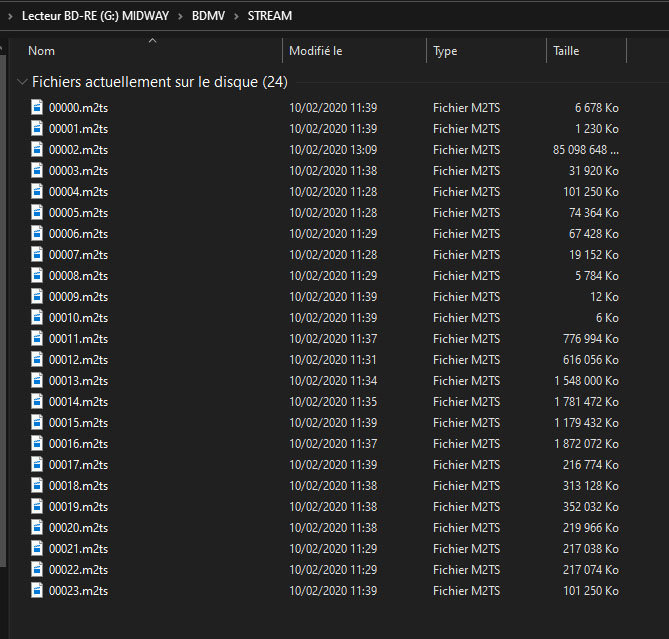
Image
ghostshadow
Posts: 55
Joined: Sun Sep 13, 2020 10:25 am

Re: Dolby Vision now possible through MP4 Mux.

Post by ghostshadow »

yusesope wrote:
Wed Sep 30, 2020 8:57 pm
ghostshadow wrote:
Wed Sep 30, 2020 11:37 am
And I encode the BL_EL_RPU.hevc. So logically the complete reorganization of its internal structure will be done on the BL and EL not?
Or you have to encode the BL.hevc and the EL.hevc separately.
Mon ami, ecoute-moi: il n'y a pas de software au monde capable de modifier les RPU.
Si tu modifies BL (ou Bl et EL), tu dois egalement modifier les RPU.
Il n'y a aucun software capable de faire cela !!!!!!!!!!!!!!!!

Pere, pardonne-leur, car ils ne savent ce qu'ils font...
Amen...
:lol:

This is what I think about it in French (sorry for the non-existent accents but you French use too many :shock: )!
My advice is to do no encoding and to follow the instructions in THIS post (if you don't want to convert a FEL file to MEL follow the same steps but just use "MUX.bat" and "DEMUX.bat")
Hey, this is just my opinion: if you want to experiment, go ahead but I don't think it's worth it (especially if your PC takes 32h to convert a file)!
ghostshadow wrote:
Wed Sep 30, 2020 11:37 am
Then I have another lead to extract the RPU from a dolby vision UHD. I was able to make a dolby vision RPU Trim file, in xml, but I crashed somewhere in the software because apparently it extracted me only the metadata of an image, I had to select an image in the Trim.
Don't waste your time. My next release foresees the creation of a file with the original RPUs and a file with the edited RPUs (in case you choose the FEL -> MEL conversion). These files will be compatible with x265 but their primary goal will be to restore the FEL file when you decide to create a MEL one.
I thank you for your answers and your advice.

Someone on another forum posted this to me :
Général
Nom complet : XXXXX\IP.Man.4.2019.Single.Layer.Dolby.Vision-Profile_8.mp4
Format : MPEG-4
Profil du format : Base Media
Identifiant du codec : isom (isom)
Taille du fichier : 298 Mio
Durée : 3 min 12s
Type de débit global : Variable
Débit global moyen : 13,0 Mb/s
Date d'encodage : UTC 2020-09-25 19:54:40
Date de marquage : UTC 2020-09-25 19:54:40

Vidéo
ID : 1
Format : HEVC
Format/Info : High Efficiency Video Coding
Profil du format : Main 10@L5.1@Main
HDR format : Dolby Vision, Version 1.0, dvhe.08.06, BL+EL+RPU / SMPTE ST 2086, HDR10 compatible
Identifiant du codec : hev1
Identifiant du codec/Info : High Efficiency Video Coding
Durée : 3 min 12s
Débit : 10,6 Mb/s
Largeur : 3 840 pixels
Hauteur : 2 160 pixels
Format à l'écran : 16/9
Type d'images/s : Constant
Images par seconde : 24,000 Im/s
Espace de couleurs : YUV
Sous-échantillonnage de la chrominance : 4:2:0 (Type 2)
Profondeur des couleurs : 10 bits
Bits/(Pixel*Image) : 0.053
Taille du flux : 243 Mio (82%)
Bibliothèque utilisée : x265 3.4+7-g38774073d:[Windows][GCC 10.1.0][64 bit] 10bit
Paramètres d'encodage : cpuid=1049583 / frame-threads=4 / numa-pools=12,12 / wpp / no-pmode / no-pme / no-psnr / no-ssim / log-level=2 / input-csp=1 / input-res=3840x2160 / interlace=0 / total-frames=151536 / level-idc=51 / high-tier=1 / uhd-bd=0 / ref=4 / no-allow-non-conformance / repeat-headers / annexb / no-aud / no-hrd / info / hash=0 / no-temporal-layers / open-gop / min-keyint=24 / keyint=250 / gop-lookahead=54 / bframes=4 / b-adapt=2 / b-pyramid / bframe-bias=0 / rc-lookahead=60 / lookahead-slices=1 / scenecut=40 / hist-scenecut=0 / radl=0 / no-splice / no-intra-refresh / ctu=64 / min-cu-size=8 / no-rect / no-amp / max-tu-size=32 / tu-inter-depth=4 / tu-intra-depth=4 / limit-tu=4 / rdoq-level=0 / dynamic-rd=0.00 / no-ssim-rd / signhide / no-tskip / nr-intra=0 / nr-inter=0 / no-constrained-intra / strong-intra-smoothing / max-merge=5 / limit-refs=2 / no-limit-modes / me=3 / subme=7 / merange=57 / temporal-mvp / no-frame-dup / no-hme / weightp / weightb / no-analyze-src-pics / deblock=-3:-3 / sao / no-sao-non-deblock / rd=4 / selective-sao=4 / no-early-skip / rskip / no-fast-intra / no-tskip-fast / no-cu-lossless / b-intra / no-splitrd-skip / rdpenalty=0 / psy-rd=2.00 / psy-rdoq=0.00 / no-rd-refine / no-lossless / cbqpoffs=0 / crqpoffs=0 / rc=abr / bitrate=15888 / qcomp=0.60 / qpstep=4 / stats-write=0 / stats-read=2 / cplxblur=20.0 / qblur=0.5 / ipratio=1.40 / pbratio=1.30 / aq-mode=2 / aq-strength=1.00 / cutree / zone-count=0 / no-strict-cbr / qg-size=32 / no-rc-grain / qpmax=69 / qpmin=0 / no-const-vbv / sar=1 / overscan=0 / videoformat=5 / range=0 / colorprim=9 / transfer=16 / colormatrix=9 / chromaloc=1 / chromaloc-top=2 / chromaloc-bottom=2 / display-window=0 / master-display=G(13250,34500)B(7500,3000)R(34000,16000)WP(15635,16450)L(10000000,1) / cll=630,460 / min-luma=0 / max-luma=1023 / log2-max-poc-lsb=8 / vui-timing-info / vui-hrd-info / slices=1 / no-opt-qp-pps / no-opt-ref-list-length-pps / no-multi-pass-opt-rps / scenecut-bias=0.05 / hist-threshold=0.01 / no-opt-cu-delta-qp / no-aq-motion / hdr10 / hdr10-opt / no-dhdr10-opt / no-idr-recovery-sei / analysis-reuse-level=0 / analysis-save-reuse-level=0 / analysis-load-reuse-level=0 / scale-factor=0 / refine-intra=0 / refine-inter=0 / refine-mv=1 / refine-ctu-distortion=0 / no-limit-sao / ctu-info=0 / no-lowpass-dct / refine-analysis-type=0 / copy-pic=1 / max-ausize-factor=1.0 / no-dynamic-refine / no-single-sei / no-hevc-aq / no-svt / no-field / qp-adaptation-range=1.00 / no-scenecut-aware-qpconformance-window-offsets / right=0 / bottom=0 / decoder-max-rate=0
Default : Non
Date d'encodage : UTC 2020-09-25 19:48:08
Date de marquage : UTC 2020-09-25 19:54:42
Gamme de couleurs : Limited
Coordonnées de chromaticité : BT.2020
Caractéristiques du transfert : PQ
Coefficients de la matrice : BT.2020 non-constant
Mastering display color primaries : Display P3
Mastering display luminance : min: 0.0001 cd/m2, max: 1000 cd/m2
Maximum Content Light Level : 630 cd/m2
Maximum Frame-Average Light Level : 460 cd/m2
Codec configuration box : hvcC+dvcC+hvcE

Audio
ID : 2
Format : DTS XLL
Format/Info : Digital Theater Systems
Nom commercial : DTS-HD Master Audio
Identifiant du codec : mp4a-A9
Durée : 3 min 12s
Type de débit : Variable
Débit : 2 392 kb/s
Débit maximum : 2 966 kb/s
Canaux : 6 canaux
Channel layout : C L R Ls Rs LFE
Echantillonnage : 48,0 kHz
Images par seconde : 93,750 Im/s (512 SPF)
Profondeur des couleurs : 16 bits
Mode de compression : Sans perte
Taille du flux : 54,9 Mio (18%)
Titre : Chinese DTS-HD Master Audio 5.1
Langue : Chinois
Default : Oui
Alternate group : 1
Date de marquage : UTC 2020-09-25 19:54:42
The video track is therefore encoded in x265. What do you think ?
Post Reply