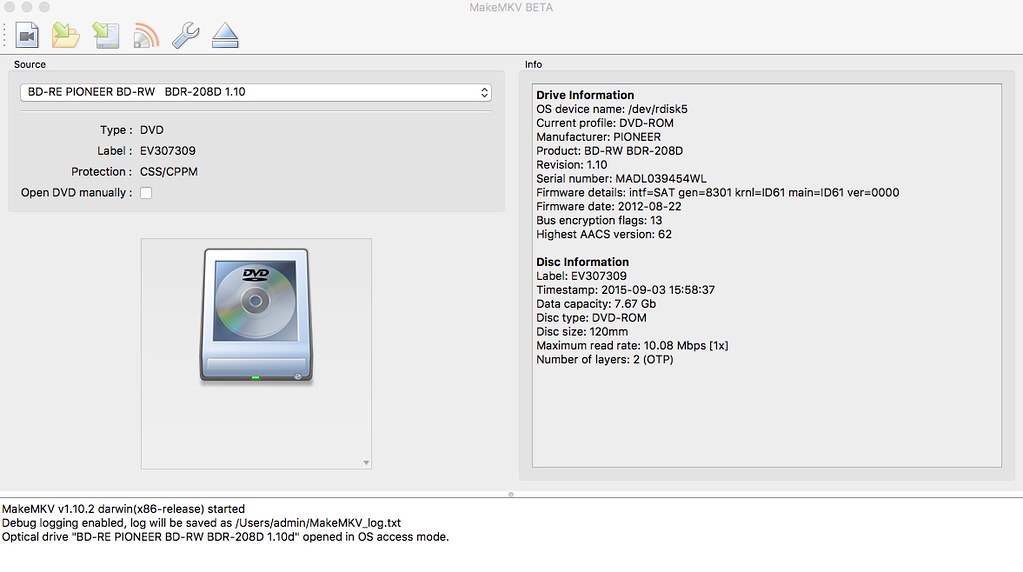
OK, I've confirmed the box appears for DVDs in the Windows GUI; someone else with a Mac will have to say whether it shows up for him or her on the Mac.
Attachments haven't worked for a long time. If you have access to any other server you can post a link to the picture inside of "img" tags.
Off-hand, the only thing that I know that could be an issue is if you are somehow running a version prior to manual mode being introduced, but that would mean it's at least two years old, and you would have noticed other new features not working, like opening recent BDs.
Well, it's definitely the latest version for os x (just downloaded it), definitely a DVD, and definitely doesn't have the tick box to activate manual mode.
I believe the step needed to have Manual mode available is to have Expert mode enabled in Preferences.
[Preferences > General (tab/button) > Expert mode (check box)]
You may need to restart MakeMKV.
Then your window should look similar to what Lovely Rita posted.