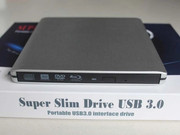
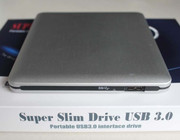
I don't know if there's been problems flashing drives in slimline external enclosures, but if so, any that won't give me problems would be nice.

TIA!
Code: Select all
aliexpress.com/item/1005001339163974.htmlrsaotome wrote: Sat Jan 17, 2026 11:10 am I wonder why so many of these external cases have the cable permanently attached, been burned by cases like these in the past, the cable fails & the case becomes e-waste.
I found that sometimes if the screws in the back are done up too tight, the drive tray sticks a little and won’t eject. Try loosening one or both just a fraction and see if that helps.rsaotome wrote: Fri Jan 23, 2026 8:46 am I bought 2x Silverstone TS14's, to go with the BU40N's, it's been a difficult case to work with, but I finally managed to get the drives installed, they both show up in windows, but the eject button on both drives, does nothing, but in windows, I can eject both no problem.
I patched one of the drive with the 1.03 firmware, I don't think that made any difference, at least it rips UHD's now, so that's good.
Just out of curiosity, I plugged the enclosure straight into a USB charger, using the supplied cable, it powered on, I can feel little subtle movements inside, but the eject button still doesn't work.
Is this the fault of the case, the drive, both?
Any help would be appreciated.
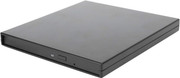
No, I prefer the drive's original faceplate.rsaotome wrote: Sat Jan 31, 2026 3:42 pm I'm curious, does anyone remove their original faceplates & use the faceplates included with whatever case they're using?