Fedora Install
Posted: Tue Oct 28, 2025 3:36 am
So the instructions mostly worked just fine. I was on a fairly fresh fedora 42 install and I just had to change a couple of the package names.
sudo dnf install expat-devel libavutil-free-devel libavcodec-free-devel qt5-qtbase-gui qt5-qtbase-devel
I also wanted to mention there is actually a flatpack available. I assume it wasn't packed by mike, but It seems to work fine out of the box.
I haven't tried the instructions which configure it to bind with the host ffmpeg, so if any of you try it It would be interesting to hear about it.
EDIT:
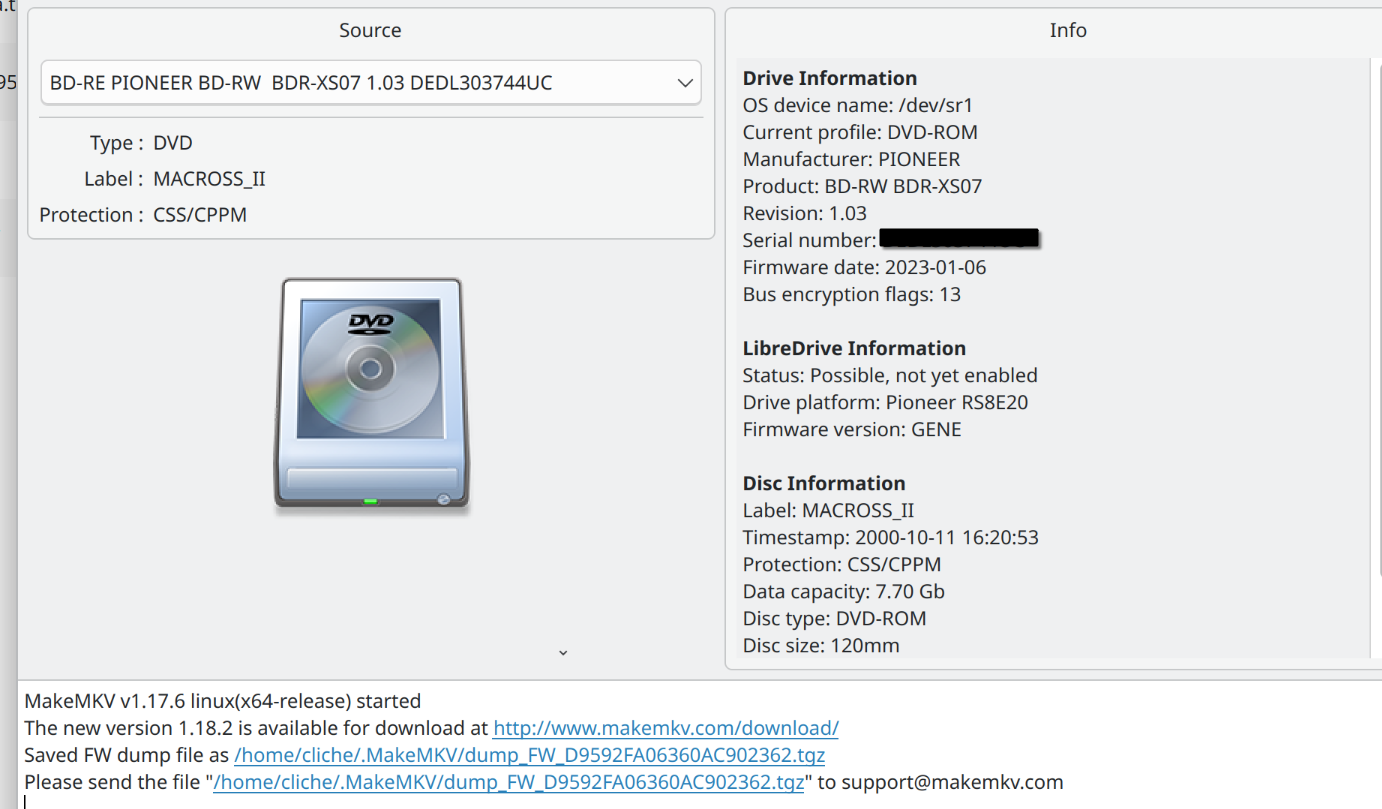
actually things only went fine with some of my drives. I read anther thread about the app not working correctly on linux and users mentioned something abut firmware dumping and an old version of the software.
So, you can still get old versions at https://makemkv.com/download/old/ and specifically https://makemkv.com/download/old/makemk ... 7.6.tar.gz worked for me. I just went into the folder for the old version did make && make install. Then the one drive that was problematic gave me a screen that mentioned dumping firmware. when I went back to 1.18.2 it still seems to work fine.

sudo dnf install expat-devel libavutil-free-devel libavcodec-free-devel qt5-qtbase-gui qt5-qtbase-devel
I also wanted to mention there is actually a flatpack available. I assume it wasn't packed by mike, but It seems to work fine out of the box.
I haven't tried the instructions which configure it to bind with the host ffmpeg, so if any of you try it It would be interesting to hear about it.
EDIT:
actually things only went fine with some of my drives. I read anther thread about the app not working correctly on linux and users mentioned something abut firmware dumping and an old version of the software.
So, you can still get old versions at https://makemkv.com/download/old/ and specifically https://makemkv.com/download/old/makemk ... 7.6.tar.gz worked for me. I just went into the folder for the old version did make && make install. Then the one drive that was problematic gave me a screen that mentioned dumping firmware. when I went back to 1.18.2 it still seems to work fine.