Help with flashing CA02 BU40N

Forum for discussions about UHD-capable dives
Post Reply
risinghotwinds
Posts: 1
Joined: Sun Mar 22, 2026 1:42 am

Help with flashing CA02 BU40N

Post by risinghotwinds » Sun Mar 22, 2026 2:01 am

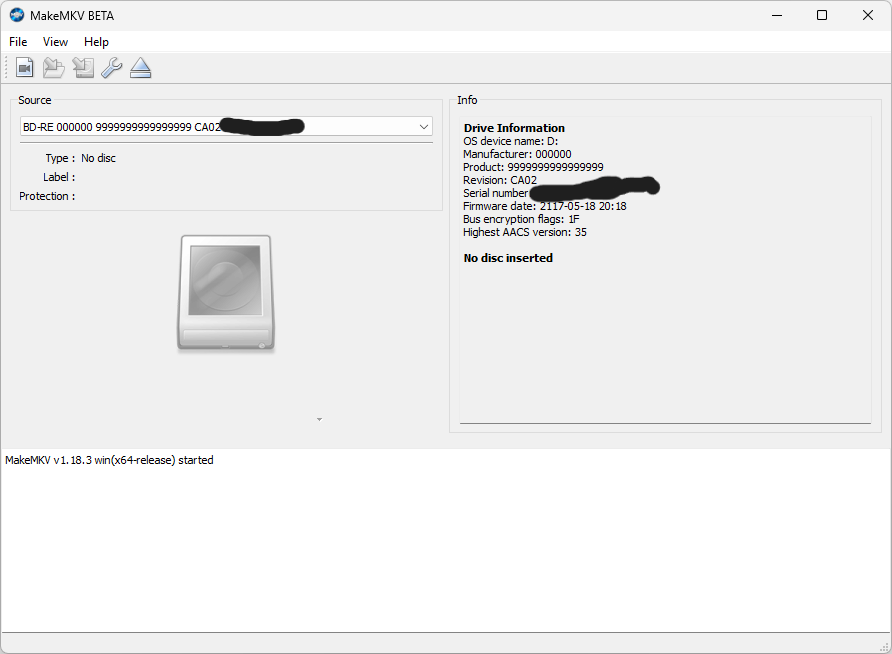
I'm hoping to get some help flashing an LG BU40N that comes from a JOYIN-BURN Amazon listing. It has the 7+6 SATA port on the back and I got a USB cable for it.
The drive originally reported having CA02 firmware (the sticker on the drive says SW22, manufactured Nov 2022).
I attempted to flash the 1.03 MK firmware using SDFtool Flasher, but ran into issues.
I inserted a standard Blu-ray and MakeMKV reads the disc and AACS info perfectly.
SDF Flasher GUI v1.3.6 says my drive is not MT1959 so it can't flash and the recover mode is grayed out.
I tried forcing it via makemkvcon using the enc and -t mtk19xx flags (and even manually forcing the sdf.bin file). This resulted in a payload rejection: Write DRAM NG 00/00/00 and Command produced error code 0x82000000.
From reading past threads, it looks like this CA02 firmware has a hard downgrade block.
I tried flashing DE_flash_HL-DT-ST_BD-RE_BU40N_BU10 and HL-DT-ST-BD-RE_BU40N-1.03-NM00000-211810241934 but I get errors. I think I'm supposed to flash firmware that is slim drive specific which I thought I was already doing?
Image

Billycar11
Posts: 5518
Joined: Sun Aug 24, 2014 5:49 am

Re: Help with flashing CA02 BU40N

Post by Billycar11 » Sun Mar 22, 2026 4:52 am

risinghotwinds wrote:
Sun Mar 22, 2026 2:01 am
I'm hoping to get some help flashing an LG BU40N that comes from a JOYIN-BURN Amazon listing. It has the 7+6 SATA port on the back and I got a USB cable for it.
The drive originally reported having CA02 firmware (the sticker on the drive says SW22, manufactured Nov 2022).
I attempted to flash the 1.03 MK firmware using SDFtool Flasher, but ran into issues.
I inserted a standard Blu-ray and MakeMKV reads the disc and AACS info perfectly.
SDF Flasher GUI v1.3.6 says my drive is not MT1959 so it can't flash and the recover mode is grayed out.
I tried forcing it via makemkvcon using the enc and -t mtk19xx flags (and even manually forcing the sdf.bin file). This resulted in a payload rejection: Write DRAM NG 00/00/00 and Command produced error code 0x82000000.
From reading past threads, it looks like this CA02 firmware has a hard downgrade block.
I tried flashing DE_flash_HL-DT-ST_BD-RE_BU40N_BU10 and HL-DT-ST-BD-RE_BU40N-1.03-NM00000-211810241934 but I get errors. I think I'm supposed to flash firmware that is slim drive specific which I thought I was already doing?
the problem is your case or adapter
theirs really no good slim cases available retail now
get one of the recommended full size adapters with a slim sata adapter for your drive
Buy a drive from the guide and video maker: https://www.makemkv.com/forum/viewtopic ... 20&t=17831
UHD Drive Guide: https://www.makemkv.com/forum/viewtopic ... 16&t=19634
Auto flash kit $40 Email Billycar5924@gmail.com No attachments

Post Reply